 Skip to content

In today’s hyper-connected world, a robust and reliable WiFi connection is no longer a luxury—it’s a necessity. Whether you’re a small business owner striving to provide seamless internet access for your customers, a tech enthusiast looking to optimize your home network, or an IT professional tasked with ensuring uninterrupted connectivity across a sprawling campus, the right WiFi antenna can make all the difference.
However, with a myriad of options available, each boasting unique features and specifications, choosing the perfect WiFi antenna can be a daunting task. This ultimate guide aims to demystify the complexities of WiFi antennas, offering you comprehensive insights and practical advice to help you make an informed decision. From understanding the basics of antenna types and frequencies to evaluating key performance metrics and installation tips, we’ve got you covered. Dive in and discover how to elevate your WiFi experience by selecting the right antenna tailored to your specific needs.

Purpose of the Guide
The purpose of this article is to provide readers with comprehensive and practical information to help them make informed decisions when selecting WiFi antennas. The guide aims to:
1. Educate on Basics: Explain the fundamental concepts of WiFi antennas, including types, frequencies, and how they work.
2. Identify Needs: Help readers assess their specific requirements based on factors such as range, environment, and usage.
3. Compare Options: Present a detailed comparison of different WiFi antennas, including their advantages and disadvantages.
4. Technical Insights: Offer technical insights into specifications like gain, polarization, and radiation patterns.
5. Installation Tips: Provide practical advice on the installation and positioning of WiFi antennas for optimal performance.
6. Troubleshooting: Address common issues and troubleshooting tips to ensure readers can maintain a strong and reliable WiFi connection.
7. Future-Proofing: Discuss considerations for future-proofing their WiFi setup to accommodate evolving technology and increased demand.
By the end of the article, readers should feel confident in their ability to choose the right WiFi antenna for their specific needs, ensuring better connectivity and performance in their wireless networks.
Importance of choosing the right WiFi antenna
Choosing the right WiFi antenna is crucial for several reasons, and it can significantly impact the performance and reliability of your wireless network. Here are some key points highlighting the importance:
1. Coverage Area
Directional vs. Omni-directional: Directional antennas focus the signal in a specific direction, which can extend the range in that direction, making them ideal for point-to-point connections or covering long distances. Omni-directional antennas, on the other hand, distribute the signal evenly in all directions, suitable for covering a broad area around the antenna.
Building Layout: The physical layout of your space (e.g., walls, floors, and obstacles) can affect signal propagation. Choosing the right antenna type can help mitigate these issues and ensure better coverage.
2. Signal Strength and Quality
Gain: Antenna gain, measured in dBi, indicates how well the antenna can amplify the signal. Higher gain antennas can transmit and receive signals over longer distances, but they may also be more directional.
Interference: The right antenna can help minimize interference from other electronic devices, neighboring networks, and physical obstructions, leading to a clearer and more reliable connection.
3. Application Requirements
Indoor vs. Outdoor: Indoor antennas are designed to work within buildings, while outdoor antennas are built to withstand weather conditions. Using the appropriate type ensures durability and optimal performance.
Specific Use Cases: Different applications (e.g., home networking, enterprise environments, remote monitoring) have unique requirements for bandwidth, range, and reliability. The right antenna can meet these specific needs effectively.
4. Network Performance
Throughput: A well-chosen antenna can improve data throughput by providing a stronger and more stable connection, which is essential for high-bandwidth activities like streaming, gaming, and video conferencing.
Latency: Reduced signal degradation and interference lead to lower latency, enhancing the overall user experience, especially for real-time applications.
5. Cost Efficiency
Optimal Investment: Investing in the right antenna can eliminate the need for additional equipment like signal boosters or extra access points, saving money in the long run.
Energy Efficiency: Efficient antennas can reduce the power demand on your WiFi equipment, potentially lowering energy costs.
6. Future-Proofing
Scalability: Choosing an antenna that can handle higher data rates and larger coverage areas can help future-proof your network against growing demands and technological advancements.
7. Regulatory Compliance
Legal Requirements: Different regions have regulations regarding the use of WiFi equipment and antennas. The right antenna ensures compliance with these regulations, avoiding legal issues and potential fines.
8. Ease of Installation and Maintenance
cURL Too many subrequests by single Worker invocation. To configure this limit, refer to https://developers.cloudflare.com/workers/wrangler/configuration/#limits.
cURL Too many subrequests by single Worker invocation. To configure this limit, refer to https://developers.cloudflare.com/workers/wrangler/configuration/#limits.
Conclusion
cURL Too many subrequests by single Worker invocation. To configure this limit, refer to https://developers.cloudflare.com/workers/wrangler/configuration/#limits.
cURL Too many subrequests by single Worker invocation. To configure this limit, refer to https://developers.cloudflare.com/workers/wrangler/configuration/#limits
cURL Too many subrequests by single Worker invocation. To configure this limit, refer to https://developers.cloudflare.com/workers/wrangler/configuration/#limits

cURL Too many subrequests by single Worker invocation. To configure this limit, refer to https://developers.cloudflare.com/workers/wrangler/configuration/#limits
cURL Too many subrequests by single Worker invocation. To configure this limit, refer to https://developers.cloudflare.com/workers/wrangler/configuration/#limitscURL Too many subrequests by single Worker invocation. To configure this limit, refer to https://developers.cloudflare.com/workers/wrangler/configuration/#limits.
cURL Too many subrequests by single Worker invocation. To configure this limit, refer to https://developers.cloudflare.com/workers/wrangler/configuration/#limitscURL Too many subrequests by single Worker invocation. To configure this limit, refer to https://developers.cloudflare.com/workers/wrangler/configuration/#limits.
cURL Too many subrequests by single Worker invocation. To configure this limit, refer to https://developers.cloudflare.com/workers/wrangler/configuration/#limits
cURL Too many subrequests by single Worker invocation. To configure this limit, refer to https://developers.cloudflare.com/workers/wrangler/configuration/#limits.
cURL Too many subrequests by single Worker invocation. To configure this limit, refer to https://developers.cloudflare.com/workers/wrangler/configuration/#limits.
cURL Too many subrequests by single Worker invocation. To configure this limit, refer to https://developers.cloudflare.com/workers/wrangler/configuration/#limits.
cURL Too many subrequests by single Worker invocation. To configure this limit, refer to https://developers.cloudflare.com/workers/wrangler/configuration/#limits
cURL Too many subrequests by single Worker invocation. To configure this limit, refer to https://developers.cloudflare.com/workers/wrangler/configuration/#limits.
cURL Too many subrequests by single Worker invocation. To configure this limit, refer to https://developers.cloudflare.com/workers/wrangler/configuration/#limits.
4. Polarization:
cURL Too many subrequests by single Worker invocation. To configure this limit, refer to https://developers.cloudflare.com/workers/wrangler/configuration/#limits.
cURL Too many subrequests by single Worker invocation. To configure this limit, refer to https://developers.cloudflare.com/workers/wrangler/configuration/#limits.
cURL Too many subrequests by single Worker invocation. To configure this limit, refer to https://developers.cloudflare.com/workers/wrangler/configuration/#limits.
cURL Too many subrequests by single Worker invocation. To configure this limit, refer to https://developers.cloudflare.com/workers/wrangler/configuration/#limits
cURL Too many subrequests by single Worker invocation. To configure this limit, refer to https://developers.cloudflare.com/workers/wrangler/configuration/#limits.
Mounting Options: Consider how and where you will mount the antenna (e.g., wall, pole, ceiling).
Antenna Size: Larger antennas may offer better performance but can be more challenging to install.
6. Compatibility:
Connector Types: Ensure the antenna connector type (e.g., SMA, RP-SMA, N-type) matches your router or access point.
Device Compatibility: Check if your WiFi device supports external antennas and the specific frequency bands.
7. Regulatory Compliance:
Local Regulations: Be aware of the regulations regarding antenna use and power limits in your country or region.
8. Use Cases:
Home/Office Coverage: Omnidirectional antennas for general coverage.
Point-to-Point Links: Directional antennas for connecting two locations.
Outdoor Coverage: Sector or directional antennas for targeted outdoor areas.
9. Budget:
Cost vs. Performance: Higher gain and specialized antennas may be more expensive but provide better performance for specific applications.
By considering these factors, you can select the right WiFi antenna to meet your specific needs and optimize your wireless network’s performance.
Understanding WiFi Antennas
Basic concepts of WiFi technology
WiFi, short for Wireless Fidelity, is a technology that allows electronic devices to connect to a wireless local area network (WLAN), typically using the 2.4 GHz and 5 GHz radio frequency bands. Here are some basic concepts related to WiFi technology:
1. SSID (Service Set Identifier)
Definition: The SSID is the name of a WiFi network that devices use to identify and connect to it.
Usage: When you search for available networks on your device, the list of names you see represents the SSIDs of nearby WiFi networks.
2. Access Point (AP)
Definition: A device that allows wireless devices to connect to a wired network using WiFi.

Function: It acts as a bridge between the wireless devices and the wired network, often integrated into routers.
3. Router
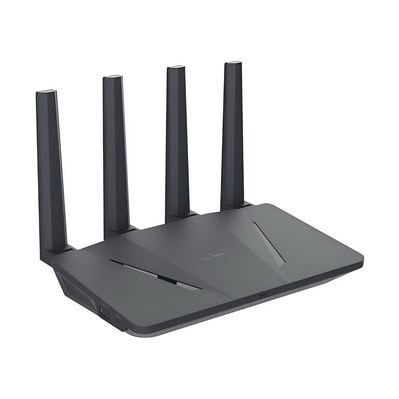
Definition: A device that forwards data packets between computer networks.
Function: In a WiFi network, a router typically includes an access point to provide wireless connectivity and routing capabilities to connect to the internet.
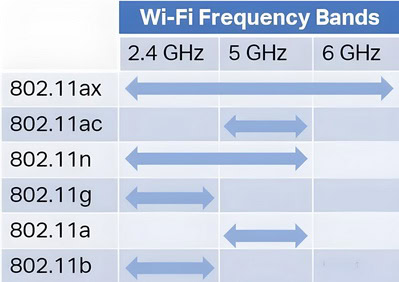
4. Frequency Bands
2.4 GHz Band: Offers wider coverage but is more prone to interference and congestion.
5 GHz Band: Provides faster speeds and less interference but has a shorter range compared to the 2.4 GHz band.
6 GHz Band: The latest addition, offering even faster speeds and lower latency than the 5 GHz band, with less interference due to fewer devices currently operating in this spectrum. However, it has an even shorter range compared to the 5 GHz band.
5. Channels
Definition: Subdivisions of the frequency bands that help reduce interference by separating different networks.
Usage: In the 2.4 GHz band, common channels are 1, 6, and 11 to avoid overlap. In the 5 GHz band, there are more channels available, reducing the likelihood of interference.
cURL Too many subrequests by single Worker invocation. To configure this limit, refer to https://developers.cloudflare.com/workers/wrangler/configuration/#limits.
cURL Too many subrequests by single Worker invocation. To configure this limit, refer to https://developers.cloudflare.com/workers/wrangler/configuration/#limits.
cURL Too many subrequests by single Worker invocation. To configure this limit, refer to https://developers.cloudflare.com/workers/wrangler/configuration/#limits.
cURL Too many subrequests by single Worker invocation. To configure this limit, refer to https://developers.cloudflare.com/workers/wrangler/configuration/#limits.
cURL Too many subrequests by single Worker invocation. To configure this limit, refer to https://developers.cloudflare.com/workers/wrangler/configuration/#limits.
cURL Too many subrequests by single Worker invocation. To configure this limit, refer to https://developers.cloudflare.com/workers/wrangler/configuration/#limitscURL Too many subrequests by single Worker invocation. To configure this limit, refer to https://developers.cloudflare.com/workers/wrangler/configuration/#limitscURL Too many subrequests by single Worker invocation. To configure this limit, refer to https://developers.cloudflare.com/workers/wrangler/configuration/#limits.
cURL Too many subrequests by single Worker invocation. To configure this limit, refer to https://developers.cloudflare.com/workers/wrangler/configuration/#limits cURL Too many subrequests by single Worker invocation. To configure this limit, refer to https://developers.cloudflare.com/workers/wrangler/configuration/#limits cURL Too many subrequests by single Worker invocation. To configure this limit, refer to https://developers.cloudflare.com/workers/wrangler/configuration/#limits.
cURL Too many subrequests by single Worker invocation. To configure this limit, refer to https://developers.cloudflare.com/workers/wrangler/configuration/#limitscURL Too many subrequests by single Worker invocation. To configure this limit, refer to https://developers.cloudflare.com/workers/wrangler/configuration/#limits.
cURL Too many subrequests by single Worker invocation. To configure this limit, refer to https://developers.cloudflare.com/workers/wrangler/configuration/#limits.
cURL Too many subrequests by single Worker invocation. To configure this limit, refer to https://developers.cloudflare.com/workers/wrangler/configuration/#limits
cURL Too many subrequests by single Worker invocation. To configure this limit, refer to https://developers.cloudflare.com/workers/wrangler/configuration/#limits cURL Too many subrequests by single Worker invocation. To configure this limit, refer to https://developers.cloudflare.com/workers/wrangler/configuration/#limits.
cURL Too many subrequests by single Worker invocation. To configure this limit, refer to https://developers.cloudflare.com/workers/wrangler/configuration/#limits.
cURL Too many subrequests by single Worker invocation. To configure this limit, refer to https://developers.cloudflare.com/workers/wrangler/configuration/#limitscURL Too many subrequests by single Worker invocation. To configure this limit, refer to https://developers.cloudflare.com/workers/wrangler/configuration/#limits.

cURL Too many subrequests by single Worker invocation. To configure this limit, refer to https://developers.cloudflare.com/workers/wrangler/configuration/#limits
cURL Too many subrequests by single Worker invocation. To configure this limit, refer to https://developers.cloudflare.com/workers/wrangler/configuration/#limits.
Usage: Used to control access to the network, often through MAC address filtering.
9. Signal Strength and Range
Factors Affecting Signal: Physical obstructions (walls, floors), interference from other electronic devices, and distance from the access point.
Range Extenders: Devices that amplify the WiFi signal to cover larger areas.
10. Bandwidth and Throughput
Bandwidth: The maximum rate of data transfer across a given path.
Throughput: The actual rate of successful data transfer, which can be affected by network congestion, signal strength, and interference.
11. Latency
Definition: The time it takes for data to travel from the source to the destination.
Impact: Lower latency is crucial for real-time applications like video conferencing and online gaming.
12. MIMO (Multiple Input Multiple Output)
Definition: A technology that uses multiple antennas to transmit and receive more data simultaneously.
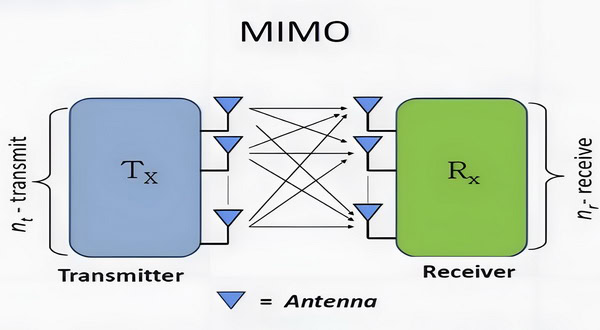
Benefit: Increases the capacity and performance of the WiFi network.
13. Beamforming
Definition: A technique that focuses the WiFi signal directly at a device rather than broadcasting it in all directions.

Benefit: Improves signal strength and quality for the targeted device.
Understanding these basic concepts will help you make informed decisions about setting up, using, and troubleshooting WiFi networks.
Role of antennas in WiFi networks
Antennas play a crucial role in WiFi networks by enabling the transmission and reception of wireless signals between devices. Here are some key roles and functions of antennas in WiFi networks:
1. Signal Transmission and Reception: Antennas convert electrical signals from the WiFi router or access point into electromagnetic waves and vice versa. This allows wireless communication between devices such as laptops, smartphones, tablets, and other WiFi-enabled gadgets.
2. Coverage Area: The design and placement of antennas significantly impact the coverage area of a WiFi network. Different types of antennas (e.g., omni-directional, directional) can be used to optimize coverage in various environments. Omni-directional antennas provide 360-degree coverage, making them suitable for general use, while directional antennas focus the signal in a specific direction, which can be useful for long-range communication or overcoming obstacles.
3. Signal Strength and Quality: Antennas influence the strength and quality of the WiFi signal. High-gain antennas can amplify the signal, potentially extending the range and improving connectivity. Proper antenna placement can also help minimize interference and signal degradation, leading to more stable and faster connections.
4. Frequency Bands: WiFi networks operate on different frequency bands, primarily 2.4 GHz, GHz and 6 GHz. Some antennas are designed to work specifically with one of these bands, while others are dual-band or tri-band, capable of handling multiple frequencies. This flexibility helps in managing network traffic and reducing congestion.
5. MIMO Technology: Modern WiFi standards (such as WiFi 5 and WiFi 6) use Multiple Input Multiple Output (MIMO) technology, which involves multiple antennas to transmit and receive more data simultaneously. This increases the network’s capacity and improves overall performance, especially in environments with many connected devices.
6. Beamforming: Beamforming is a technique that directs the WiFi signal towards specific devices rather than broadcasting it in all directions. This targeted approach enhances signal strength and quality for the intended device, leading to faster and more reliable connections. Beamforming relies on advanced antenna arrays to dynamically adjust the signal direction.
7. Interference Mitigation: Antennas can help mitigate interference from other wireless devices and networks. By carefully designing and positioning antennas, it’s possible to reduce the impact of interference, resulting in a cleaner and more stable WiFi signal.
8. Aesthetic and Practical Considerations: The physical design of antennas can affect their performance and integration into various environments. For example, internal antennas are often used in consumer-grade routers to maintain a sleek appearance, while external antennas may be used in enterprise environments for better performance and flexibility in positioning.
In summary, antennas are a fundamental component of WiFi networks, impacting everything from signal transmission and coverage to network performance and reliability. Proper selection, placement, and configuration of antennas are essential for optimizing the performance of a WiFi network.
Impact of Antenna Size on WiFi Connectivity
The physical size of a WiFi antenna directly influences both the range and reliability of your wireless connection. Generally, larger antennas are capable of broadcasting and receiving signals over greater distances, thanks to their increased surface area and improved ability to capture electromagnetic waves. This can result in a stronger signal, particularly at the edges of a WiFi network’s coverage area.
However, bigger isn’t always better for every situation. While a large antenna typically enhances range and stability, especially in open environments or large homes, it can also be more susceptible to interference in crowded or cluttered spaces. For compact routers or devices, smaller antennas may offer a better balance between performance and aesthetics, particularly where space is a concern.
Ultimately, selecting the right antenna size comes down to your specific coverage requirements and environment. If extending signal range is a top priority—say, to reach multiple floors or distant corners of a property—a larger antenna may provide noticeable benefits in connectivity and consistency.
When is an external WiFi antenna needed for a PC?
While most modern PCs are equipped with internal antennas that are sufficient for everyday web browsing and general use, there are scenarios where upgrading to an external WiFi antenna can make a noticeable difference. Here are some common situations where an external antenna becomes particularly beneficial:
- Challenging Signal Environments: If your computer is positioned far from the wireless router, or if there are thick walls, floors, or other obstacles in the way, the internal antenna may struggle to maintain a strong connection. In such cases, an external antenna—especially one with high gain or directional capability—can help capture a stronger, more stable signal.
- Enhanced Performance for Demanding Applications: For activities that demand high bandwidth or ultra-low latency, such as online gaming, HD streaming, or large file transfers, the standard internal antenna may not deliver optimal results. An external antenna often improves both speed and connection reliability, providing smoother performance for these tasks.
- cURL Too many subrequests by single Worker invocation. To configure this limit, refer to https://developers.cloudflare.com/workers/wrangler/configuration/#limits cURL Too many subrequests by single Worker invocation. To configure this limit, refer to https://developers.cloudflare.com/workers/wrangler/configuration/#limits.
cURL Too many subrequests by single Worker invocation. To configure this limit, refer to https://developers.cloudflare.com/workers/wrangler/configuration/#limits.
cURL Too many subrequests by single Worker invocation. To configure this limit, refer to https://developers.cloudflare.com/workers/wrangler/configuration/#limits
cURL Too many subrequests by single Worker invocation. To configure this limit, refer to https://developers.cloudflare.com/workers/wrangler/configuration/#limits
cURL Too many subrequests by single Worker invocation. To configure this limit, refer to https://developers.cloudflare.com/workers/wrangler/configuration/#limits
cURL Too many subrequests by single Worker invocation. To configure this limit, refer to https://developers.cloudflare.com/workers/wrangler/configuration/#limits
cURL Too many subrequests by single Worker invocation. To configure this limit, refer to https://developers.cloudflare.com/workers/wrangler/configuration/#limits.
cURL Too many subrequests by single Worker invocation. To configure this limit, refer to https://developers.cloudflare.com/workers/wrangler/configuration/#limits.
cURL Too many subrequests by single Worker invocation. To configure this limit, refer to https://developers.cloudflare.com/workers/wrangler/configuration/#limits
cURL Too many subrequests by single Worker invocation. To configure this limit, refer to https://developers.cloudflare.com/workers/wrangler/configuration/#limits.
cURL Too many subrequests by single Worker invocation. To configure this limit, refer to https://developers.cloudflare.com/workers/wrangler/configuration/#limits.
cURL Too many subrequests by single Worker invocation. To configure this limit, refer to https://developers.cloudflare.com/workers/wrangler/configuration/#limits
cURL Too many subrequests by single Worker invocation. To configure this limit, refer to https://developers.cloudflare.com/workers/wrangler/configuration/#limits.
cURL Too many subrequests by single Worker invocation. To configure this limit, refer to https://developers.cloudflare.com/workers/wrangler/configuration/#limits.
cURL Too many subrequests by single Worker invocation. To configure this limit, refer to https://developers.cloudflare.com/workers/wrangler/configuration/#limits.
cURL Too many subrequests by single Worker invocation. To configure this limit, refer to https://developers.cloudflare.com/workers/wrangler/configuration/#limits.
cURL Too many subrequests by single Worker invocation. To configure this limit, refer to https://developers.cloudflare.com/workers/wrangler/configuration/#limits.
cURL Too many subrequests by single Worker invocation. To configure this limit, refer to https://developers.cloudflare.com/workers/wrangler/configuration/#limits.
cURL Too many subrequests by single Worker invocation. To configure this limit, refer to https://developers.cloudflare.com/workers/wrangler/configuration/#limitscURL Too many subrequests by single Worker invocation. To configure this limit, refer to https://developers.cloudflare.com/workers/wrangler/configuration/#limitscURL Too many subrequests by single Worker invocation. To configure this limit, refer to https://developers.cloudflare.com/workers/wrangler/configuration/#limits.

12. 2024 (anticipated) – 802.11be (WiFi 7)**: The upcoming 802.11be standard, known as WiFi 7, aims to deliver even greater speeds and lower latency. It will support up to 30 Gbps by utilizing technologies like 320 MHz channel bandwidth, 4096-QAM, and multi-link operation. WiFi 7 is expected to further enhance performance in dense environments and support emerging applications like ultra-high-definition video streaming and augmented reality.
Impact and Applications
WiFi has had a profound impact on various aspects of modern life, including:
Home and Office Connectivity: WiFi has become the standard for internet connectivity in homes and offices, enabling wireless access to the internet and local networks.
Mobile Devices: The proliferation of smartphones, tablets, and other mobile devices has been fueled by the availability of WiFi, allowing users to stay connected on the go.
Public Hotspots: WiFi hotspots in public places like cafes, airports, and hotels have made it easier for people to access the internet while traveling or in public spaces.
IoT (Internet of Things): WiFi plays a crucial role in connecting IoT devices, enabling smart homes, smart cities, and various industrial applications.
Conclusion
The history and evolution of WiFi demonstrate its transformative impact on communication and connectivity. From its early beginnings to the latest advancements, WiFi continues to evolve, offering faster speeds, greater efficiency, and improved performance, shaping the future of wireless communication.
WiFi Standards and Protocols
Overview of 802.11 standards (a/b/g/n/ac/ax/be)
1. IEEE 802.11: This is the set of standards developed by the Institute of Electrical and Electronics Engineers (IEEE) for wireless local area networks (WLANs).
2. 802.11a:
Frequency: 5 GHz
Maximum Speed: 54 Mbps
Range: Shorter range compared to 2.4 GHz due to higher frequency
Notes: Less interference but not compatible with 2.4 GHz devices
3. 802.11b:
Frequency: 2.4 GHz
Maximum Speed: 11 Mbps
Range: Better range compared to 5 GHz but more prone to interference
Notes: One of the earliest standards, widely adopted
4. 802.11g:
Frequency: 2.4 GHz
Maximum Speed: 54 Mbps
Range: Similar to 802.11b but faster
Notes: Backward compatible with 802.11b
5. 802.11n:
Frequency: 2.4 GHz and 5 GHz (dual-band)
Maximum Speed: 600 Mbps (theoretical)
Range: Improved range due to MIMO (Multiple Input Multiple Output) technology
Notes: Introduced MIMO and channel bonding
6. 802.11ac:
Frequency: 5 GHz
Maximum Speed: Up to 3.46 Gbps (theoretical, using 160 MHz channels)
Range: Similar to 802.11n on 5 GHz but faster
Notes: Uses wider channels, more MIMO streams, and beamforming
7. 802.11ax (WiFi 6):
Frequency: 2.4 GHz and 5 GHz (dual-band, with future support for 6 GHz)
Maximum Speed: Up to 9.6 Gbps (theoretical)
Range: Improved efficiency and range
Notes: Better performance in dense environments, improved battery life for devices, OFDMA (Orthogonal Frequency Division Multiple Access)
cURL Too many subrequests by single Worker invocation. To configure this limit, refer to https://developers.cloudflare.com/workers/wrangler/configuration/#limits
cURL Too many subrequests by single Worker invocation. To configure this limit, refer to https://developers.cloudflare.com/workers/wrangler/configuration/#limits
cURL Too many subrequests by single Worker invocation. To configure this limit, refer to https://developers.cloudflare.com/workers/wrangler/configuration/#limits
cURL Too many subrequests by single Worker invocation. To configure this limit, refer to https://developers.cloudflare.com/workers/wrangler/configuration/#limits
cURL Too many subrequests by single Worker invocation. To configure this limit, refer to https://developers.cloudflare.com/workers/wrangler/configuration/#limits
cURL Too many subrequests by single Worker invocation. To configure this limit, refer to https://developers.cloudflare.com/workers/wrangler/configuration/#limits
cURL Too many subrequests by single Worker invocation. To configure this limit, refer to https://developers.cloudflare.com/workers/wrangler/configuration/#limits
cURL Too many subrequests by single Worker invocation. To configure this limit, refer to https://developers.cloudflare.com/workers/wrangler/configuration/#limits
cURL Too many subrequests by single Worker invocation. To configure this limit, refer to https://developers.cloudflare.com/workers/wrangler/configuration/#limits
cURL Too many subrequests by single Worker invocation. To configure this limit, refer to https://developers.cloudflare.com/workers/wrangler/configuration/#limits
cURL Too many subrequests by single Worker invocation. To configure this limit, refer to https://developers.cloudflare.com/workers/wrangler/configuration/#limits
cURL Too many subrequests by single Worker invocation. To configure this limit, refer to https://developers.cloudflare.com/workers/wrangler/configuration/#limits
cURL Too many subrequests by single Worker invocation. To configure this limit, refer to https://developers.cloudflare.com/workers/wrangler/configuration/#limits.
11. cURL Too many subrequests by single Worker invocation. To configure this limit, refer to https://developers.cloudflare.com/workers/wrangler/configuration/#limits cURL Too many subrequests by single Worker invocation. To configure this limit, refer to https://developers.cloudflare.com/workers/wrangler/configuration/#limits
cURL Too many subrequests by single Worker invocation. To configure this limit, refer to https://developers.cloudflare.com/workers/wrangler/configuration/#limits
cURL Too many subrequests by single Worker invocation. To configure this limit, refer to https://developers.cloudflare.com/workers/wrangler/configuration/#limits
cURL Too many subrequests by single Worker invocation. To configure this limit, refer to https://developers.cloudflare.com/workers/wrangler/configuration/#limits
cURL Too many subrequests by single Worker invocation. To configure this limit, refer to https://developers.cloudflare.com/workers/wrangler/configuration/#limits.
cURL Too many subrequests by single Worker invocation. To configure this limit, refer to https://developers.cloudflare.com/workers/wrangler/configuration/#limits
cURL Too many subrequests by single Worker invocation. To configure this limit, refer to https://developers.cloudflare.com/workers/wrangler/configuration/#limits
Security Level: Low
Notes: Early security protocol, now considered insecure and deprecated
2. WPA (WiFi Protected Access):
Security Level: Medium
Notes: Improvement over WEP, introduced TKIP (Temporal Key Integrity Protocol)
3. WPA2:
Security Level: High
Notes: Uses AES (Advanced Encryption Standard), widely adopted and considered secure
4. WPA3:
Security Level: Very High
Notes: Latest security protocol, introduces Simultaneous Authentication of Equals (SAE) for better security, especially on public networks
Other Relevant Technologies
1. MU-MIMO (Multi-User MIMO):
Allows multiple devices to receive data simultaneously, improving efficiency and speed in multi-device environments.
2. Beamforming
Focuses the WiFi signal in the direction of the receiving device, improving range and performance.
3. OFDMA (Orthogonal Frequency Division Multiple Access):
Divides a channel into smaller sub-channels, allowing multiple devices to be served simultaneously, improving efficiency.
4. WiFi 6E:
An extension of WiFi 6 that operates in the 6 GHz band, providing more channels and less interference.
Understanding these standards and protocols can help you choose the right WiFi equipment and configure your network for optimal performance and security, especially as newer technologies like WiFi 6E and WiFi 7 become more widely available.
Future trends: WiFi 7 and beyond
WiFi technology has evolved significantly over the years, with each new generation bringing substantial improvements in speed, capacity, and overall performance. WiFi 7, also known as IEEE 802.11be, is the upcoming standard that promises to push these boundaries even further. Here are some of the expected trends and features for WiFi 7 and beyond:
WiFi 7 (IEEE 802.11be)
1. Higher Data Rates: WiFi 7 aims to achieve data rates up to 30 Gbps, which is significantly higher than the 9.6 Gbps offered by WiFi 6 (802.11ax). This will be made possible through wider channel bandwidths, advanced modulation techniques, and improved spatial multiplexing.
2. 320 MHz Channel Bandwidth: WiFi 7 will support channel bandwidths up to 320 MHz, compared to the 160 MHz in WiFi 6. This wider bandwidth will allow for more data to be transmitted simultaneously, enhancing overall throughput.
3. 4K-QAM (Quadrature Amplitude Modulation): WiFi 7 will introduce 4096-QAM, an improvement over the 1024-QAM used in WiFi 6. This higher-order modulation will enable more bits to be transmitted per symbol, increasing data rates.
4. Multi-Link Operation (MLO): WiFi 7 will support Multi-Link Operation, allowing devices to simultaneously connect to multiple bands (2.4 GHz, 5 GHz, and 6 GHz). This will improve reliability, reduce latency, and increase aggregate throughput.
5. Improved MU-MIMO and OFDMA: WiFi 7 will enhance Multi-User Multiple Input Multiple Output (MU-MIMO) and Orthogonal Frequency Division Multiple Access (OFDMA) technologies, allowing for more efficient use of the spectrum and better performance in dense environments.
6. Low Latency: WiFi 7 aims to significantly reduce latency, making it ideal for applications such as virtual reality (VR), augmented reality (AR), online gaming, and real-time communications.
7. Enhanced Security: Continued improvements in security protocols will be a focus, building on the WPA3 standard to ensure robust protection against emerging threats.
Trends Beyond WiFi 7
1. Terahertz (THz) Communication: Future WiFi generations might explore the use of terahertz frequencies (0.1-10 THz) to achieve even higher data rates and lower latency. THz communication could enable ultra-high-speed wireless links for applications like holographic displays and real-time 8K video streaming.
2. AI and Machine Learning Integration: The integration of AI and machine learning algorithms could optimize network performance by dynamically adjusting parameters such as channel selection, power levels, and beamforming patterns based on real-time conditions.
3. Mesh Networking Evolution: Future WiFi systems will likely see advancements in mesh networking, providing seamless coverage and improved performance in large or complex environments. Self-healing and self-optimizing networks will become more common.
4. IoT and Edge Computing: As the Internet of Things (IoT) continues to grow, future WiFi standards will need to support a massive number of connected devices with varying requirements. Edge computing will play a crucial role in processing data closer to the source, reducing latency and bandwidth usage.
5. Energy Efficiency: Future WiFi technologies will focus on improving energy efficiency, both for battery-powered devices and for overall network infrastructure. This will be essential for supporting a growing number of IoT devices and reducing the environmental impact of wireless networks.
6. Integration with 5G and Beyond: WiFi and cellular technologies will continue to converge, offering seamless connectivity and handoff between different networks. This integration will enable ubiquitous high-speed internet access, whether indoors or outdoors.
cURL Too many subrequests by single Worker invocation. To configure this limit, refer to https://developers.cloudflare.com/workers/wrangler/configuration/#limits.
cURL Too many subrequests by single Worker invocation. To configure this limit, refer to https://developers.cloudflare.com/workers/wrangler/configuration/#limits.
Conclusion
cURL Too many subrequests by single Worker invocation. To configure this limit, refer to https://developers.cloudflare.com/workers/wrangler/configuration/#limits.
cURL Too many subrequests by single Worker invocation. To configure this limit, refer to https://developers.cloudflare.com/workers/wrangler/configuration/#limits
cURL Too many subrequests by single Worker invocation. To configure this limit, refer to https://developers.cloudflare.com/workers/wrangler/configuration/#limits
cURL Too many subrequests by single Worker invocation. To configure this limit, refer to https://developers.cloudflare.com/workers/wrangler/configuration/#limits
cURL Too many subrequests by single Worker invocation. To configure this limit, refer to https://developers.cloudflare.com/workers/wrangler/configuration/#limits
cURL Too many subrequests by single Worker invocation. To configure this limit, refer to https://developers.cloudflare.com/workers/wrangler/configuration/#limits
cURL Too many subrequests by single Worker invocation. To configure this limit, refer to https://developers.cloudflare.com/workers/wrangler/configuration/#limits
Omni-directional AntennascURL Too many subrequests by single Worker invocation. To configure this limit, refer to https://developers.cloudflare.com/workers/wrangler/configuration/#limits.
cURL Too many subrequests by single Worker invocation. To configure this limit, refer to https://developers.cloudflare.com/workers/wrangler/configuration/#limitscURL Too many subrequests by single Worker invocation. To configure this limit, refer to https://developers.cloudflare.com/workers/wrangler/configuration/#limits.
cURL Too many subrequests by single Worker invocation. To configure this limit, refer to https://developers.cloudflare.com/workers/wrangler/configuration/#limits
cURL Too many subrequests by single Worker invocation. To configure this limit, refer to https://developers.cloudflare.com/workers/wrangler/configuration/#limits.
cURL Too many subrequests by single Worker invocation. To configure this limit, refer to https://developers.cloudflare.com/workers/wrangler/configuration/#limits.
cURL Too many subrequests by single Worker invocation. To configure this limit, refer to https://developers.cloudflare.com/workers/wrangler/configuration/#limits.
cURL Too many subrequests by single Worker invocation. To configure this limit, refer to https://developers.cloudflare.com/workers/wrangler/configuration/#limits
cURL Too many subrequests by single Worker invocation. To configure this limit, refer to https://developers.cloudflare.com/workers/wrangler/configuration/#limits
Omni-directional AntennascURL Too many subrequests by single Worker invocation. To configure this limit, refer to https://developers.cloudflare.com/workers/wrangler/configuration/#limits.
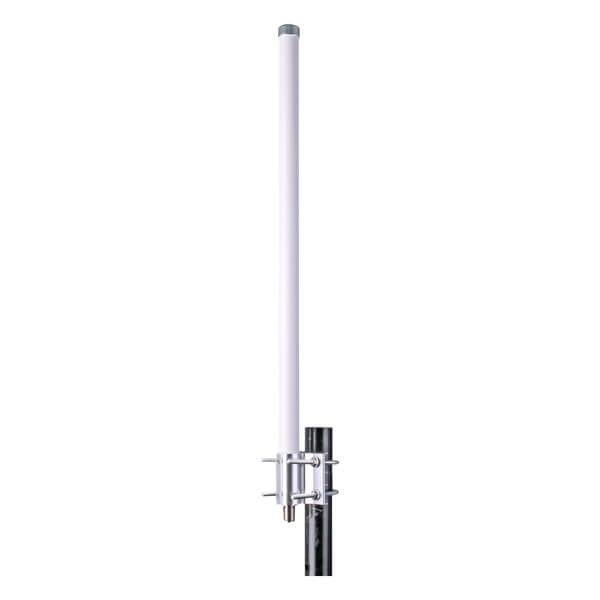
cURL Too many subrequests by single Worker invocation. To configure this limit, refer to https://developers.cloudflare.com/workers/wrangler/configuration/#limitscURL Too many subrequests by single Worker invocation. To configure this limit, refer to https://developers.cloudflare.com/workers/wrangler/configuration/#limits.
cURL Too many subrequests by single Worker invocation. To configure this limit, refer to https://developers.cloudflare.com/workers/wrangler/configuration/#limits
cURL Too many subrequests by single Worker invocation. To configure this limit, refer to https://developers.cloudflare.com/workers/wrangler/configuration/#limits.
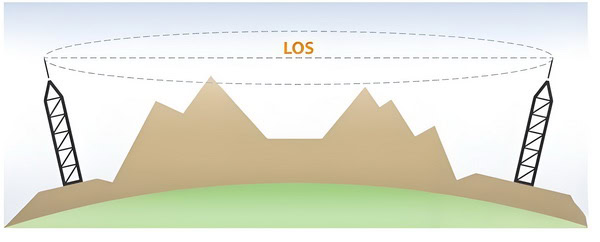
cURL Too many subrequests by single Worker invocation. To configure this limit, refer to https://developers.cloudflare.com/workers/wrangler/configuration/#limits.
cURL Too many subrequests by single Worker invocation. To configure this limit, refer to https://developers.cloudflare.com/workers/wrangler/configuration/#limits.
cURL Too many subrequests by single Worker invocation. To configure this limit, refer to https://developers.cloudflare.com/workers/wrangler/configuration/#limits
Frequency Bands: WiFi typically operates on 2.4 GHz and 5 GHz bands. The 2.4 GHz band offers better range but is more prone to interference, while the 5 GHz band provides higher speeds but shorter range. Dual-band antennas can provide flexibility by supporting both frequencies.
Antenna Gain: Measured in dBi, antenna gain indicates how well the antenna can direct or receive signals. Higher gain antennas can provide longer range but may have narrower coverage areas.
Regulatory Compliance: Ensure that the antennas comply with local regulations and standards for wireless communications, especially for outdoor installations.
cURL Too many subrequests by single Worker invocation. To configure this limit, refer to https://developers.cloudflare.com/workers/wrangler/configuration/#limits
Indoor Antennas: Typically omnidirectional for broad coverage; consider placement and interference from walls and other devices.
Outdoor Antennas: Can be omnidirectional or directional depending on the coverage area; consider line of sight and weather conditions.
Range: Influenced by antenna type, gain, placement, and environmental factors. Proper selection and installation can maximize performance and coverage.
By carefully considering these factors, you can choose the right WiFi antennas for your specific indoor or outdoor needs, ensuring reliable and efficient wireless connectivity.
Factors affecting coverage area and range (obstacles, interference)
The coverage area and range of WiFi antennas are influenced by various factors, including physical obstacles, interference, and environmental conditions. Here are some key factors to consider:

1. Antenna Characteristics
Gain: Higher gain antennas can transmit signals further, but they often have a narrower beamwidth.
Half-Power Beamwidth (HPBW): This is the angular width where the signal strength falls to half its maximum value. A narrower HPBW focuses the signal more, which can extend range but reduce coverage area.
Type of Antenna: Different types of antennas (e.g., omnidirectional, directional) have different coverage patterns.
Omni-directional Antennas: Radiate signal in all directions, providing wide coverage but shorter range.
Directional Antennas: Focus signal in a specific direction, increasing range but reducing coverage area.
2. Obstacles
Physical Barriers: Walls, floors, and furniture can obstruct WiFi signals. Materials like concrete, metal, and brick are particularly effective at blocking signals.
Human Presence: People can also absorb WiFi signals, affecting coverage in crowded areas.
Foliage: Trees and plants can attenuate WiFi signals, especially in outdoor environments.
3. Interference
Co-Channel Interference: Occurs when multiple devices operate on the same WiFi channel, leading to congestion and reduced performance.
Adjacent Channel Interference: Interference from devices on nearby channels can also degrade signal quality.
Other Wireless Devices: Devices like cordless phones, microwave ovens, and Bluetooth devices can cause interference, particularly in the 2.4 GHz band.
Electrical Noise: Electrical equipment and power lines can introduce noise that interferes with WiFi signals.
4. Environment
Indoor Environment: WiFi signals face more obstacles indoors, such as walls and furniture, which can significantly reduce range and coverage.
Outdoor Environment: Generally offers fewer obstacles, allowing for greater range. However, weather conditions (rain, fog) and terrain (hills, buildings) can still impact performance.
Building Layout: Open floor plans allow for better signal propagation, while complex layouts with many rooms and walls hinder signal spread.
5. Frequency Band
2.4 GHz Band: Offers longer range and better penetration through obstacles but is more prone to interference due to its common use.
5 GHz Band: Provides higher data rates and less interference but has a shorter range and poorer penetration through obstacles.
6 GHz Band: Offers even higher data rates and lower latency compared to the 5 GHz band, with less interference due to its newer adoption. However, it has the shortest range and the poorest penetration through obstacles among the three bands.
6. Transmission Power
Higher Power: Increases range but can cause more interference with other devices.
Regulatory Limits: Different regions have regulations on the maximum allowable transmission power.
7. Signal Reflection and Refraction
Multipath Propagation: Signals can reflect off surfaces, causing multiple signal paths that can interfere with each other, leading to signal degradation.
cURL Too many subrequests by single Worker invocation. To configure this limit, refer to https://developers.cloudflare.com/workers/wrangler/configuration/#limits.
cURL Too many subrequests by single Worker invocation. To configure this limit, refer to https://developers.cloudflare.com/workers/wrangler/configuration/#limits
cURL Too many subrequests by single Worker invocation. To configure this limit, refer to https://developers.cloudflare.com/workers/wrangler/configuration/#limits.
cURL Too many subrequests by single Worker invocation. To configure this limit, refer to https://developers.cloudflare.com/workers/wrangler/configuration/#limits.
cURL Too many subrequests by single Worker invocation. To configure this limit, refer to https://developers.cloudflare.com/workers/wrangler/configuration/#limits.
cURL Too many subrequests by single Worker invocation. To configure this limit, refer to https://developers.cloudflare.com/workers/wrangler/configuration/#limits
cURL Too many subrequests by single Worker invocation. To configure this limit, refer to https://developers.cloudflare.com/workers/wrangler/configuration/#limits.
cURL Too many subrequests by single Worker invocation. To configure this limit, refer to https://developers.cloudflare.com/workers/wrangler/configuration/#limits
cURL Too many subrequests by single Worker invocation. To configure this limit, refer to https://developers.cloudflare.com/workers/wrangler/configuration/#limits.
cURL Too many subrequests by single Worker invocation. To configure this limit, refer to https://developers.cloudflare.com/workers/wrangler/configuration/#limits.
cURL Too many subrequests by single Worker invocation. To configure this limit, refer to https://developers.cloudflare.com/workers/wrangler/configuration/#limits.
cURL Too many subrequests by single Worker invocation. To configure this limit, refer to https://developers.cloudflare.com/workers/wrangler/configuration/#limits
cURL Too many subrequests by single Worker invocation. To configure this limit, refer to https://developers.cloudflare.com/workers/wrangler/configuration/#limits
cURL Too many subrequests by single Worker invocation. To configure this limit, refer to https://developers.cloudflare.com/workers/wrangler/configuration/#limits WiFi antennas cURL Too many subrequests by single Worker invocation. To configure this limit, refer to https://developers.cloudflare.com/workers/wrangler/configuration/#limits
2.4 GHz Band
cURL Too many subrequests by single Worker invocation. To configure this limit, refer to https://developers.cloudflare.com/workers/wrangler/configuration/#limits
cURL Too many subrequests by single Worker invocation. To configure this limit, refer to https://developers.cloudflare.com/workers/wrangler/configuration/#limits.
cURL Too many subrequests by single Worker invocation. To configure this limit, refer to https://developers.cloudflare.com/workers/wrangler/configuration/#limits.
cURL Too many subrequests by single Worker invocation. To configure this limit, refer to https://developers.cloudflare.com/workers/wrangler/configuration/#limits.
cURL Too many subrequests by single Worker invocation. To configure this limit, refer to https://developers.cloudflare.com/workers/wrangler/configuration/#limits
cURL Too many subrequests by single Worker invocation. To configure this limit, refer to https://developers.cloudflare.com/workers/wrangler/configuration/#limits.
cURL Too many subrequests by single Worker invocation. To configure this limit, refer to https://developers.cloudflare.com/workers/wrangler/configuration/#limits.
5 GHz Band
cURL Too many subrequests by single Worker invocation. To configure this limit, refer to https://developers.cloudflare.com/workers/wrangler/configuration/#limits
1. Speed: Typically offers higher data rates compared to the 2.4 GHz band, making it suitable for high-bandwidth activities like streaming HD videos and online gaming.
2. Less Interference: There are more channels available, which helps in reducing congestion and interference from other devices.
cURL Too many subrequests by single Worker invocation. To configure this limit, refer to https://developers.cloudflare.com/workers/wrangler/configuration/#limits
1. Range: Shorter range compared to the 2.4 GHz band. Higher frequencies have more difficulty penetrating walls and other obstacles.
2. Compatibility: Not all older devices support the 5 GHz band.
6 GHz Band
cURL Too many subrequests by single Worker invocation. To configure this limit, refer to https://developers.cloudflare.com/workers/wrangler/configuration/#limits
1. Speed: Provides even higher data rates and lower latency compared to both 2.4 GHz and 5 GHz bands. Ideal for future-proofing your network for high-bandwidth applications.
2. Less Congestion: The 6 GHz band is relatively new and less crowded, offering more channels and less interference.
3. Future-Ready: Designed to support the latest WiFi 6E standard, which offers enhanced performance and efficiency.
cURL Too many subrequests by single Worker invocation. To configure this limit, refer to https://developers.cloudflare.com/workers/wrangler/configuration/#limits
1. Range: Similar to the 5 GHz band, it has a shorter range and is less effective at penetrating obstacles.
2. Compatibility: Limited device support as of now, but this will improve as more 6E-capable devices become available.
cURL Too many subrequests by single Worker invocation. To configure this limit, refer to https://developers.cloudflare.com/workers/wrangler/configuration/#limits
2.4 GHz: Best for range and compatibility but suffers from lower speeds and higher interference.
5 GHz: Offers higher speeds and less interference but has a shorter range and less compatibility with older devices.
6 GHz: Provides the highest speeds and least interference but is limited by range and current device compatibility.
When choosing a WiFi antenna or router, it’s often beneficial to select a dual-band or tri-band device that supports multiple frequencies. This allows you to balance range and speed based on your specific needs and the layout of your environment.
Dual-band and tri-band considerations
When choosing between dual-band and tri-band WiFi antennas, there are several important considerations to keep in mind. Here’s a breakdown of the key points for each type:
Dual-Band WiFi Antennas (2.4GHz and 5GHz)

cURL Too many subrequests by single Worker invocation. To configure this limit, refer to https://developers.cloudflare.com/workers/wrangler/configuration/#limits
1. Compatibility: Dual-band routers and antennas are widely compatible with most devices, as 2.4GHz and 5GHz bands are standard in many WiFi-enabled devices.
2. Coverage: The 2.4GHz band offers better range and penetration through walls and obstacles, making it suitable for larger areas or homes with many barriers.
3. Speed: The 5GHz band provides faster speeds and less interference, which is ideal for high-bandwidth activities like streaming and gaming.
cURL Too many subrequests by single Worker invocation. To configure this limit, refer to https://developers.cloudflare.com/workers/wrangler/configuration/#limits
1. Congestion: The 2.4GHz band is often crowded due to the number of devices (like microwaves, cordless phones, and Bluetooth devices) that also use this frequency, leading to potential interference and slower speeds.
2. Range: The 5GHz band has a shorter range compared to 2.4GHz and is less effective at penetrating walls and obstacles.
Tri-Band WiFi Antennas (2.4GHz, 5GHz, and 6GHz)
cURL Too many subrequests by single Worker invocation. To configure this limit, refer to https://developers.cloudflare.com/workers/wrangler/configuration/#limits
1. Future-Proofing: Tri-band antennas support the latest WiFi 6E standard, which includes the 6GHz band. This makes them more future-proof as more devices start to support this new band.
2. Less Congestion: The 6GHz band is currently less congested, offering cleaner and faster connections with less interference.
3. High Capacity: Tri-band systems can handle more devices simultaneously without a significant drop in performance, which is beneficial for households with many connected devices.
cURL Too many subrequests by single Worker invocation. To configure this limit, refer to https://developers.cloudflare.com/workers/wrangler/configuration/#limits
1. Cost: Tri-band routers and antennas are generally more expensive than dual-band ones.
2. Device Compatibility: Not all devices currently support the 6GHz band, so the benefits may not be fully realized until more 6GHz-compatible devices become available.
3. Range:Similar to the 5GHz band, the 6GHz band has a shorter range and is less effective at penetrating obstacles.
Key Considerations
1. Current and Future Needs: If you have a lot of devices and plan to add more in the future, a tri-band system may be more beneficial. However, if your current setup is sufficient and you don’t anticipate a significant increase in connected devices, a dual-band system might be adequate.
2. Environment: Consider the physical environment where the WiFi will be used. If you need to cover a large area with many walls, the 2.4GHz band of a dual-band system might be more effective. For smaller, open areas, the higher bands of a tri-band system can provide better performance.
3. Budget:Weigh the cost against the benefits. Tri-band systems are more expensive but offer better performance and future-proofing. Dual-band systems are more affordable and provide sufficient performance for many users.
4. Interference: If you live in a densely populated area with many WiFi networks, the additional 6GHz band in a tri-band system can help avoid congestion and interference.
By considering these factors, you can make an informed decision on whether a dual-band or tri-band WiFi antenna is best suited for your needs.
3. Gain
cURL Too many subrequests by single Worker invocation. To configure this limit, refer to https://developers.cloudflare.com/workers/wrangler/configuration/#limits
cURL Too many subrequests by single Worker invocation. To configure this limit, refer to https://developers.cloudflare.com/workers/wrangler/configuration/#limits, cURL Too many subrequests by single Worker invocation. To configure this limit, refer to https://developers.cloudflare.com/workers/wrangler/configuration/#limits.
cURL Too many subrequests by single Worker invocation. To configure this limit, refer to https://developers.cloudflare.com/workers/wrangler/configuration/#limits
cURL Too many subrequests by single Worker invocation. To configure this limit, refer to https://developers.cloudflare.com/workers/wrangler/configuration/#limits
cURL Too many subrequests by single Worker invocation. To configure this limit, refer to https://developers.cloudflare.com/workers/wrangler/configuration/#limits.
cURL Too many subrequests by single Worker invocation. To configure this limit, refer to https://developers.cloudflare.com/workers/wrangler/configuration/#limits.
cURL Too many subrequests by single Worker invocation. To configure this limit, refer to https://developers.cloudflare.com/workers/wrangler/configuration/#limits
cURL Too many subrequests by single Worker invocation. To configure this limit, refer to https://developers.cloudflare.com/workers/wrangler/configuration/#limits.
cURL Too many subrequests by single Worker invocation. To configure this limit, refer to https://developers.cloudflare.com/workers/wrangler/configuration/#limits cURL Too many subrequests by single Worker invocation. To configure this limit, refer to https://developers.cloudflare.com/workers/wrangler/configuration/#limits = cURL Too many subrequests by single Worker invocation. To configure this limit, refer to https://developers.cloudflare.com/workers/wrangler/configuration/#limits
cURL Too many subrequests by single Worker invocation. To configure this limit, refer to https://developers.cloudflare.com/workers/wrangler/configuration/#limits Ga cURL Too many subrequests by single Worker invocation. To configure this limit, refer to https://developers.cloudflare.com/workers/wrangler/configuration/#limits, η cURL Too many subrequests by single Worker invocation. To configure this limit, refer to https://developers.cloudflare.com/workers/wrangler/configuration/#limits
Αa cURL Too many subrequests by single Worker invocation. To configure this limit, refer to https://developers.cloudflare.com/workers/wrangler/configuration/#limits,
λ cURL Too many subrequests by single Worker invocation. To configure this limit, refer to https://developers.cloudflare.com/workers/wrangler/configuration/#limits π cURL Too many subrequests by single Worker invocation. To configure this limit, refer to https://developers.cloudflare.com/workers/wrangler/configuration/#limits
cURL Too many subrequests by single Worker invocation. To configure this limit, refer to https://developers.cloudflare.com/workers/wrangler/configuration/#limits
cURL Too many subrequests by single Worker invocation. To configure this limit, refer to https://developers.cloudflare.com/workers/wrangler/configuration/#limits.
For example, a high-gain directional antenna might focus energy into a narrow beam, increasing the signal strength in that direction but reducing it in others.
4. Practical Implications:
Higher gain (more positive dBi value) means the antenna is more effective at concentrating energy in a specific direction, which can extend the range and improve signal quality in that direction.
Conversely, lower gain (closer to 0 dBi) means the antenna radiates more uniformly, which can be beneficial for applications requiring omnidirectional coverage.
5. Typical Values:
Omni-directional antennas, like those used in Wi-Fi routers, typically have gains ranging from 2 dBi to 12 dBi.
Directional antennas, such as Yagi or parabolic dish antennas, can have much higher gains, often exceeding 20 dBi.
6. Applications:
High-gain antennas are used in applications where long-distance communication is needed, such as satellite communication, radar, and point-to-point wireless links.
Low-gain antennas are used in applications where wide coverage is more important than range, such as in mobile phones and Wi-Fi access points.
Understanding antenna gain in dBi helps in selecting the right antenna for a specific application, ensuring optimal performance by balancing coverage area and signal strength.
How gain affects range and signal strength
Gain is a critical parameter in the context of antennas and amplifiers, affecting both the range and signal strength of a communication system. Here’s a detailed look at how gain impacts these factors:
1. Definition of Gain
Antenna Gain: It is a measure of how well an antenna can direct or concentrate radio frequency energy in a particular direction compared to an isotropic radiator (an idealized antenna that radiates equally in all directions). It is usually expressed in dBi (decibels relative to an isotropic antenna) or dBd (decibels relative to a dipole antenna).
Amplifier Gain: This is the increase in power of the signal provided by an amplifier, measured in decibels (dB). It indicates how much the amplifier boosts the signal.
2. Impact on Range
Antenna Gain: Higher antenna gain means that the antenna can send or receive signals over a greater distance. This is because the antenna focuses the energy more narrowly in a specific direction, reducing the spread and loss of signal strength. For example, a high-gain directional antenna can significantly extend the range of a wireless communication system compared to a low-gain omnidirectional antenna.
Amplifier Gain: Increased amplifier gain boosts the signal power, which can help overcome losses due to distance, obstacles, and other attenuating factors. This can extend the effective range of the communication system.
3. Impact on Signal Strength
Antenna Gain: Higher gain antennas can improve signal strength at a given distance by focusing the radiated power in a specific direction, thus increasing the received signal strength at the target location. Conversely, it also means that the antenna will be less effective in directions where it does not focus its energy.
Amplifier Gain: Amplifiers increase the signal strength by boosting the power of the transmitted or received signal. This can improve the quality and reliability of the communication, especially in environments with significant signal attenuation or interference.
4. Trade-offs and Considerations
Directionality: High-gain antennas are usually more directional. While this can increase range and signal strength in the desired direction, it can also mean reduced performance in other directions. This makes them suitable for point-to-point communications but less ideal for omnidirectional coverage.
Interference and Noise: Amplifying a signal also amplifies any noise present. Care must be taken to ensure that the signal-to-noise ratio (SNR) remains favorable. High-gain amplifiers might require additional filtering and noise reduction techniques.
Power Consumption: Higher gain amplifiers typically consume more power, which can be a concern in battery-operated or power-sensitive applications.
5. Applications
Long-Range Communications: High-gain antennas and amplifiers are often used in applications requiring long-range communication, such as satellite links, microwave relays, and long-distance Wi-Fi.
Targeted Coverage: In scenarios where specific areas need strong signal coverage (e.g., cellular base stations, point-to-point wireless links), high-gain antennas are beneficial.
cURL Too many subrequests by single Worker invocation. To configure this limit, refer to https://developers.cloudflare.com/workers/wrangler/configuration/#limits
In summary, gain directly affects both the range and signal strength of a communication system. Higher gain can extend the range and improve the signal strength in the desired direction but often at the cost of increased directionality and potential power consumption. The choice of gain should be balanced with the specific requirements of the communication application, considering factors such as coverage area, interference, and power availability.
Matching gain to your needs
Gain, in general, refers to the increase in power or amplitude of a signal. The context in which you need to match gain can vary widely, including audio systems, radio frequency (RF) systems, or even financial investments. Here are some guidelines for different scenarios:
Audio Systems

1. Microphones and Preamps:
Dynamic Microphones: Typically require more gain because they produce lower output levels.
Condenser Microphones: Generally need less gain but require phantom power.
Ribbon Microphones: Often need a lot of gain and careful handling.
2. Mixing Consoles:
cURL Too many subrequests by single Worker invocation. To configure this limit, refer to https://developers.cloudflare.com/workers/wrangler/configuration/#limits.
cURL Too many subrequests by single Worker invocation. To configure this limit, refer to https://developers.cloudflare.com/workers/wrangler/configuration/#limits.
cURL Too many subrequests by single Worker invocation. To configure this limit, refer to https://developers.cloudflare.com/workers/wrangler/configuration/#limits
cURL Too many subrequests by single Worker invocation. To configure this limit, refer to https://developers.cloudflare.com/workers/wrangler/configuration/#limits.
cURL Too many subrequests by single Worker invocation. To configure this limit, refer to https://developers.cloudflare.com/workers/wrangler/configuration/#limits.
cURL Too many subrequests by single Worker invocation. To configure this limit, refer to https://developers.cloudflare.com/workers/wrangler/configuration/#limits
cURL Too many subrequests by single Worker invocation. To configure this limit, refer to https://developers.cloudflare.com/workers/wrangler/configuration/#limits
cURL Too many subrequests by single Worker invocation. To configure this limit, refer to https://developers.cloudflare.com/workers/wrangler/configuration/#limits.
cURL Too many subrequests by single Worker invocation. To configure this limit, refer to https://developers.cloudflare.com/workers/wrangler/configuration/#limits.
cURL Too many subrequests by single Worker invocation. To configure this limit, refer to https://developers.cloudflare.com/workers/wrangler/configuration/#limits
cURL Too many subrequests by single Worker invocation. To configure this limit, refer to https://developers.cloudflare.com/workers/wrangler/configuration/#limits.
cURL Too many subrequests by single Worker invocation. To configure this limit, refer to https://developers.cloudflare.com/workers/wrangler/configuration/#limits
cURL Too many subrequests by single Worker invocation. To configure this limit, refer to https://developers.cloudflare.com/workers/wrangler/configuration/#limits
cURL Too many subrequests by single Worker invocation. To configure this limit, refer to https://developers.cloudflare.com/workers/wrangler/configuration/#limits.
cURL Too many subrequests by single Worker invocation. To configure this limit, refer to https://developers.cloudflare.com/workers/wrangler/configuration/#limits.
cURL Too many subrequests by single Worker invocation. To configure this limit, refer to https://developers.cloudflare.com/workers/wrangler/configuration/#limits
cURL Too many subrequests by single Worker invocation. To configure this limit, refer to https://developers.cloudflare.com/workers/wrangler/configuration/#limits.
cURL Too many subrequests by single Worker invocation. To configure this limit, refer to https://developers.cloudflare.com/workers/wrangler/configuration/#limits.
cURL Too many subrequests by single Worker invocation. To configure this limit, refer to https://developers.cloudflare.com/workers/wrangler/configuration/#limits
cURL Too many subrequests by single Worker invocation. To configure this limit, refer to https://developers.cloudflare.com/workers/wrangler/configuration/#limits.
cURL Too many subrequests by single Worker invocation. To configure this limit, refer to https://developers.cloudflare.com/workers/wrangler/configuration/#limits.
cURL Too many subrequests by single Worker invocation. To configure this limit, refer to https://developers.cloudflare.com/workers/wrangler/configuration/#limits.
4. Consult Manuals and Experts: Refer to equipment manuals or consult with experts to ensure proper gain settings.
Matching gain to your needs involves understanding the specific requirements and characteristics of your system or investment strategy and making adjustments accordingly to optimize performance and achieve your goals.
4. Polarization
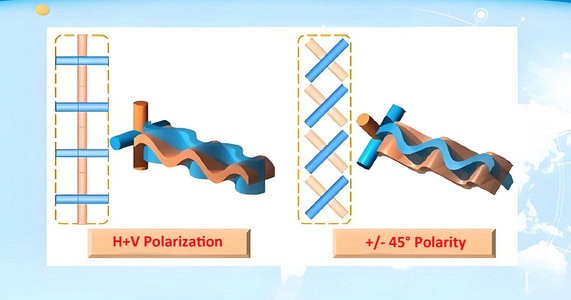
Vertical polarization vs. horizontal polarization
When it comes to WiFi antennas, polarization is an important factor that affects the performance and reliability of wireless communication. Polarization refers to the orientation of the electric field of the radio wave. The two most common types of polarization for WiFi antennas are vertical and horizontal. Here’s a comparison of the two:
Vertical Polarization
Orientation: The electric field is oriented vertically.

Common Uses: Often used in mobile communications, including WiFi routers and access points, because many client devices (like smartphones and laptops) are used in a vertical orientation.
Advantages:
Better Penetration: Vertical polarization tends to penetrate walls and obstacles better, which can be beneficial in indoor environments.
Omni-directional Coverage: Many vertically polarized antennas are designed to provide omni-directional coverage, making them suitable for broad area coverage.
Disadvantages:
Interference: Vertical polarization can be more susceptible to interference from other vertically polarized signals, which are common in urban environments.
Horizontal Polarization
Orientation: The electric field is oriented horizontally.

Common Uses: Often used in point-to-point communication links, such as between buildings or for specific directional applications.
Advantages:
Reduced Interference: Horizontal polarization can experience less interference in environments where vertical polarization is predominant, leading to potentially cleaner signals.
Directional Antennas: Many horizontally polarized antennas are directional, which can focus the signal and increase range and performance in a specific direction.
Disadvantages:
Limited Penetration: Horizontal polarization may not penetrate obstacles as well as vertical polarization, which can be a drawback in indoor environments with many walls.
Alignment Sensitivity: For optimal performance, horizontally polarized antennas need to be properly aligned with each other, which can be more challenging in some installations.
Considerations for WiFi Antennas
1. Environment: In indoor environments with many obstacles, vertical polarization may offer better coverage. In outdoor or point-to-point scenarios, horizontal polarization might be more effective.
2. Interference: Consider the existing sources of interference. If the area is saturated with vertically polarized signals, a horizontally polarized antenna might offer better performance.
3. Antenna Type: Omnidirectional antennas are often vertically polarized, while directional antennas can be either, depending on the specific application.
4. Device Orientation: Since many WiFi client devices are used in a vertical orientation, vertically polarized antennas may offer better connectivity for these devices.
Conclusion
The choice between vertical and horizontal polarization for WiFi antennas depends on the specific application and environment. Vertical polarization is generally better for broad, omnidirectional coverage and indoor environments, while horizontal polarization can be advantageous for point-to-point links and reducing interference. Understanding the characteristics and requirements of your specific scenario will help you make the best choice.
+45° Polarization vs. -45° Polarization
Polarization is a critical factor in the design and performance of WiFi antennas. It refers to the orientation of the electric field of the radio wave. The two common types of linear polarization are vertical and horizontal, but antennas can also be polarized at angles, such as +45° and -45°. Here’s a detailed look at the implications and applications of +45° vs. -45° polarization for WiFi antennas, with a focus on polarity:

Polarization Angles and Their Significance
1. +45° Polarization:
– The electric field of the radio wave is oriented at a 45-degree angle from the horizontal axis.
– Often used in environments where there is a need to reduce interference and improve signal clarity, as it can help differentiate signals from those that are vertically or horizontally polarized.
2. -45° Polarization:
The electric field of the radio wave is oriented at a -45-degree angle from the horizontal axis.
Similarly, it helps in reducing interference and can be used in conjunction with +45° polarization to create a more robust communication link.
Benefits of Using +45° and -45° Polarization
1. Improved Signal Isolation:
cURL Too many subrequests by single Worker invocation. To configure this limit, refer to https://developers.cloudflare.com/workers/wrangler/configuration/#limits.
cURL Too many subrequests by single Worker invocation. To configure this limit, refer to https://developers.cloudflare.com/workers/wrangler/configuration/#limits
cURL Too many subrequests by single Worker invocation. To configure this limit, refer to https://developers.cloudflare.com/workers/wrangler/configuration/#limits.
cURL Too many subrequests by single Worker invocation. To configure this limit, refer to https://developers.cloudflare.com/workers/wrangler/configuration/#limits.
cURL Too many subrequests by single Worker invocation. To configure this limit, refer to https://developers.cloudflare.com/workers/wrangler/configuration/#limits
cURL Too many subrequests by single Worker invocation. To configure this limit, refer to https://developers.cloudflare.com/workers/wrangler/configuration/#limits.
Practical Considerations
cURL Too many subrequests by single Worker invocation. To configure this limit, refer to https://developers.cloudflare.com/workers/wrangler/configuration/#limits
cURL Too many subrequests by single Worker invocation. To configure this limit, refer to https://developers.cloudflare.com/workers/wrangler/configuration/#limits.
cURL Too many subrequests by single Worker invocation. To configure this limit, refer to https://developers.cloudflare.com/workers/wrangler/configuration/#limits
cURL Too many subrequests by single Worker invocation. To configure this limit, refer to https://developers.cloudflare.com/workers/wrangler/configuration/#limits.
cURL Too many subrequests by single Worker invocation. To configure this limit, refer to https://developers.cloudflare.com/workers/wrangler/configuration/#limits
cURL Too many subrequests by single Worker invocation. To configure this limit, refer to https://developers.cloudflare.com/workers/wrangler/configuration/#limits.
Applications
cURL Too many subrequests by single Worker invocation. To configure this limit, refer to https://developers.cloudflare.com/workers/wrangler/configuration/#limits
cURL Too many subrequests by single Worker invocation. To configure this limit, refer to https://developers.cloudflare.com/workers/wrangler/configuration/#limits.
cURL Too many subrequests by single Worker invocation. To configure this limit, refer to https://developers.cloudflare.com/workers/wrangler/configuration/#limits
cURL Too many subrequests by single Worker invocation. To configure this limit, refer to https://developers.cloudflare.com/workers/wrangler/configuration/#limits.
cURL Too many subrequests by single Worker invocation. To configure this limit, refer to https://developers.cloudflare.com/workers/wrangler/configuration/#limits
cURL Too many subrequests by single Worker invocation. To configure this limit, refer to https://developers.cloudflare.com/workers/wrangler/configuration/#limits.
Conclusion
cURL Too many subrequests by single Worker invocation. To configure this limit, refer to https://developers.cloudflare.com/workers/wrangler/configuration/#limits.
cURL Too many subrequests by single Worker invocation. To configure this limit, refer to https://developers.cloudflare.com/workers/wrangler/configuration/#limits
cURL Too many subrequests by single Worker invocation. To configure this limit, refer to https://developers.cloudflare.com/workers/wrangler/configuration/#limits WiFi antennas cURL Too many subrequests by single Worker invocation. To configure this limit, refer to https://developers.cloudflare.com/workers/wrangler/configuration/#limits
1. Vertical and Horizontal Polarization:
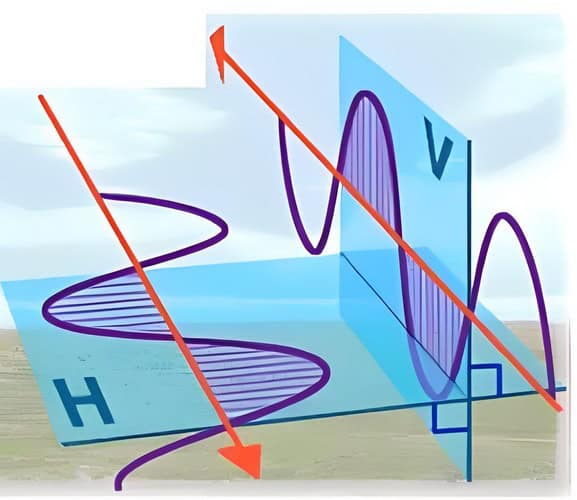
Vertical Polarization: The electric field of the wave oscillates vertically. This is common in many standard WiFi antennas.
Horizontal Polarization: The electric field of the wave oscillates horizontally. This is often used alongside vertical polarization in dual-polarized systems.
2. Slant Polarization:
+45° and -45° Polarization: Instead of strictly vertical and horizontal, some antennas use slant polarizations. One element is polarized at +45° and the other at -45°, which can help reduce interference and improve signal reception.
Benefits of Dual Polarization
1. Increased Capacity:
By using two polarization planes, the antenna can transmit and receive two separate data streams simultaneously, effectively doubling the capacity.
2. Improved Signal Quality:
Dual polarization helps mitigate multipath interference, where signals take multiple paths to reach the receiver, causing distortion and degradation.
3. Enhanced Reliability:
Different polarizations maintain a stable connection even when the orientation of the device changes, ensuring consistent performance.
Applications in MIMO Systems
MIMO (Multiple Input Multiple Output):
Dual polarization is integral to MIMO technology, where multiple antennas are used at both the transmitter and receiver ends. Each polarized element acts as an independent channel, enhancing data throughput and connection reliability.
Practical Considerations
Antenna Design:
Dual-polarized antennas are designed to handle the orthogonal polarizations efficiently, ensuring minimal cross-polarization interference.
Deployment Scenarios:
Dual polarization is particularly beneficial in environments with high levels of interference or where devices frequently change orientation, such as urban areas or mobile applications.
cURL Too many subrequests by single Worker invocation. To configure this limit, refer to https://developers.cloudflare.com/workers/wrangler/configuration/#limits
Dual polarization in WiFi antennas leverages two orthogonal polarization planes, such as vertical/horizontal or +45°/-45°, to enhance wireless communication performance. This approach increases capacity, improves signal quality, and ensures reliable connections, making it a crucial technology in modern wireless communication systems.
Importance of matching polarization
Matching the polarization of WiFi antennas is crucial for optimizing the performance of wireless communication systems. Polarization refers to the orientation of the electric field of the radio wave. Here are some key reasons why matching polarization is important:
1. Maximized Signal Strength: When the transmitting and receiving antennas have the same polarization, the signal strength is maximized. This is because the electric fields are aligned, allowing the maximum amount of energy to be transferred from the transmitter to the receiver.
2. Reduced Signal Loss: Mismatched polarization can lead to significant signal loss. For instance, if a vertically polarized antenna is trying to communicate with a horizontally polarized antenna, the signal loss can be as much as 20 dB, which drastically reduces the effective range and quality of the communication.
3. Improved Data Rates: Stronger and clearer signals, resulting from matched polarization, can support higher data rates. This is particularly important for applications requiring high-bandwidth connections, such as video streaming, online gaming, and large file transfers.
4. Better Signal-to-Noise Ratio (SNR): Matching polarization helps in maintaining a higher signal-to-noise ratio. A higher SNR means that the signal can be more easily distinguished from background noise, leading to more reliable and accurate data transmission.
5. Reduced Interference: In environments with multiple WiFi networks or devices, matched polarization can help in reducing interference. Since many WiFi devices use the same frequency bands, having aligned polarization can help in distinguishing between different signals.
6. Energy Efficiency: Devices with matched polarization require less power to maintain a stable connection. This is particularly beneficial for battery-operated devices, as it can extend their operational life.
7. Consistent Performance: Consistent polarization matching ensures stable and predictable performance of the WiFi network. This is important for applications that rely on continuous and reliable connectivity, such as VoIP calls or real-time data monitoring.
In summary, matching polarization between WiFi antennas is essential for achieving optimal performance, including stronger signal strength, higher data rates, better SNR, reduced interference, and improved energy efficiency. It ensures that the wireless communication system operates efficiently and reliably.
5. Compatibility
Ensuring compatibility with your router or access point
Ensuring compatibility between your WiFi antennas and your router or access point is crucial for optimal performance. Here are some key steps and considerations to ensure compatibility:
1. Connector Type:
SMA Connectors: Many WiFi routers and access points use RP-SMA (Reverse Polarity SMA) connectors. Ensure that the antenna you purchase has the appropriate RP-SMA connector.
Other Connectors: Some devices may use different connectors such as N-type, TNC, or proprietary connectors. Check your device’s specifications to confirm the connector type.
2. Frequency Band:
2.4 GHz and 5 GHz: Ensure the antenna supports the frequency bands your router uses. Most modern routers are dual-band, operating on both 2.4 GHz and 5 GHz. Some newer routers also support the 6 GHz band (Wi-Fi 6E and WiFi 7).
cURL Too many subrequests by single Worker invocation. To configure this limit, refer to https://developers.cloudflare.com/workers/wrangler/configuration/#limits.
cURL Too many subrequests by single Worker invocation. To configure this limit, refer to https://developers.cloudflare.com/workers/wrangler/configuration/#limits
cURL Too many subrequests by single Worker invocation. To configure this limit, refer to https://developers.cloudflare.com/workers/wrangler/configuration/#limits.
cURL Too many subrequests by single Worker invocation. To configure this limit, refer to https://developers.cloudflare.com/workers/wrangler/configuration/#limits.
cURL Too many subrequests by single Worker invocation. To configure this limit, refer to https://developers.cloudflare.com/workers/wrangler/configuration/#limits
cURL Too many subrequests by single Worker invocation. To configure this limit, refer to https://developers.cloudflare.com/workers/wrangler/configuration/#limits.
cURL Too many subrequests by single Worker invocation. To configure this limit, refer to https://developers.cloudflare.com/workers/wrangler/configuration/#limits
cURL Too many subrequests by single Worker invocation. To configure this limit, refer to https://developers.cloudflare.com/workers/wrangler/configuration/#limits.
cURL Too many subrequests by single Worker invocation. To configure this limit, refer to https://developers.cloudflare.com/workers/wrangler/configuration/#limits
cURL Too many subrequests by single Worker invocation. To configure this limit, refer to https://developers.cloudflare.com/workers/wrangler/configuration/#limits.
7. Regulatory Compliance:
cURL Too many subrequests by single Worker invocation. To configure this limit, refer to https://developers.cloudflare.com/workers/wrangler/configuration/#limits.
cURL Too many subrequests by single Worker invocation. To configure this limit, refer to https://developers.cloudflare.com/workers/wrangler/configuration/#limits
cURL Too many subrequests by single Worker invocation. To configure this limit, refer to https://developers.cloudflare.com/workers/wrangler/configuration/#limits.
cURL Too many subrequests by single Worker invocation. To configure this limit, refer to https://developers.cloudflare.com/workers/wrangler/configuration/#limits
cURL Too many subrequests by single Worker invocation. To configure this limit, refer to https://developers.cloudflare.com/workers/wrangler/configuration/#limits.
cURL Too many subrequests by single Worker invocation. To configure this limit, refer to https://developers.cloudflare.com/workers/wrangler/configuration/#limits
cURL Too many subrequests by single Worker invocation. To configure this limit, refer to https://developers.cloudflare.com/workers/wrangler/configuration/#limits.
cURL Too many subrequests by single Worker invocation. To configure this limit, refer to https://developers.cloudflare.com/workers/wrangler/configuration/#limits.
cURL Too many subrequests by single Worker invocation. To configure this limit, refer to https://developers.cloudflare.com/workers/wrangler/configuration/#limits
cURL Too many subrequests by single Worker invocation. To configure this limit, refer to https://developers.cloudflare.com/workers/wrangler/configuration/#limits WiFi antennas, cURL Too many subrequests by single Worker invocation. To configure this limit, refer to https://developers.cloudflare.com/workers/wrangler/configuration/#limits
cURL Too many subrequests by single Worker invocation. To configure this limit, refer to https://developers.cloudflare.com/workers/wrangler/configuration/#limits
1. RP-SMA (Reverse Polarity SMA)

Usage: Commonly used in consumer WiFi equipment (routers, access points, and WiFi cards).
Characteristics: The RP-SMA connector has a reverse polarity configuration where the male connector has a pin and the female connector has a socket, opposite to the standard SMA connectors.
2. SMA (SubMiniature version A)
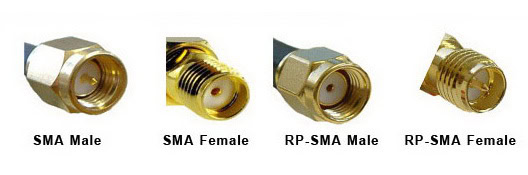
Usage: Used in professional and industrial applications.
Characteristics: Standard polarity where the male connector has a pin and the female connector has a socket.
3. N-Type

Usage: Commonly used in outdoor WiFi installations and high-power applications.
Characteristics: Larger and more robust than SMA connectors, N-Type connectors provide better performance over longer distances and in harsh environments.
4. U.FL (Ultra Miniature Coaxial)
Usage: Typically used in internal connections within devices, such as connecting a WiFi card to an internal antenna.

Characteristics: Very small and delicate, suitable for tight spaces inside devices.
5. TNC (Threaded Neill–Concelman)

Usage: Used in some industrial and commercial WiFi applications.
Characteristics: Similar to BNC connectors but with a threaded coupling, providing better performance in environments with vibration.
Cable Considerations
1. Cable Type
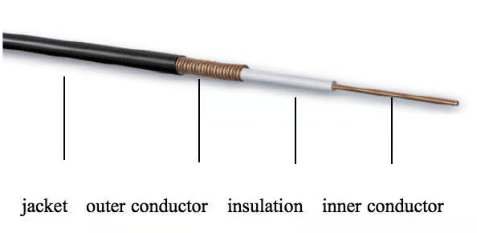
RG-58: Commonly used for short runs in indoor applications. It has higher loss compared to other types.
LMR-195, LMR-240, LMR-400: These are low-loss coaxial cables suitable for longer runs. LMR-400, in particular, is preferred for its low attenuation over long distances.
RG-6: Often used for TV and satellite, but can be used for WiFi with appropriate connectors.
2. Cable Length
Signal Loss: The longer the cable, the greater the signal loss. It’s important to keep cable runs as short as possible to minimize attenuation.
Placement: Position antennas as close to the WiFi device as possible to reduce the need for long cables.
3. Cable Quality
Shielding: Good quality cables have better shielding to protect against electromagnetic interference (EMI).
Flexibility: Depending on the installation environment, you may need flexible cables that can be routed easily without damaging the internal conductors.
4. Environmental Considerations
Indoor vs. Outdoor: Use weather-resistant cables for outdoor installations to protect against UV radiation, moisture, and temperature variations.
Temperature Range: Ensure the cable can operate within the temperature range of the installation environment.
Additional Tips
Connector Adapters: Sometimes, you may need adapters to connect different types of connectors. For example, an RP-SMA to N-Type adapter.
Cable Management: Proper cable management can help maintain signal integrity and prolong the life of the cables.
Testing: After installation, use a signal analyzer or WiFi analyzer tool to test the signal strength and quality to ensure optimal performance.
cURL Too many subrequests by single Worker invocation. To configure this limit, refer to https://developers.cloudflare.com/workers/wrangler/configuration/#limits.
cURL Too many subrequests by single Worker invocation. To configure this limit, refer to https://developers.cloudflare.com/workers/wrangler/configuration/#limits
cURL Too many subrequests by single Worker invocation. To configure this limit, refer to https://developers.cloudflare.com/workers/wrangler/configuration/#limits
cURL Too many subrequests by single Worker invocation. To configure this limit, refer to https://developers.cloudflare.com/workers/wrangler/configuration/#limits WiFi antennas cURL Too many subrequests by single Worker invocation. To configure this limit, refer to https://developers.cloudflare.com/workers/wrangler/configuration/#limits
cURL Too many subrequests by single Worker invocation. To configure this limit, refer to https://developers.cloudflare.com/workers/wrangler/configuration/#limits
cURL Too many subrequests by single Worker invocation. To configure this limit, refer to https://developers.cloudflare.com/workers/wrangler/configuration/#limits
cURL Too many subrequests by single Worker invocation. To configure this limit, refer to https://developers.cloudflare.com/workers/wrangler/configuration/#limits.
cURL Too many subrequests by single Worker invocation. To configure this limit, refer to https://developers.cloudflare.com/workers/wrangler/configuration/#limits.
cURL Too many subrequests by single Worker invocation. To configure this limit, refer to https://developers.cloudflare.com/workers/wrangler/configuration/#limits
cURL Too many subrequests by single Worker invocation. To configure this limit, refer to https://developers.cloudflare.com/workers/wrangler/configuration/#limits.
cURL Too many subrequests by single Worker invocation. To configure this limit, refer to https://developers.cloudflare.com/workers/wrangler/configuration/#limits.
cURL Too many subrequests by single Worker invocation. To configure this limit, refer to https://developers.cloudflare.com/workers/wrangler/configuration/#limits
cURL Too many subrequests by single Worker invocation. To configure this limit, refer to https://developers.cloudflare.com/workers/wrangler/configuration/#limits.
cURL Too many subrequests by single Worker invocation. To configure this limit, refer to https://developers.cloudflare.com/workers/wrangler/configuration/#limits.
cURL Too many subrequests by single Worker invocation. To configure this limit, refer to https://developers.cloudflare.com/workers/wrangler/configuration/#limits
cURL Too many subrequests by single Worker invocation. To configure this limit, refer to https://developers.cloudflare.com/workers/wrangler/configuration/#limits.
cURL Too many subrequests by single Worker invocation. To configure this limit, refer to https://developers.cloudflare.com/workers/wrangler/configuration/#limits.
cURL Too many subrequests by single Worker invocation. To configure this limit, refer to https://developers.cloudflare.com/workers/wrangler/configuration/#limits cURL Too many subrequests by single Worker invocation. To configure this limit, refer to https://developers.cloudflare.com/workers/wrangler/configuration/#limits
cURL Too many subrequests by single Worker invocation. To configure this limit, refer to https://developers.cloudflare.com/workers/wrangler/configuration/#limits
cURL Too many subrequests by single Worker invocation. To configure this limit, refer to https://developers.cloudflare.com/workers/wrangler/configuration/#limits.
cURL Too many subrequests by single Worker invocation. To configure this limit, refer to https://developers.cloudflare.com/workers/wrangler/configuration/#limits.
2. Weather and Environmental Conditions:
Challenges: Outdoor antennas must withstand various weather conditions (rain, snow, wind, temperature extremes) and potential physical impacts.
Design Considerations: Use weatherproof, ruggedized antennas with appropriate IP ratings (e.g., IP67) to ensure durability and reliability.
3. Interference:
Challenges: Outdoor environments can have interference from other wireless networks, industrial equipment, and even natural obstacles like trees and buildings.
Design Considerations: Use antennas that can operate on multiple channels and frequencies to avoid crowded bands. Directional antennas can help minimize interference by focusing the signal.
4. Mounting and Installation:
Challenges: Outdoor antennas need secure mounting solutions to withstand wind and other environmental factors.
Design Considerations: Use robust mounting hardware and ensure proper grounding to protect against lightning and electrical surges.
5. Regulatory Compliance:
Challenges: Outdoor antennas may need to comply with local regulations regarding signal strength, frequency use, and installation requirements.
Design Considerations: Ensure that the design and deployment of outdoor antennas meet all relevant regulatory standards.
cURL Too many subrequests by single Worker invocation. To configure this limit, refer to https://developers.cloudflare.com/workers/wrangler/configuration/#limits
Indoor Antennas: Focus on omnidirectional coverage, compact design, and dual-band operation to handle obstacles and interference within buildings.
Outdoor Antennas: Emphasize durability, weatherproofing, high-gain directional coverage, and compliance with regulatory standards to provide reliable long-range connectivity in varied environmental conditions.
By addressing these considerations, you can design WiFi antennas that are well-suited to their respective environments, ensuring optimal performance and user satisfaction.
Aesthetic considerations for home or office environments
When incorporating WiFi antennas into home or office environments, aesthetic considerations can significantly enhance the overall look and feel of the space. Here are some strategies to ensure that WiFi antennas blend seamlessly into your environment:
1. Concealment and Integration
Furniture Integration: Incorporate WiFi antennas into furniture pieces such as bookshelves, desks, or entertainment centers. Custom-built furniture with hidden compartments can house the antennas without compromising on signal strength.
Wall and Ceiling Mounts: Use wall or ceiling mounts that can be painted or covered with decorative elements to match the surrounding decor. In-ceiling antennas can be particularly unobtrusive.
Cabinetry and Enclosures: Design custom cabinetry or enclosures that can hide the antennas while allowing for proper ventilation and signal transmission.
2. Design and Color Coordination
Color Matching: Choose antennas that come in colors that match your walls, furniture, or decor. Many manufacturers offer antennas in various colors or with customizable skins.
Minimalist Designs: Opt for sleek, minimalist designs that blend into modern interiors. Antennas with clean lines and simple shapes can be less obtrusive.
3. Functional Decor
Multi-Functional Items: Use items that serve a dual purpose, such as lamps or picture frames with built-in WiFi antennas. This can help disguise the technology as part of everyday decor.
Decorative Covers: Use decorative covers or cases that can camouflage the antennas as part of the room’s aesthetic. These covers should be made of materials that do not interfere with the signal.
4. Strategic Placement
High Placement: Place antennas high on walls or on top of tall furniture to keep them out of direct sight lines. This not only improves signal distribution but also keeps the antennas less noticeable.
Behind Decor: Position antennas behind decorative items such as plants, sculptures, or artwork. Ensure these items do not block the signal significantly.
5. Cable Management
Concealed Wiring: Use cable management solutions to hide the wires associated with WiFi antennas. This can include running cables through walls, using cord covers, or integrating them into baseboards.
Wireless Solutions: Whenever possible, opt for wireless solutions to reduce the number of visible cables and enhance the clean look of the space.
6. Smart Home Integration
Smart Home Devices: Integrate WiFi antennas with other smart home devices that are already part of your decor, such as smart speakers, thermostats, or security cameras. This can create a cohesive tech environment.

Unified Design: Choose devices from the same manufacturer or product line to ensure a consistent design language across all your tech devices.
By carefully considering these aesthetic strategies, you can ensure that WiFi antennas contribute to the overall design of your home or office rather than detract from it.
cURL Too many subrequests by single Worker invocation. To configure this limit, refer to https://developers.cloudflare.com/workers/wrangler/configuration/#limits
cURL Too many subrequests by single Worker invocation. To configure this limit, refer to https://developers.cloudflare.com/workers/wrangler/configuration/#limits
cURL Too many subrequests by single Worker invocation. To configure this limit, refer to https://developers.cloudflare.com/workers/wrangler/configuration/#limits
cURL Too many subrequests by single Worker invocation. To configure this limit, refer to https://developers.cloudflare.com/workers/wrangler/configuration/#limits
cURL Too many subrequests by single Worker invocation. To configure this limit, refer to https://developers.cloudflare.com/workers/wrangler/configuration/#limits.
cURL Too many subrequests by single Worker invocation. To configure this limit, refer to https://developers.cloudflare.com/workers/wrangler/configuration/#limits.
cURL Too many subrequests by single Worker invocation. To configure this limit, refer to https://developers.cloudflare.com/workers/wrangler/configuration/#limits
cURL Too many subrequests by single Worker invocation. To configure this limit, refer to https://developers.cloudflare.com/workers/wrangler/configuration/#limits.

cURL Too many subrequests by single Worker invocation. To configure this limit, refer to https://developers.cloudflare.com/workers/wrangler/configuration/#limits.
cURL Too many subrequests by single Worker invocation. To configure this limit, refer to https://developers.cloudflare.com/workers/wrangler/configuration/#limits
cURL Too many subrequests by single Worker invocation. To configure this limit, refer to https://developers.cloudflare.com/workers/wrangler/configuration/#limits.
cURL Too many subrequests by single Worker invocation. To configure this limit, refer to https://developers.cloudflare.com/workers/wrangler/configuration/#limits.
cURL Too many subrequests by single Worker invocation. To configure this limit, refer to https://developers.cloudflare.com/workers/wrangler/configuration/#limits.
cURL Too many subrequests by single Worker invocation. To configure this limit, refer to https://developers.cloudflare.com/workers/wrangler/configuration/#limits.
cURL Too many subrequests by single Worker invocation. To configure this limit, refer to https://developers.cloudflare.com/workers/wrangler/configuration/#limits
cURL Too many subrequests by single Worker invocation. To configure this limit, refer to https://developers.cloudflare.com/workers/wrangler/configuration/#limits
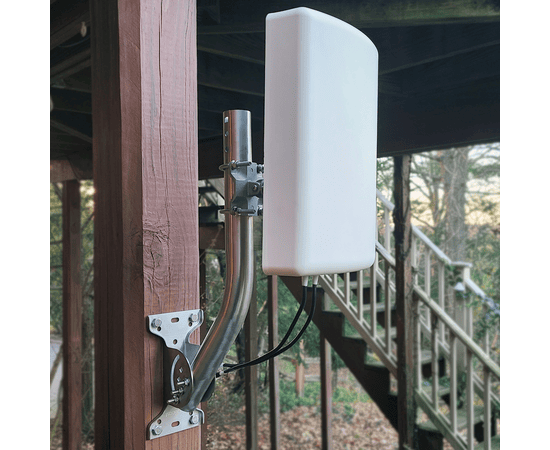
cURL Too many subrequests by single Worker invocation. To configure this limit, refer to https://developers.cloudflare.com/workers/wrangler/configuration/#limits.
cURL Too many subrequests by single Worker invocation. To configure this limit, refer to https://developers.cloudflare.com/workers/wrangler/configuration/#limits.
cURL Too many subrequests by single Worker invocation. To configure this limit, refer to https://developers.cloudflare.com/workers/wrangler/configuration/#limits.
cURL Too many subrequests by single Worker invocation. To configure this limit, refer to https://developers.cloudflare.com/workers/wrangler/configuration/#limits

cURL Too many subrequests by single Worker invocation. To configure this limit, refer to https://developers.cloudflare.com/workers/wrangler/configuration/#limits.
cURL Too many subrequests by single Worker invocation. To configure this limit, refer to https://developers.cloudflare.com/workers/wrangler/configuration/#limits.
cURL Too many subrequests by single Worker invocation. To configure this limit, refer to https://developers.cloudflare.com/workers/wrangler/configuration/#limits.
3. Pole Mounting:

Pros: Excellent for outdoor use, can be elevated for better line-of-sight, avoids many physical obstructions.
Cons: Requires a sturdy pole, more complex installation, may need weatherproofing.
Installation: Secure the pole firmly in the ground or to a building structure. Use mounting brackets designed for poles. Ensure the antenna is at the correct height and angle.
4. Ground Mounting:
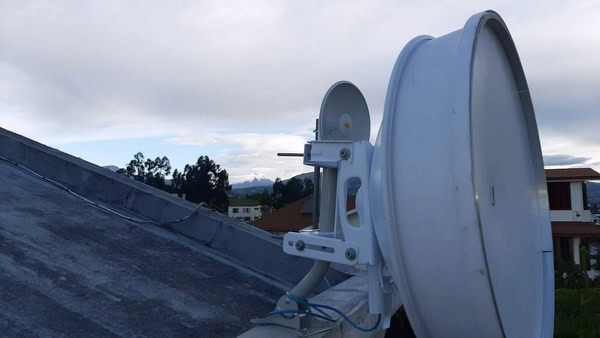
Pros: Suitable for outdoor use, can be positioned for optimal line-of-sight, avoids roof or wall drilling.
Cons: Vulnerable to physical damage from people, animals, or machinery, may require waterproofing, potentially limited elevation.
Installation: Use a ground mount kit with a sturdy base. Secure the mount firmly into the ground using concrete or ground stakes. Ensure the antenna is at the correct height and angle, and consider additional weatherproofing measures to protect the antenna from the elements.
Additional Tips
Weatherproofing: For outdoor installations, use weatherproof tape and sealant to protect connections from moisture.
Grounding: Ground outdoor antennas to prevent damage from lightning.
Cable Management: Use cable ties and conduits to manage cables neatly and protect them from damage.
Signal Testing: Use a WiFi analyzer tool to test signal strength and adjust the antenna as needed for optimal performance.
By considering these factors and following the appropriate steps, you can ensure a successful WiFi antenna installation that provides robust and reliable coverage.
Chapter 3: Popular Types of WiFi Antennas
1. Omni-directional Antennas
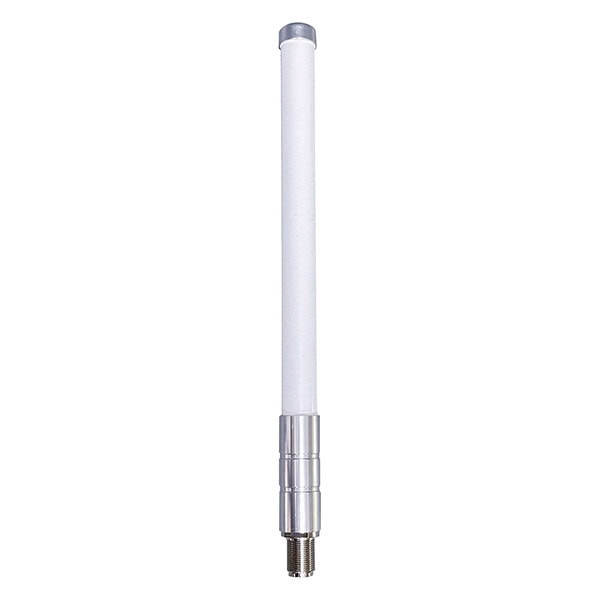
Characteristics:
1. Radiation Pattern: Omni-directional antennas emit radio waves in all horizontal directions, creating a 360-degree coverage area. They typically have a doughnut-shaped radiation pattern.
2. Gain: They usually have lower gain compared to directional antennas, generally ranging from 2 dBi to 12 dBi. Higher gain omni-directional antennas can cover larger areas but have a more flattened vertical beamwidth.
3. Polarization: These antennas can be vertically or horizontally polarized, but vertical polarization is more common.
4. Frequency Bands: They can operate on various frequency bands, including 2.4 GHz, 5 GHz, and sometimes dual-band for WiFi applications.
5. Physical Form: They often come in the form of rods or tubes, making them easy to mount on routers, access points, or outdoor fixtures.
Use Cases:
1. Home and Office WiFi Networks: Ideal for providing uniform coverage in homes and small to medium-sized offices where users are spread out across multiple rooms or floors.
2. Public WiFi Hotspots: Commonly used in cafes, parks, and other public spaces to offer broad coverage to multiple users.
3. Warehouses and Large Open Spaces: Useful in environments where devices are scattered over a large area, such as warehouses, factories, or large retail spaces.
4. Outdoor Applications: Suitable for outdoor WiFi coverage in areas like campuses, stadiums, and outdoor event venues.
5. Mobile Applications: Often used in vehicles, such as buses, trains, and boats, to provide WiFi connectivity to passengers.
cURL Too many subrequests by single Worker invocation. To configure this limit, refer to https://developers.cloudflare.com/workers/wrangler/configuration/#limits
1. Wide Coverage Area: Provides broad, uniform coverage, reducing dead spots in the coverage area.
2. Ease of Installation: Simple to install without the need for precise alignment, unlike directional antennas.
3. Cost-Effective: Generally less expensive compared to high-gain directional antennas.
4. Versatility: Can be used in various environments, both indoors and outdoors.
5. Multiple Device Support: Can support multiple devices simultaneously, making them ideal for areas with high user density.
cURL Too many subrequests by single Worker invocation. To configure this limit, refer to https://developers.cloudflare.com/workers/wrangler/configuration/#limits
1. Lower Gain: Typically offers lower signal strength compared to directional antennas, which can be a limitation in long-range applications.
2. Interference: More susceptible to interference from other devices due to their wide coverage area.
3. Limited Range: Not suitable for long-distance point-to-point communication.
4. Signal Wastage: In scenarios where coverage is only needed in a specific direction, omni-directional antennas can waste signal power in unnecessary directions.
5. Potential for Overlapping Channels: In dense environments with multiple WiFi networks, the broad coverage can lead to overlapping channels and increased interference.
Conclusion:
WiFi omni-directional antennas are versatile and effective for providing broad, uniform coverage in various environments. They are particularly useful in scenarios where users are dispersed over a wide area and ease of installation is essential. However, their lower gain and susceptibility to interference can be limitations in specific applications, making it crucial to choose the right type of antenna based on the specific needs of the network.
cURL Too many subrequests by single Worker invocation. To configure this limit, refer to https://developers.cloudflare.com/workers/wrangler/configuration/#limits
cURL Too many subrequests by single Worker invocation. To configure this limit, refer to https://developers.cloudflare.com/workers/wrangler/configuration/#limits
cURL Too many subrequests by single Worker invocation. To configure this limit, refer to https://developers.cloudflare.com/workers/wrangler/configuration/#limits
cURL Too many subrequests by single Worker invocation. To configure this limit, refer to https://developers.cloudflare.com/workers/wrangler/configuration/#limits.
cURL Too many subrequests by single Worker invocation. To configure this limit, refer to https://developers.cloudflare.com/workers/wrangler/configuration/#limits.
cURL Too many subrequests by single Worker invocation. To configure this limit, refer to https://developers.cloudflare.com/workers/wrangler/configuration/#limits.
cURL Too many subrequests by single Worker invocation. To configure this limit, refer to https://developers.cloudflare.com/workers/wrangler/configuration/#limits.
cURL Too many subrequests by single Worker invocation. To configure this limit, refer to https://developers.cloudflare.com/workers/wrangler/configuration/#limits.
cURL Too many subrequests by single Worker invocation. To configure this limit, refer to https://developers.cloudflare.com/workers/wrangler/configuration/#limits
cURL Too many subrequests by single Worker invocation. To configure this limit, refer to https://developers.cloudflare.com/workers/wrangler/configuration/#limits.
cURL Too many subrequests by single Worker invocation. To configure this limit, refer to https://developers.cloudflare.com/workers/wrangler/configuration/#limits.
cURL Too many subrequests by single Worker invocation. To configure this limit, refer to https://developers.cloudflare.com/workers/wrangler/configuration/#limits.
cURL Too many subrequests by single Worker invocation. To configure this limit, refer to https://developers.cloudflare.com/workers/wrangler/configuration/#limits
cURL Too many subrequests by single Worker invocation. To configure this limit, refer to https://developers.cloudflare.com/workers/wrangler/configuration/#limits.
cURL Too many subrequests by single Worker invocation. To configure this limit, refer to https://developers.cloudflare.com/workers/wrangler/configuration/#limits.
cURL Too many subrequests by single Worker invocation. To configure this limit, refer to https://developers.cloudflare.com/workers/wrangler/configuration/#limits.
cURL Too many subrequests by single Worker invocation. To configure this limit, refer to https://developers.cloudflare.com/workers/wrangler/configuration/#limits.
cURL Too many subrequests by single Worker invocation. To configure this limit, refer to https://developers.cloudflare.com/workers/wrangler/configuration/#limits
cURL Too many subrequests by single Worker invocation. To configure this limit, refer to https://developers.cloudflare.com/workers/wrangler/configuration/#limits.
cURL Too many subrequests by single Worker invocation. To configure this limit, refer to https://developers.cloudflare.com/workers/wrangler/configuration/#limits.
cURL Too many subrequests by single Worker invocation. To configure this limit, refer to https://developers.cloudflare.com/workers/wrangler/configuration/#limits.
Conclusion
cURL Too many subrequests by single Worker invocation. To configure this limit, refer to https://developers.cloudflare.com/workers/wrangler/configuration/#limits.
3. Panel Antennas
WiFi panel antennas are a type of directional antenna used to improve wireless communication by focusing the signal in a specific direction. They are commonly used in various applications to enhance the range, reliability, and performance of WiFi networks. Here are the key characteristics, use cases, pros, and cons of WiFi panel antennas:
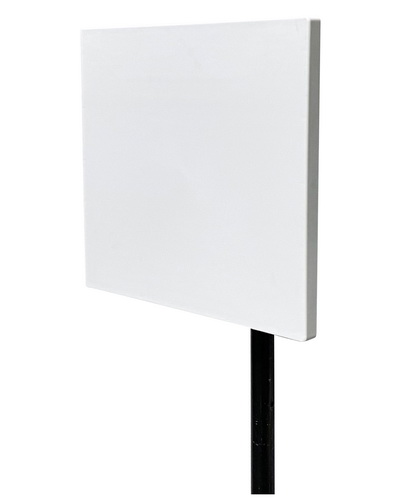
cURL Too many subrequests by single Worker invocation. To configure this limit, refer to https://developers.cloudflare.com/workers/wrangler/configuration/#limits
1. Directional Pattern: Panel antennas have a directional radiation pattern, meaning they focus the signal in one direction rather than broadcasting it in all directions.
2. Gain: Typically, panel antennas have higher gain (measured in dBi) compared to omnidirectional antennas. This higher gain helps in extending the range and improving the signal strength in the desired direction.
3. Size and Shape: They are usually flat and rectangular, making them easy to mount on walls or poles.
4. Frequency Range: WiFi panel antennas are designed to operate in the 2.4 GHz , 5 GHz and or 6GHz frequency bands, which are common for WiFi networks.
5. Beamwidth: The beamwidth of a panel antenna is narrower compared to omnidirectional antennas, allowing for more focused coverage.
cURL Too many subrequests by single Worker invocation. To configure this limit, refer to https://developers.cloudflare.com/workers/wrangler/configuration/#limits
1. Point-to-Point Links: Ideal for creating a wireless bridge between two locations, such as connecting two buildings.
2. Outdoor Coverage: Suitable for extending WiFi coverage in outdoor environments, such as parks, campuses, or large outdoor events.
3. Indoor Coverage: Can be used to focus the signal in large indoor spaces like warehouses, auditoriums, or long corridors.
4. Reducing Interference**: By focusing the signal, panel antennas can help reduce interference from other wireless networks or devices in crowded environments.
cURL Too many subrequests by single Worker invocation. To configure this limit, refer to https://developers.cloudflare.com/workers/wrangler/configuration/#limits
1. Improved Range and Signal Strength: The directional nature and higher gain of panel antennas can significantly extend the range and improve the signal quality in the targeted direction.
2. Focused Coverage: Ideal for applications where coverage is needed in a specific direction or area, reducing wasted signal and interference.
3. Versatility: Can be used in both indoor and outdoor applications, making them versatile for various deployment scenarios.
4. Interference Mitigation: By focusing the signal, panel antennas can help mitigate interference from other WiFi networks or devices.
cURL Too many subrequests by single Worker invocation. To configure this limit, refer to https://developers.cloudflare.com/workers/wrangler/configuration/#limits
1. Limited Coverage Area: The directional nature means that coverage is limited to the area in the direction the antenna is pointed, which may not be suitable for all applications.
2. Installation Complexity: Proper alignment and mounting are crucial for optimal performance, which can make installation more complex compared to omnidirectional antennas.
3. Cost: Panel antennas can be more expensive than omnidirectional antennas, especially those with higher gain and advanced features.
4. Physical Size: While generally compact, some high-gain panel antennas can be relatively large and may require sturdy mounting solutions.
Conclusion
WiFi panel antennas are a powerful tool for enhancing wireless communication in specific directions, making them ideal for targeted coverage scenarios such as point-to-point links, focused indoor coverage, and outdoor deployments. However, their directional nature and installation complexity mean they are not suitable for all applications. Careful consideration of the use case, environment, and installation requirements is essential to maximize the benefits of using a WiFi panel antenna.
4. Parabolic Dish Antennas
Characteristics:
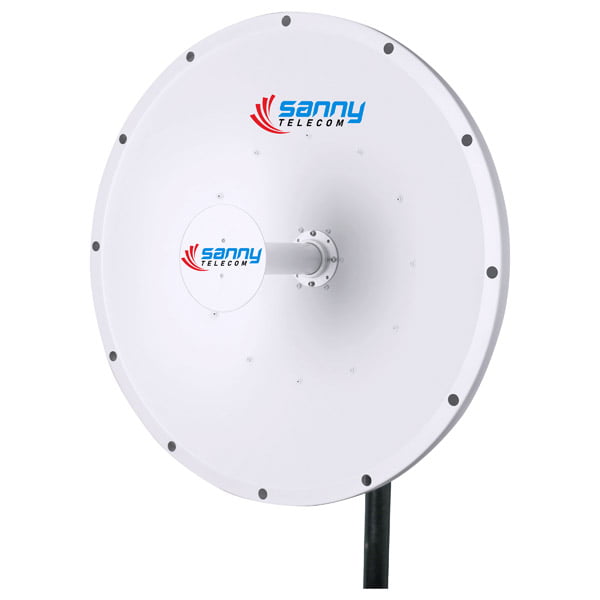
1. High Gain: Parabolic dish antennas offer high gain, typically ranging from 15 dBi to 30 dBi or more. This high gain results from the parabolic shape, which focuses the radio waves into a narrow beam, increasing signal strength.
2. Directional: These antennas are highly directional, meaning they focus the signal in a specific direction. This characteristic is beneficial for point-to-point communication over long distances.
3. Frequency Range: Parabolic dish antennas are designed to operate in specific frequency ranges, commonly within the 2.4 GHz , 5 GHz and 6GHz bands used by WiFi networks.
4. Size and Shape: They are usually larger and more cumbersome compared to other types of WiFi antennas. The dish shape is essential for focusing the signal.
5. Polarization: These antennas can support different types of polarization (horizontal, vertical, or dual polarization), which can be selected based on the specific application and environment.
Use Cases:
1. Long-Distance Communication: Ideal for establishing long-distance point-to-point links, such as connecting two buildings or remote locations where wired connections are impractical.
2. Backhaul Connections: Used in telecommunications to connect base stations to the core network, often over several kilometers.

3. Rural Internet Access: Providing internet access to remote or rural areas where traditional broadband services are unavailable.
4. Wireless Internet Service Providers (WISPs): Used by WISPs to deliver internet services over wide areas.
cURL Too many subrequests by single Worker invocation. To configure this limit, refer to https://developers.cloudflare.com/workers/wrangler/configuration/#limits
1. High Gain: Provides strong signal strength and improved performance over long distances.
2. Focused Signal: Reduces interference from other sources by concentrating the signal in a specific direction.
3. Reliable: Suitable for stable, long-range communication links.
4. Scalability: Can be used to scale networks by connecting multiple nodes over large distances.
cURL Too many subrequests by single Worker invocation. To configure this limit, refer to https://developers.cloudflare.com/workers/wrangler/configuration/#limits
1. Size and Weight: Typically larger and heavier than other types of antennas, making them less portable and more challenging to install.
2. Alignment: Requires precise alignment to ensure optimal performance, which can be time-consuming and technically demanding.
3. Cost: Generally more expensive than other types of WiFi antennas due to their complexity and materials.
cURL Too many subrequests by single Worker invocation. To configure this limit, refer to https://developers.cloudflare.com/workers/wrangler/configuration/#limits.
cURL Too many subrequests by single Worker invocation. To configure this limit, refer to https://developers.cloudflare.com/workers/wrangler/configuration/#limits.
Conclusion:
WiFi cURL Too many subrequests by single Worker invocation. To configure this limit, refer to https://developers.cloudflare.com/workers/wrangler/configuration/#limits cURL Too many subrequests by single Worker invocation. To configure this limit, refer to https://developers.cloudflare.com/workers/wrangler/configuration/#limits.
cURL Too many subrequests by single Worker invocation. To configure this limit, refer to https://developers.cloudflare.com/workers/wrangler/configuration/#limits

cURL Too many subrequests by single Worker invocation. To configure this limit, refer to https://developers.cloudflare.com/workers/wrangler/configuration/#limits
cURL Too many subrequests by single Worker invocation. To configure this limit, refer to https://developers.cloudflare.com/workers/wrangler/configuration/#limits
cURL Too many subrequests by single Worker invocation. To configure this limit, refer to https://developers.cloudflare.com/workers/wrangler/configuration/#limits.
2. Gain:
cURL Too many subrequests by single Worker invocation. To configure this limit, refer to https://developers.cloudflare.com/workers/wrangler/configuration/#limits.
cURL Too many subrequests by single Worker invocation. To configure this limit, refer to https://developers.cloudflare.com/workers/wrangler/configuration/#limits
cURL Too many subrequests by single Worker invocation. To configure this limit, refer to https://developers.cloudflare.com/workers/wrangler/configuration/#limits.
cURL Too many subrequests by single Worker invocation. To configure this limit, refer to https://developers.cloudflare.com/workers/wrangler/configuration/#limits
cURL Too many subrequests by single Worker invocation. To configure this limit, refer to https://developers.cloudflare.com/workers/wrangler/configuration/#limits.
cURL Too many subrequests by single Worker invocation. To configure this limit, refer to https://developers.cloudflare.com/workers/wrangler/configuration/#limits
cURL Too many subrequests by single Worker invocation. To configure this limit, refer to https://developers.cloudflare.com/workers/wrangler/configuration/#limits.
cURL Too many subrequests by single Worker invocation. To configure this limit, refer to https://developers.cloudflare.com/workers/wrangler/configuration/#limits
cURL Too many subrequests by single Worker invocation. To configure this limit, refer to https://developers.cloudflare.com/workers/wrangler/configuration/#limits.
cURL Too many subrequests by single Worker invocation. To configure this limit, refer to https://developers.cloudflare.com/workers/wrangler/configuration/#limits
cURL Too many subrequests by single Worker invocation. To configure this limit, refer to https://developers.cloudflare.com/workers/wrangler/configuration/#limits.
cURL Too many subrequests by single Worker invocation. To configure this limit, refer to https://developers.cloudflare.com/workers/wrangler/configuration/#limits
cURL Too many subrequests by single Worker invocation. To configure this limit, refer to https://developers.cloudflare.com/workers/wrangler/configuration/#limits
cURL Too many subrequests by single Worker invocation. To configure this limit, refer to https://developers.cloudflare.com/workers/wrangler/configuration/#limits.
cURL Too many subrequests by single Worker invocation. To configure this limit, refer to https://developers.cloudflare.com/workers/wrangler/configuration/#limits
cURL Too many subrequests by single Worker invocation. To configure this limit, refer to https://developers.cloudflare.com/workers/wrangler/configuration/#limits.
3. Backhaul Networks:
Employed in wireless backhaul networks to connect different network nodes over long distances.
4. Surveillance Systems:
Can be used to transmit video feeds from remote surveillance cameras to a central monitoring station.
5. Amateur Radio:
Often used by amateur radio enthusiasts for long-distance communication.
cURL Too many subrequests by single Worker invocation. To configure this limit, refer to https://developers.cloudflare.com/workers/wrangler/configuration/#limits
1. High Gain:
Provides high gain, which allows for long-distance communication and better signal quality.
2. Directional Focus:
Highly directional, reducing interference from other sources and focusing the signal where it is needed.
3. Durability:
Generally built to withstand outdoor conditions, including wind, rain, and UV exposure.
4. Cost-Effective:
Often more affordable than other high-gain antenna types like dish antennas.
5. Scalability:
Can be used in both small-scale and large-scale deployments.
cURL Too many subrequests by single Worker invocation. To configure this limit, refer to https://developers.cloudflare.com/workers/wrangler/configuration/#limits
1. Alignment Sensitivity:
Requires precise alignment to achieve optimal performance, which can be challenging and time-consuming.
2. Size and Weight:
Can be bulky and heavy, making installation more difficult and requiring sturdy mounting solutions.
3. Narrow Beamwidth:
The narrow beamwidth means that any movement or misalignment can significantly affect performance.
4. Aesthetic and Space Concerns:
May not be aesthetically pleasing and can take up significant space, making them less suitable for residential areas.
Conclusion
WiFi parabolic grid antennas are powerful tools for long-distance, high-gain communication. They are particularly useful in point-to-point links, rural internet setups, and backhaul networks. However, they require careful alignment and sturdy installation to perform optimally. Their high gain and directional focus make them excellent for targeted communication, but their size and sensitivity to alignment can be drawbacks in some scenarios.
6. cURL Too many subrequests by single Worker invocation. To configure this limit, refer to https://developers.cloudflare.com/workers/wrangler/configuration/#limits
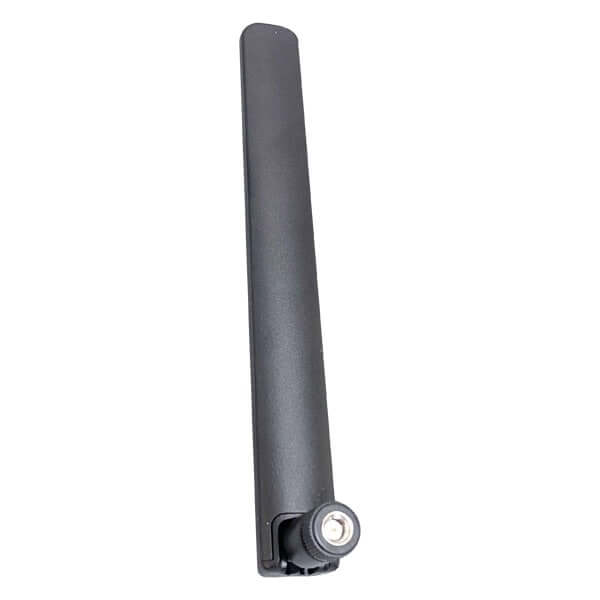
Characteristics:
cURL Too many subrequests by single Worker invocation. To configure this limit, refer to https://developers.cloudflare.com/workers/wrangler/configuration/#limits
Typically, rubber duck antennas are cylindrical and encased in a rubber or plastic material, providing durability and flexibility.
They are often articulated, allowing for adjustment in orientation to optimize signal reception and transmission.
2. Frequency Range:
Most commonly designed for the 2.4 GHz,5 GHz and 6GHz frequency bands used in WiFi networks.
Some models may cover other frequency ranges depending on their specific application.
3. Gain:
The gain of rubber duck antennas usually ranges from 2 dBi to 5 dBi.
Higher gain antennas are available but may come with trade-offs in terms of size and radiation pattern.
4. Radiation Pattern:
Typically omnidirectional, meaning they radiate signal uniformly in all horizontal directions.
This makes them suitable for general-purpose use where the signal needs to be distributed evenly around the antenna.
5. Connector Types:
Common connectors include SMA, RP-SMA, and N-type, allowing compatibility with a wide range of WiFi devices such as routers, access points, and USB WiFi adapters.
Use Cases:
cURL Too many subrequests by single Worker invocation. To configure this limit, refer to https://developers.cloudflare.com/workers/wrangler/configuration/#limits
cURL Too many subrequests by single Worker invocation. To configure this limit, refer to https://developers.cloudflare.com/workers/wrangler/configuration/#limits.
cURL Too many subrequests by single Worker invocation. To configure this limit, refer to https://developers.cloudflare.com/workers/wrangler/configuration/#limits.
cURL Too many subrequests by single Worker invocation. To configure this limit, refer to https://developers.cloudflare.com/workers/wrangler/configuration/#limits
cURL Too many subrequests by single Worker invocation. To configure this limit, refer to https://developers.cloudflare.com/workers/wrangler/configuration/#limits.
cURL Too many subrequests by single Worker invocation. To configure this limit, refer to https://developers.cloudflare.com/workers/wrangler/configuration/#limits.
cURL Too many subrequests by single Worker invocation. To configure this limit, refer to https://developers.cloudflare.com/workers/wrangler/configuration/#limits
cURL Too many subrequests by single Worker invocation. To configure this limit, refer to https://developers.cloudflare.com/workers/wrangler/configuration/#limits.
cURL Too many subrequests by single Worker invocation. To configure this limit, refer to https://developers.cloudflare.com/workers/wrangler/configuration/#limits.
cURL Too many subrequests by single Worker invocation. To configure this limit, refer to https://developers.cloudflare.com/workers/wrangler/configuration/#limits
cURL Too many subrequests by single Worker invocation. To configure this limit, refer to https://developers.cloudflare.com/workers/wrangler/configuration/#limits.
cURL Too many subrequests by single Worker invocation. To configure this limit, refer to https://developers.cloudflare.com/workers/wrangler/configuration/#limits.
cURL Too many subrequests by single Worker invocation. To configure this limit, refer to https://developers.cloudflare.com/workers/wrangler/configuration/#limits
cURL Too many subrequests by single Worker invocation. To configure this limit, refer to https://developers.cloudflare.com/workers/wrangler/configuration/#limits
cURL Too many subrequests by single Worker invocation. To configure this limit, refer to https://developers.cloudflare.com/workers/wrangler/configuration/#limits.
cURL Too many subrequests by single Worker invocation. To configure this limit, refer to https://developers.cloudflare.com/workers/wrangler/configuration/#limits
cURL Too many subrequests by single Worker invocation. To configure this limit, refer to https://developers.cloudflare.com/workers/wrangler/configuration/#limits.
cURL Too many subrequests by single Worker invocation. To configure this limit, refer to https://developers.cloudflare.com/workers/wrangler/configuration/#limits
cURL Too many subrequests by single Worker invocation. To configure this limit, refer to https://developers.cloudflare.com/workers/wrangler/configuration/#limits.
4. Cost-Effective:
cURL Too many subrequests by single Worker invocation. To configure this limit, refer to https://developers.cloudflare.com/workers/wrangler/configuration/#limits.
cURL Too many subrequests by single Worker invocation. To configure this limit, refer to https://developers.cloudflare.com/workers/wrangler/configuration/#limits
cURL Too many subrequests by single Worker invocation. To configure this limit, refer to https://developers.cloudflare.com/workers/wrangler/configuration/#limits.
cURL Too many subrequests by single Worker invocation. To configure this limit, refer to https://developers.cloudflare.com/workers/wrangler/configuration/#limits
cURL Too many subrequests by single Worker invocation. To configure this limit, refer to https://developers.cloudflare.com/workers/wrangler/configuration/#limits
The gain is typically lower compared to directional antennas, which may limit their effectiveness in long-range applications.
cURL Too many subrequests by single Worker invocation. To configure this limit, refer to https://developers.cloudflare.com/workers/wrangler/configuration/#limits
Being omnidirectional, they may pick up more interference from surrounding devices, potentially affecting signal quality.
3. Aesthetic:
While functional, their appearance may not be suitable for all environments, particularly in more design-conscious settings.
4. Performance in Complex Environments:
In areas with many obstacles (e.g., walls, furniture), the performance may degrade due to signal reflection and absorption.
5. Limited Customization:
While they are adjustable, they offer less customization in terms of signal direction compared to directional antennas.
In summary, WiFi rubber duck antennas are a versatile and durable option for a variety of WiFi applications, particularly in environments requiring broad, omnidirectional coverage. However, they may not be the best choice for long-range or highly specific directional needs.
7. Sector Antennas
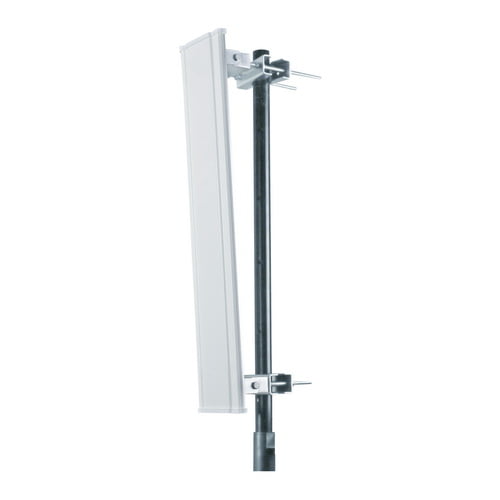
WiFi sector antennas are specialized antennas designed to cover a specific sector or angle, typically ranging from 60 to 120 degrees. They are commonly used in wireless communication systems to provide focused coverage in a particular direction, which can be advantageous in various scenarios. Below, I’ll outline their characteristics, use cases, pros, and cons.
cURL Too many subrequests by single Worker invocation. To configure this limit, refer to https://developers.cloudflare.com/workers/wrangler/configuration/#limits
1. Beamwidth:
Horizontal Beamwidth: Typically between 60° and 120°, allowing for focused coverage in a specific direction.
Vertical Beamwidth: Usually narrower, around 5° to 15°, to reduce interference and focus the signal.
2. Gain:
Sector antennas usually have moderate to high gain, ranging from 15 dBi to 20 dBi, which helps in extending the coverage area.
cURL Too many subrequests by single Worker invocation. To configure this limit, refer to https://developers.cloudflare.com/workers/wrangler/configuration/#limits
They can be either single-polarized or dual-polarized, supporting both horizontal and vertical polarizations to improve signal quality and reduce interference.
4. Frequency Bands:
Designed to operate in specific frequency bands, commonly 2.4 GHz and 5 GHz for WiFi applications.
5. Physical Design:
Typically rectangular or sector-shaped, with a robust and weatherproof design for outdoor installations.
cURL Too many subrequests by single Worker invocation. To configure this limit, refer to https://developers.cloudflare.com/workers/wrangler/configuration/#limits
1. Outdoor WiFi Hotspots:
Ideal for providing WiFi coverage in outdoor areas such as parks, campuses, and stadiums. Multiple sector antennas can be used to cover different directions.
2. Point-to-Multipoint (PtMP) Networks:
Used in wireless Internet Service Provider (WISP) networks to connect multiple clients from a central access point.
3. Urban and Rural Areas:
Effective in both urban and rural settings to provide targeted coverage without excessive signal spillover, which can cause interference.
4. Event Venues:
Suitable for temporary installations at events, festivals, and concerts where focused and reliable WiFi coverage is needed.
5. Industrial and Enterprise Environments:
Used in large warehouses, factories, and enterprise campuses to cover specific areas with high-density WiFi needs.
cURL Too many subrequests by single Worker invocation. To configure this limit, refer to https://developers.cloudflare.com/workers/wrangler/configuration/#limits
1. Focused Coverage:
Provides targeted coverage, reducing interference and improving signal quality in the desired direction.
2. Scalability:
Multiple sector antennas can be used together to cover large areas, offering flexibility in network design.
3. High Gain:
The high gain of sector antennas extends the coverage area and improves signal strength.
4. Reduced Interference:
Narrow beamwidth helps in minimizing interference from other WiFi networks or devices.
cURL Too many subrequests by single Worker invocation. To configure this limit, refer to https://developers.cloudflare.com/workers/wrangler/configuration/#limits
cURL Too many subrequests by single Worker invocation. To configure this limit, refer to https://developers.cloudflare.com/workers/wrangler/configuration/#limits.
cURL Too many subrequests by single Worker invocation. To configure this limit, refer to https://developers.cloudflare.com/workers/wrangler/configuration/#limits
cURL Too many subrequests by single Worker invocation. To configure this limit, refer to https://developers.cloudflare.com/workers/wrangler/configuration/#limits
cURL Too many subrequests by single Worker invocation. To configure this limit, refer to https://developers.cloudflare.com/workers/wrangler/configuration/#limits.
cURL Too many subrequests by single Worker invocation. To configure this limit, refer to https://developers.cloudflare.com/workers/wrangler/configuration/#limits
cURL Too many subrequests by single Worker invocation. To configure this limit, refer to https://developers.cloudflare.com/workers/wrangler/configuration/#limits.
cURL Too many subrequests by single Worker invocation. To configure this limit, refer to https://developers.cloudflare.com/workers/wrangler/configuration/#limits
cURL Too many subrequests by single Worker invocation. To configure this limit, refer to https://developers.cloudflare.com/workers/wrangler/configuration/#limits.
cURL Too many subrequests by single Worker invocation. To configure this limit, refer to https://developers.cloudflare.com/workers/wrangler/configuration/#limits
cURL Too many subrequests by single Worker invocation. To configure this limit, refer to https://developers.cloudflare.com/workers/wrangler/configuration/#limits.
cURL Too many subrequests by single Worker invocation. To configure this limit, refer to https://developers.cloudflare.com/workers/wrangler/configuration/#limits
cURL Too many subrequests by single Worker invocation. To configure this limit, refer to https://developers.cloudflare.com/workers/wrangler/configuration/#limits.
Conclusion
cURL Too many subrequests by single Worker invocation. To configure this limit, refer to https://developers.cloudflare.com/workers/wrangler/configuration/#limits.
8. cURL Too many subrequests by single Worker invocation. To configure this limit, refer to https://developers.cloudflare.com/workers/wrangler/configuration/#limits
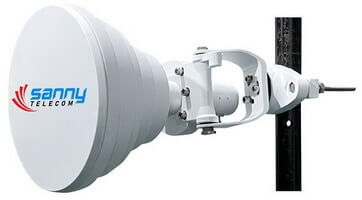
Characteristics:
cURL Too many subrequests by single Worker invocation. To configure this limit, refer to https://developers.cloudflare.com/workers/wrangler/configuration/#limits.
cURL Too many subrequests by single Worker invocation. To configure this limit, refer to https://developers.cloudflare.com/workers/wrangler/configuration/#limits.
cURL Too many subrequests by single Worker invocation. To configure this limit, refer to https://developers.cloudflare.com/workers/wrangler/configuration/#limits.
cURL Too many subrequests by single Worker invocation. To configure this limit, refer to https://developers.cloudflare.com/workers/wrangler/configuration/#limits.
cURL Too many subrequests by single Worker invocation. To configure this limit, refer to https://developers.cloudflare.com/workers/wrangler/configuration/#limits.
cURL Too many subrequests by single Worker invocation. To configure this limit, refer to https://developers.cloudflare.com/workers/wrangler/configuration/#limits.
cURL Too many subrequests by single Worker invocation. To configure this limit, refer to https://developers.cloudflare.com/workers/wrangler/configuration/#limits.
Use Cases:
cURL Too many subrequests by single Worker invocation. To configure this limit, refer to https://developers.cloudflare.com/workers/wrangler/configuration/#limits.
cURL Too many subrequests by single Worker invocation. To configure this limit, refer to https://developers.cloudflare.com/workers/wrangler/configuration/#limits.
3. Wireless Internet Service Providers (WISPs): Used by WISPs to deliver internet service over large areas, particularly in rural or suburban settings.
4. Event Coverage: Useful for providing temporary WiFi coverage at events, ensuring even distribution of signal.
5. Sector Coverage: Employed in sector-based WiFi deployments, offering targeted coverage to specific areas.
cURL Too many subrequests by single Worker invocation. To configure this limit, refer to https://developers.cloudflare.com/workers/wrangler/configuration/#limits
1. Consistent Coverage: The symmetrical radiation pattern ensures even signal distribution within the beamwidth, reducing dead zones.
2. Reduced Interference: High front-to-back ratio helps in minimizing interference from unwanted directions, enhancing overall network performance.
3. Scalability: Easily scalable for expanding networks; additional antennas can be added to cover more sectors without significant overlap.
4. Durability: Robust construction makes them suitable for outdoor installations, withstanding various weather conditions.
5. Flexibility: Available in various beamwidths, allowing for tailored coverage based on specific deployment needs.
6. Improved Throughput: Consistent signal strength across the coverage area can lead to better data throughput and user experience.
cURL Too many subrequests by single Worker invocation. To configure this limit, refer to https://developers.cloudflare.com/workers/wrangler/configuration/#limits
1. Cost: Generally more expensive than standard omnidirectional antennas, which might be a consideration for budget-sensitive projects.
2. Installation Complexity**: Requires precise alignment and mounting, which can be more complex and time-consuming compared to simpler antennas.
3. Size and Weight: Some models can be bulky and heavy, necessitating sturdy mounting solutions and potentially more robust infrastructure.
4. Limited Coverage Area: While offering precise coverage, the area covered by a single symmetrical horn antenna is smaller compared to some other types of antennas, necessitating more units for large areas.
5. Specialized Use: Not always suitable for all types of deployments, particularly where broader, less focused coverage is needed.
Conclusion
WiFi symmetrical horn antennas are a powerful tool for specific applications requiring precise, consistent coverage with minimal interference. While they come with higher costs and installation complexities, their benefits in terms of performance and scalability make them a valuable asset in many wireless networking scenarios, particularly for professional and commercial deployments.
9. Yagi Antennas
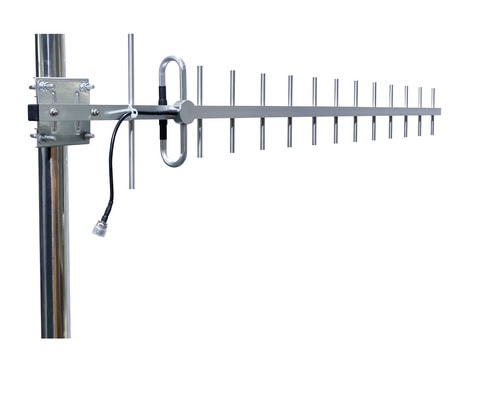
Characteristics:
1. Design: Yagi antennas, also known as Yagi-Uda antennas, consist of multiple parallel elements in a line, usually made of metal rods. The elements include a single driven element (connected to the transmitter or receiver), one or more passive elements (directors and reflectors).
2. Directional: Yagi antennas are highly directional, meaning they focus the signal in a specific direction. This makes them ideal for point-to-point communication.
3. Gain: They typically offer high gain, which means they can transmit and receive signals over longer distances compared to omnidirectional antennas.
4. Frequency Range: WiFi Yagi antennas are designed to operate in the 2.4 GHz or 5 GHz frequency bands, which are common for WiFi networks.
5. Polarization: They can be designed for either vertical or horizontal polarization, depending on the orientation of the elements.
Use Cases:
1. Long-Distance WiFi Links: Ideal for establishing long-distance WiFi connections between two fixed points, such as between buildings or across large open areas.
2. Rural Internet Access: Useful in rural areas where internet service is sparse, allowing users to connect to distant WiFi hotspots.
3. Wireless Bridges: Often used in setting up wireless bridges to connect two or more networks over a significant distance.
4. Amateur Radio: Sometimes used by amateur radio enthusiasts for WiFi-based communication projects.
5. Surveillance Systems: Can be used in surveillance systems to connect cameras to the network over long distances.
cURL Too many subrequests by single Worker invocation. To configure this limit, refer to https://developers.cloudflare.com/workers/wrangler/configuration/#limits
1. High Gain: Provides stronger signal strength and longer range compared to omnidirectional antennas.
2. Directional Focus: Reduces interference from other signals, as it focuses on a specific direction.
3. Improved Performance: Enhances the quality and reliability of the wireless connection.
4. Cost-Effective: Generally more affordable than some other high-gain directional antennas like parabolic dishes.
cURL Too many subrequests by single Worker invocation. To configure this limit, refer to https://developers.cloudflare.com/workers/wrangler/configuration/#limits
1. Directional Limitation: The highly directional nature means it must be precisely aimed, which can be a disadvantage if the target moves or if a wider coverage area is needed.
2. Size and Installation: Can be larger and more cumbersome to install compared to omnidirectional antennas.
3. Narrow Beamwidth: The narrow beamwidth can be a drawback in environments where the signal needs to cover a broader area or multiple directions.
Conclusion
WiFi Yagi antennas are powerful tools for specialized applications requiring long-range, point-to-point communication. Their high gain and directional focus make them ideal for specific use cases, but they come with limitations that need to be considered, such as precise aiming and installation challenges.
Chapter 4: Placement and Installation
Indoor vs. Outdoor Antennas
When it comes to WiFi antennas, there are significant differences between indoor and outdoor models, each designed to cater to specific needs and environments. Understanding these differences can help you choose the right antenna for your situation. Here are some key points to consider:
cURL Too many subrequests by single Worker invocation. To configure this limit, refer to https://developers.cloudflare.com/workers/wrangler/configuration/#limits

cURL Too many subrequests by single Worker invocation. To configure this limit, refer to https://developers.cloudflare.com/workers/wrangler/configuration/#limits
cURL Too many subrequests by single Worker invocation. To configure this limit, refer to https://developers.cloudflare.com/workers/wrangler/configuration/#limits.
cURL Too many subrequests by single Worker invocation. To configure this limit, refer to https://developers.cloudflare.com/workers/wrangler/configuration/#limits.
cURL Too many subrequests by single Worker invocation. To configure this limit, refer to https://developers.cloudflare.com/workers/wrangler/configuration/#limits
cURL Too many subrequests by single Worker invocation. To configure this limit, refer to https://developers.cloudflare.com/workers/wrangler/configuration/#limits.
cURL Too many subrequests by single Worker invocation. To configure this limit, refer to https://developers.cloudflare.com/workers/wrangler/configuration/#limits.
cURL Too many subrequests by single Worker invocation. To configure this limit, refer to https://developers.cloudflare.com/workers/wrangler/configuration/#limits
cURL Too many subrequests by single Worker invocation. To configure this limit, refer to https://developers.cloudflare.com/workers/wrangler/configuration/#limits.
cURL Too many subrequests by single Worker invocation. To configure this limit, refer to https://developers.cloudflare.com/workers/wrangler/configuration/#limits.
cURL Too many subrequests by single Worker invocation. To configure this limit, refer to https://developers.cloudflare.com/workers/wrangler/configuration/#limits
cURL Too many subrequests by single Worker invocation. To configure this limit, refer to https://developers.cloudflare.com/workers/wrangler/configuration/#limits.
cURL Too many subrequests by single Worker invocation. To configure this limit, refer to https://developers.cloudflare.com/workers/wrangler/configuration/#limits.
cURL Too many subrequests by single Worker invocation. To configure this limit, refer to https://developers.cloudflare.com/workers/wrangler/configuration/#limits
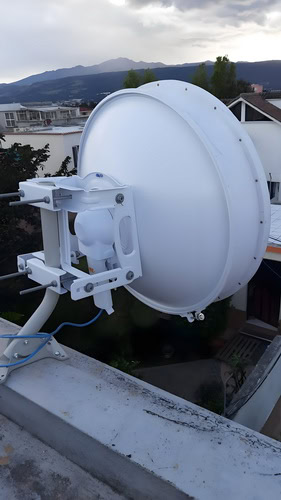
cURL Too many subrequests by single Worker invocation. To configure this limit, refer to https://developers.cloudflare.com/workers/wrangler/configuration/#limits
cURL Too many subrequests by single Worker invocation. To configure this limit, refer to https://developers.cloudflare.com/workers/wrangler/configuration/#limits.
cURL Too many subrequests by single Worker invocation. To configure this limit, refer to https://developers.cloudflare.com/workers/wrangler/configuration/#limits.
cURL Too many subrequests by single Worker invocation. To configure this limit, refer to https://developers.cloudflare.com/workers/wrangler/configuration/#limits
cURL Too many subrequests by single Worker invocation. To configure this limit, refer to https://developers.cloudflare.com/workers/wrangler/configuration/#limits.
cURL Too many subrequests by single Worker invocation. To configure this limit, refer to https://developers.cloudflare.com/workers/wrangler/configuration/#limits.
cURL Too many subrequests by single Worker invocation. To configure this limit, refer to https://developers.cloudflare.com/workers/wrangler/configuration/#limits
cURL Too many subrequests by single Worker invocation. To configure this limit, refer to https://developers.cloudflare.com/workers/wrangler/configuration/#limits.
cURL Too many subrequests by single Worker invocation. To configure this limit, refer to https://developers.cloudflare.com/workers/wrangler/configuration/#limits.
cURL Too many subrequests by single Worker invocation. To configure this limit, refer to https://developers.cloudflare.com/workers/wrangler/configuration/#limits
cURL Too many subrequests by single Worker invocation. To configure this limit, refer to https://developers.cloudflare.com/workers/wrangler/configuration/#limits.
cURL Too many subrequests by single Worker invocation. To configure this limit, refer to https://developers.cloudflare.com/workers/wrangler/configuration/#limits.
Key Considerations
Environment: Choose an indoor antenna for confined spaces like homes and offices, and an outdoor antenna for open areas or when you need to extend WiFi coverage outside.
Range Requirements: Consider the range you need. Indoor antennas are suitable for shorter distances, while outdoor antennas are designed for longer ranges.
Durability Needs: Outdoor antennas are built to withstand environmental elements, making them necessary for any outdoor deployment.
Installation: Indoor antennas are generally easier to install, while outdoor antennas may require more effort and expertise.
By understanding these differences, you can make an informed decision about which type of WiFi antenna best suits your needs.
Optimal Placement for Maximum Coverage
Optimizing the placement of WiFi antennas is crucial for ensuring maximum coverage and performance. Here are some guidelines and considerations to help you achieve the best possible WiFi coverage:
1. Central Location
Center of the Area: Place the WiFi router or access point (AP) in a central location relative to the area you want to cover. This helps ensure that the signal reaches all corners of the space.
2. Elevation
Height: Position the router or AP at a higher elevation, such as on a shelf or mounted on a wall. WiFi signals tend to spread out and downwards, so placing the device higher can help the signal travel further.
3. Minimize Obstructions
Clear Line of Sight: Avoid placing the router or AP near large metal objects, thick walls, or other obstructions that can block or weaken the signal. Materials like concrete, brick, and metal are particularly problematic.
Open Spaces: Position the device in open areas rather than closed cabinets or behind furniture.
4. Avoid Interference
Other Electronics: Keep the router or AP away from other electronic devices that can cause interference, such as microwaves, cordless phones, and baby monitors.
Channel Selection: Choose a less congested WiFi channel. Modern routers often have an automatic channel selection feature, but you can manually select a channel using a WiFi analyzer app.
5. Multiple Access Points
Large Areas: For larger areas or multi-story buildings, use multiple access points or a mesh network to ensure comprehensive coverage. Place additional APs strategically to cover dead zones.
Overlap Coverage: Ensure that the coverage areas of multiple APs overlap slightly to provide seamless connectivity as you move around.
6. Antenna Orientation
Directional Antennas: If using directional antennas, point them towards the areas where you need the strongest signal.
Omni-Directional Antennas: For omni-directional antennas, which radiate signal in all directions, ensure they are placed in a central location and oriented vertically.
7. Use of Extenders and Repeaters
WiFi Extenders: If you have specific dead zones, consider using WiFi extenders or repeaters to boost the signal in those areas.
Placement of Extenders: Place extenders halfway between the router and the area with poor signal to ensure they receive a strong enough signal to rebroadcast.
8. Regular Updates and Maintenance
Firmware Updates: Keep your router’s firmware updated to benefit from performance improvements and security patches.
Rebooting: Occasionally reboot your router to clear any temporary issues and improve performance.
9. Advanced Configurations
Beamforming: If your router supports beamforming, enable it to direct the WiFi signal towards connected devices.
Quality of Service (QoS): Use QoS settings to prioritize important traffic, such as video calls or gaming, to ensure a stable connection.
10. Testing and Adjustment
WiFi Analyzer Tools: Use WiFi analyzer tools to test signal strength and coverage throughout your space. Adjust the placement of your router or APs based on the results.
Iterative Process: Be prepared to move your devices and retest several times to find the optimal placement.
By following these guidelines and considering the specific characteristics of your environment, you can significantly improve your WiFi coverage and performance.
Installation Tips and Best Practices
Installing WiFi antennas can significantly enhance your wireless network’s performance. However, proper installation is crucial to achieve optimal results and ensure safety. Below are some comprehensive tips and best practices for installing WiFi antennas, along with the necessary tools, equipment, and safety precautions.
cURL Too many subrequests by single Worker invocation. To configure this limit, refer to https://developers.cloudflare.com/workers/wrangler/configuration/#limits
cURL Too many subrequests by single Worker invocation. To configure this limit, refer to https://developers.cloudflare.com/workers/wrangler/configuration/#limits, cURL Too many subrequests by single Worker invocation. To configure this limit, refer to https://developers.cloudflare.com/workers/wrangler/configuration/#limits, cURL Too many subrequests by single Worker invocation. To configure this limit, refer to https://developers.cloudflare.com/workers/wrangler/configuration/#limits.
2. cURL Too many subrequests by single Worker invocation. To configure this limit, refer to https://developers.cloudflare.com/workers/wrangler/configuration/#limitscURL Too many subrequests by single Worker invocation. To configure this limit, refer to https://developers.cloudflare.com/workers/wrangler/configuration/#limits.

3. cURL Too many subrequests by single Worker invocation. To configure this limit, refer to https://developers.cloudflare.com/workers/wrangler/configuration/#limitscURL Too many subrequests by single Worker invocation. To configure this limit, refer to https://developers.cloudflare.com/workers/wrangler/configuration/#limits.
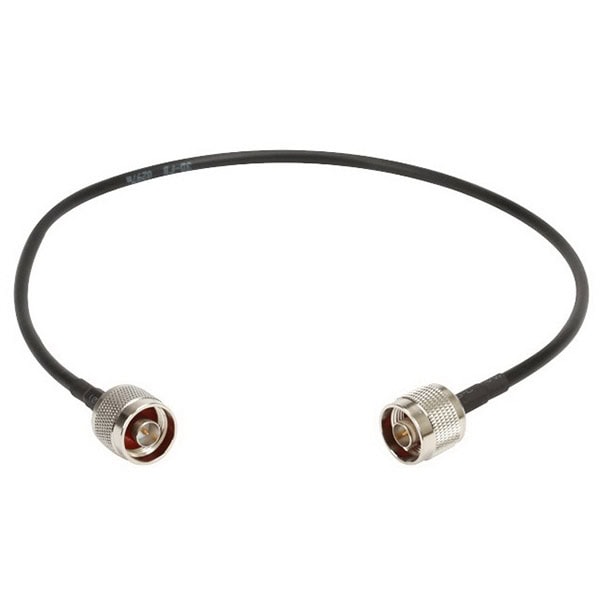
cURL Too many subrequests by single Worker invocation. To configure this limit, refer to https://developers.cloudflare.com/workers/wrangler/configuration/#limits.
cURL Too many subrequests by single Worker invocation. To configure this limit, refer to https://developers.cloudflare.com/workers/wrangler/configuration/#limits.
cURL Too many subrequests by single Worker invocation. To configure this limit, refer to https://developers.cloudflare.com/workers/wrangler/configuration/#limits.
cURL Too many subrequests by single Worker invocation. To configure this limit, refer to https://developers.cloudflare.com/workers/wrangler/configuration/#limits.
cURL Too many subrequests by single Worker invocation. To configure this limit, refer to https://developers.cloudflare.com/workers/wrangler/configuration/#limits.
cURL Too many subrequests by single Worker invocation. To configure this limit, refer to https://developers.cloudflare.com/workers/wrangler/configuration/#limits.
cURL Too many subrequests by single Worker invocation. To configure this limit, refer to https://developers.cloudflare.com/workers/wrangler/configuration/#limits.
cURL Too many subrequests by single Worker invocation. To configure this limit, refer to https://developers.cloudflare.com/workers/wrangler/configuration/#limits.
cURL Too many subrequests by single Worker invocation. To configure this limit, refer to https://developers.cloudflare.com/workers/wrangler/configuration/#limits.
cURL Too many subrequests by single Worker invocation. To configure this limit, refer to https://developers.cloudflare.com/workers/wrangler/configuration/#limits
cURL Too many subrequests by single Worker invocation. To configure this limit, refer to https://developers.cloudflare.com/workers/wrangler/configuration/#limits.
cURL Too many subrequests by single Worker invocation. To configure this limit, refer to https://developers.cloudflare.com/workers/wrangler/configuration/#limits.
cURL Too many subrequests by single Worker invocation. To configure this limit, refer to https://developers.cloudflare.com/workers/wrangler/configuration/#limits.
cURL Too many subrequests by single Worker invocation. To configure this limit, refer to https://developers.cloudflare.com/workers/wrangler/configuration/#limits.
5. Radiation Exposure: Maintain a safe distance from the antenna when it is transmitting to avoid exposure to high levels of RF radiation.
6. Tool Safety: Use tools correctly and wear appropriate PPE to prevent injuries.
Installation Steps
1. Site Survey:
Assess the area where the antenna will be installed.
Identify potential obstructions like walls, trees, or other buildings.
Determine the optimal location for signal coverage.
2. Select the Right Antenna:
Omni-directional Antennas: Suitable for broad coverage in all directions.
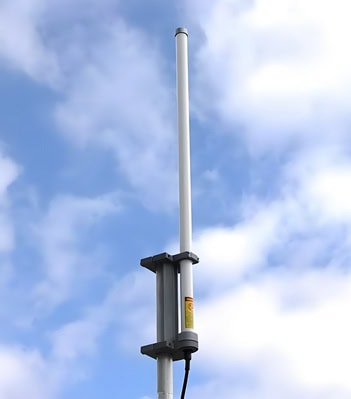
Directional Antennas: Ideal for long-range, focused coverage.
3. Mount the Antenna:
Indoor Installation: Mount the antenna on a wall or ceiling using the mounting bracket. Ensure it is at a central location for even coverage.
Outdoor Installation: Mount the antenna on a mast or pole. Ensure it is high enough to avoid obstructions and potential interference.
4. Align the Antenna:
For directional antennas, use a compass and map to point the antenna towards the target area.
Adjust the tilt and rotation for optimal signal strength.
5. Connect the Coaxial Cable:
Run the coaxial cable from the antenna to the router or access point.
Use cable ties to secure the cable and prevent it from sagging.
Ensure all connections are tight and secure.
6. Weatherproofing:
Use silicone sealant to seal any gaps where the cable enters the building.
Wrap outdoor connections with electrical tape to protect against moisture.
7. Testing and Optimization:
Power on the router or access point and check the signal strength.
Use a WiFi analyzer tool to measure signal strength and coverage.
Adjust the antenna position if necessary to achieve the best performance.
8. Regular Maintenance:
Periodically check the antenna and connections for any signs of wear or damage.
Ensure the antenna remains securely mounted and aligned.
By following these tips and best practices, you can ensure a successful and safe installation of your WiFi antenna, leading to improved wireless network performance.
Chapter 5: Enhancing WiFi Performance with Antennas
1. Improving Range and Signal Strength
Improving the range and signal strength of WiFi antennas can significantly enhance network performance, especially in environments where coverage is critical. Below are practical tips and techniques, along with case studies and real-world examples to illustrate their effectiveness.

Practical Tips and Techniques
1. Optimal Placement of WiFi Router/Access Point:
Central Location: Place your router in a central location to ensure even distribution of the signal.
cURL Too many subrequests by single Worker invocation. To configure this limit, refer to https://developers.cloudflare.com/workers/wrangler/configuration/#limits.
cURL Too many subrequests by single Worker invocation. To configure this limit, refer to https://developers.cloudflare.com/workers/wrangler/configuration/#limits.
cURL Too many subrequests by single Worker invocation. To configure this limit, refer to https://developers.cloudflare.com/workers/wrangler/configuration/#limits
cURL Too many subrequests by single Worker invocation. To configure this limit, refer to https://developers.cloudflare.com/workers/wrangler/configuration/#limits cURL Too many subrequests by single Worker invocation. To configure this limit, refer to https://developers.cloudflare.com/workers/wrangler/configuration/#limits or cURL Too many subrequests by single Worker invocation. To configure this limit, refer to https://developers.cloudflare.com/workers/wrangler/configuration/#limits cURL Too many subrequests by single Worker invocation. To configure this limit, refer to https://developers.cloudflare.com/workers/wrangler/configuration/#limits.
cURL Too many subrequests by single Worker invocation. To configure this limit, refer to https://developers.cloudflare.com/workers/wrangler/configuration/#limitscURL Too many subrequests by single Worker invocation. To configure this limit, refer to https://developers.cloudflare.com/workers/wrangler/configuration/#limits.
cURL Too many subrequests by single Worker invocation. To configure this limit, refer to https://developers.cloudflare.com/workers/wrangler/configuration/#limits
cURL Too many subrequests by single Worker invocation. To configure this limit, refer to https://developers.cloudflare.com/workers/wrangler/configuration/#limits.
cURL Too many subrequests by single Worker invocation. To configure this limit, refer to https://developers.cloudflare.com/workers/wrangler/configuration/#limits.
cURL Too many subrequests by single Worker invocation. To configure this limit, refer to https://developers.cloudflare.com/workers/wrangler/configuration/#limits
cURL Too many subrequests by single Worker invocation. To configure this limit, refer to https://developers.cloudflare.com/workers/wrangler/configuration/#limits.
cURL Too many subrequests by single Worker invocation. To configure this limit, refer to https://developers.cloudflare.com/workers/wrangler/configuration/#limits.
cURL Too many subrequests by single Worker invocation. To configure this limit, refer to https://developers.cloudflare.com/workers/wrangler/configuration/#limits
cURL Too many subrequests by single Worker invocation. To configure this limit, refer to https://developers.cloudflare.com/workers/wrangler/configuration/#limits.
cURL Too many subrequests by single Worker invocation. To configure this limit, refer to https://developers.cloudflare.com/workers/wrangler/configuration/#limits
cURL Too many subrequests by single Worker invocation. To configure this limit, refer to https://developers.cloudflare.com/workers/wrangler/configuration/#limits.
cURL Too many subrequests by single Worker invocation. To configure this limit, refer to https://developers.cloudflare.com/workers/wrangler/configuration/#limits.
cURL Too many subrequests by single Worker invocation. To configure this limit, refer to https://developers.cloudflare.com/workers/wrangler/configuration/#limits
cURL Too many subrequests by single Worker invocation. To configure this limit, refer to https://developers.cloudflare.com/workers/wrangler/configuration/#limits.
Case Studies and Real-World Examples
Case Study 1: Improving WiFi in a Large Home
Problem: A large home with multiple floors and thick walls had poor WiFi coverage in certain areas.

Solution:
Mesh Network: The homeowner installed a mesh network system with multiple nodes placed strategically around the house.
High-Gain Antennas: High-gain antennas were added to the main router to improve signal strength.
Firmware Update: The router firmware was updated to the latest version for optimal performance.
Result: The mesh network provided seamless coverage throughout the home, eliminating dead zones and ensuring consistent internet speeds on all floors.
Case Study 2: Enhancing WiFi in an Office Building
Problem: An office building experienced WiFi dead zones and slow speeds due to interference from other office equipment and neighboring networks.
Solution:
Channel Selection: The IT team conducted a site survey to identify the least congested WiFi channels and adjusted the router settings accordingly.
External Antennas: External high-gain antennas were installed on the access points to boost signal strength.
WiFi Extenders: WiFi extenders were placed in strategic locations to cover dead zones.
Result: The office building saw a significant improvement in WiFi coverage and speed, reducing downtime and increasing productivity.
Case Study 3: Outdoor WiFi Coverage for a Campus
Problem: A university campus needed reliable outdoor WiFi coverage for students and staff.

Solution:
cURL Too many subrequests by single Worker invocation. To configure this limit, refer to https://developers.cloudflare.com/workers/wrangler/configuration/#limits: Directional antennas were used to focus the signal towards high-traffic outdoor areas.
Weatherproof Access Points: Outdoor, weatherproof access points were installed in key locations.
Wired Backhaul: Ethernet cables were used to connect outdoor access points to the main network, ensuring stable connectivity.
Result: The campus achieved robust outdoor WiFi coverage, allowing students and staff to stay connected while moving around the campus.
Conclusion
Improving WiFi range and signal strength involves a combination of proper placement, hardware upgrades, configuration adjustments, and sometimes additional equipment. By implementing the practical tips and techniques outlined above, and learning from real-world case studies, you can significantly enhance your WiFi network’s performance to meet your specific needs.
2. Reducing Interference
Reducing interference for WiFi antennas is crucial to ensure optimal performance and connectivity. Interference can come from various sources, and identifying these sources is the first step towards mitigating their impact. Here’s a detailed guide on identifying sources of interference and potential solutions to minimize their impact:
Identifying Sources of Interference
1. Electronic Devices:
Microwave Ovens: Operate around the 2.4 GHz frequency, which can interfere with WiFi signals.
Cordless Phones: Some models use the 2.4 GHz or 5 GHz bands.
Bluetooth Devices: These also operate in the 2.4 GHz band.
Baby Monitors:Often use the 2.4 GHz frequency.
Wireless Video Cameras: Can operate on the same frequencies as WiFi.
2. Physical Obstructions:
Walls and Floors: Especially those made of concrete, brick, or metal can significantly attenuate WiFi signals.
Furniture and Appliances: Large objects can block or reflect signals.
3. Other WiFi Networks:
Neighboring Networks: Nearby WiFi networks can cause congestion, especially in densely populated areas.
4. Environmental Factors:
Weather Conditions: Heavy rain or thick fog can sometimes affect WiFi signals.
Radio Frequency Interference (RFI): From other wireless devices or industrial equipment.
cURL Too many subrequests by single Worker invocation. To configure this limit, refer to https://developers.cloudflare.com/workers/wrangler/configuration/#limits
cURL Too many subrequests by single Worker invocation. To configure this limit, refer to https://developers.cloudflare.com/workers/wrangler/configuration/#limits
cURL Too many subrequests by single Worker invocation. To configure this limit, refer to https://developers.cloudflare.com/workers/wrangler/configuration/#limits.
cURL Too many subrequests by single Worker invocation. To configure this limit, refer to https://developers.cloudflare.com/workers/wrangler/configuration/#limits.
cURL Too many subrequests by single Worker invocation. To configure this limit, refer to https://developers.cloudflare.com/workers/wrangler/configuration/#limits.
cURL Too many subrequests by single Worker invocation. To configure this limit, refer to https://developers.cloudflare.com/workers/wrangler/configuration/#limits
cURL Too many subrequests by single Worker invocation. To configure this limit, refer to https://developers.cloudflare.com/workers/wrangler/configuration/#limits.
cURL Too many subrequests by single Worker invocation. To configure this limit, refer to https://developers.cloudflare.com/workers/wrangler/configuration/#limits.
cURL Too many subrequests by single Worker invocation. To configure this limit, refer to https://developers.cloudflare.com/workers/wrangler/configuration/#limits.
cURL Too many subrequests by single Worker invocation. To configure this limit, refer to https://developers.cloudflare.com/workers/wrangler/configuration/#limits
cURL Too many subrequests by single Worker invocation. To configure this limit, refer to https://developers.cloudflare.com/workers/wrangler/configuration/#limits.
cURL Too many subrequests by single Worker invocation. To configure this limit, refer to https://developers.cloudflare.com/workers/wrangler/configuration/#limits.
cURL Too many subrequests by single Worker invocation. To configure this limit, refer to https://developers.cloudflare.com/workers/wrangler/configuration/#limits
cURL Too many subrequests by single Worker invocation. To configure this limit, refer to https://developers.cloudflare.com/workers/wrangler/configuration/#limits.
cURL Too many subrequests by single Worker invocation. To configure this limit, refer to https://developers.cloudflare.com/workers/wrangler/configuration/#limits
cURL Too many subrequests by single Worker invocation. To configure this limit, refer to https://developers.cloudflare.com/workers/wrangler/configuration/#limits.
cURL Too many subrequests by single Worker invocation. To configure this limit, refer to https://developers.cloudflare.com/workers/wrangler/configuration/#limits.
cURL Too many subrequests by single Worker invocation. To configure this limit, refer to https://developers.cloudflare.com/workers/wrangler/configuration/#limits
cURL Too many subrequests by single Worker invocation. To configure this limit, refer to https://developers.cloudflare.com/workers/wrangler/configuration/#limits.
cURL Too many subrequests by single Worker invocation. To configure this limit, refer to https://developers.cloudflare.com/workers/wrangler/configuration/#limits.
cURL Too many subrequests by single Worker invocation. To configure this limit, refer to https://developers.cloudflare.com/workers/wrangler/configuration/#limits
cURL Too many subrequests by single Worker invocation. To configure this limit, refer to https://developers.cloudflare.com/workers/wrangler/configuration/#limits.
Adjust the router’s transmission power settings if interference is suspected from nearby networks.
8. Wired Connections:
Use Ethernet cables for devices that require stable and high-speed connections, reducing the load on the WiFi network.
9. Interference from Other Devices:
Replace older cordless phones and baby monitors with DECT 6.0 models that operate on a different frequency.
Keep Bluetooth devices away from the WiFi router or use Bluetooth 5.0, which is designed to coexist better with WiFi.
Conclusion
By systematically identifying and addressing sources of interference, you can significantly improve your WiFi network’s performance. Combining optimal placement, channel management, and modern hardware solutions will help minimize interference and ensure a stable and fast wireless connection.
3. Advanced Technologies and Configurations
WiFi technology has evolved significantly over the years, incorporating various advanced technologies and configurations to enhance performance, coverage, and user experience. Here are some of the key advancements:
1. Using Multiple Antennas
Multiple antennas in WiFi devices can significantly improve signal strength, reliability, and data rates. This technology is often referred to as MIMO (Multiple Input Multiple Output). There are different configurations like 2×2, 3×3, and 4×4 MIMO, which indicate the number of transmit and receive antennas.
Benefits:
Improved Throughput: Multiple data streams can be sent and received simultaneously.
Enhanced Reliability: Reduces the impact of signal fading and interference.
Better Coverage: Signals can be directed more effectively, improving range.
Mesh Networks and Extenders
Mesh networks and WiFi extenders are solutions to extend the coverage area of WiFi networks, ensuring consistent connectivity throughout larger spaces.
Mesh Networks:
Seamless Roaming: Devices can move from one node to another without losing connection.
Self-Healing: If one node fails, the network can reroute traffic through other nodes.
Easy Expansion: Additional nodes can be added to extend coverage.
WiFi Extenders:
Coverage Boost: Extends the WiFi signal to areas with weak or no signal.
Simple Setup: Generally easier to set up than mesh networks, though they may not offer the same seamless experience.
3. MU-MIMO (Multi-User MIMO)
MU-MIMO allows a WiFi router to communicate with multiple devices simultaneously, rather than sequentially. This is particularly useful in environments with many connected devices.
Benefits:
Increased Efficiency: Reduces the time each device has to wait for a signal.
Higher Throughput: Multiple devices can receive data at the same time.
Better Performance: Enhances overall network performance in busy environments.
4. OFDMA (Orthogonal Frequency Division Multiple Access)
OFDMA is a key feature in WiFi 6 (802.11ax) that improves efficiency by dividing channels into smaller sub-channels, allowing multiple devices to share the same channel simultaneously.
Benefits:
Reduced Latency: More efficient use of available spectrum reduces the time devices wait for access.
Improved Capacity: Supports more devices with better performance.
Enhanced Efficiency: Particularly beneficial for IoT devices with low bandwidth requirements.
5. Beamforming
Beamforming is a technique that focuses the WiFi signal in the direction of the receiving device, rather than broadcasting it in all directions. This can be done using both hardware and software techniques.
Benefits:
Stronger Signal: Focuses the signal where it is needed, improving strength.
Better Range: Extends the effective range of the WiFi network.
cURL Too many subrequests by single Worker invocation. To configure this limit, refer to https://developers.cloudflare.com/workers/wrangler/configuration/#limits.
Conclusion
cURL Too many subrequests by single Worker invocation. To configure this limit, refer to https://developers.cloudflare.com/workers/wrangler/configuration/#limits.
cURL Too many subrequests by single Worker invocation. To configure this limit, refer to https://developers.cloudflare.com/workers/wrangler/configuration/#limits
cURL Too many subrequests by single Worker invocation. To configure this limit, refer to https://developers.cloudflare.com/workers/wrangler/configuration/#limits
cURL Too many subrequests by single Worker invocation. To configure this limit, refer to https://developers.cloudflare.com/workers/wrangler/configuration/#limits WiFi antennas cURL Too many subrequests by single Worker invocation. To configure this limit, refer to https://developers.cloudflare.com/workers/wrangler/configuration/#limits
cURL Too many subrequests by single Worker invocation. To configure this limit, refer to https://developers.cloudflare.com/workers/wrangler/configuration/#limits
cURL Too many subrequests by single Worker invocation. To configure this limit, refer to https://developers.cloudflare.com/workers/wrangler/configuration/#limits.
cURL Too many subrequests by single Worker invocation. To configure this limit, refer to https://developers.cloudflare.com/workers/wrangler/configuration/#limits
cURL Too many subrequests by single Worker invocation. To configure this limit, refer to https://developers.cloudflare.com/workers/wrangler/configuration/#limits.
cURL Too many subrequests by single Worker invocation. To configure this limit, refer to https://developers.cloudflare.com/workers/wrangler/configuration/#limits.
cURL Too many subrequests by single Worker invocation. To configure this limit, refer to https://developers.cloudflare.com/workers/wrangler/configuration/#limits
cURL Too many subrequests by single Worker invocation. To configure this limit, refer to https://developers.cloudflare.com/workers/wrangler/configuration/#limits.
cURL Too many subrequests by single Worker invocation. To configure this limit, refer to https://developers.cloudflare.com/workers/wrangler/configuration/#limits.
cURL Too many subrequests by single Worker invocation. To configure this limit, refer to https://developers.cloudflare.com/workers/wrangler/configuration/#limits
cURL Too many subrequests by single Worker invocation. To configure this limit, refer to https://developers.cloudflare.com/workers/wrangler/configuration/#limits.
cURL Too many subrequests by single Worker invocation. To configure this limit, refer to https://developers.cloudflare.com/workers/wrangler/configuration/#limits.
cURL Too many subrequests by single Worker invocation. To configure this limit, refer to https://developers.cloudflare.com/workers/wrangler/configuration/#limits
cURL Too many subrequests by single Worker invocation. To configure this limit, refer to https://developers.cloudflare.com/workers/wrangler/configuration/#limits
cURL Too many subrequests by single Worker invocation. To configure this limit, refer to https://developers.cloudflare.com/workers/wrangler/configuration/#limits.
cURL Too many subrequests by single Worker invocation. To configure this limit, refer to https://developers.cloudflare.com/workers/wrangler/configuration/#limits.
cURL Too many subrequests by single Worker invocation. To configure this limit, refer to https://developers.cloudflare.com/workers/wrangler/configuration/#limits
Backup Settings: Before updating the firmware, backup your current settings. This ensures you can restore your configuration if something goes wrong during the update process.
Follow Instructions: Carefully follow the manufacturer’s instructions for updating the firmware. This typically involves downloading the update file, accessing the router’s web interface, and uploading the file.
3. Post-Update Checks:
Reboot: After updating the firmware, reboot your router or access point to ensure the new firmware is properly loaded.
Verify Settings: Check your settings to ensure they are still configured correctly. Some updates may reset settings to default values.
4. Security Enhancements:
Password Management: Regularly change the administrator password for your router or access point to enhance security.
Network Security: Ensure your WiFi network is secured with strong encryption (WPA3 if available, or WPA2) and a strong password.
Additional Tips
Documentation: Keep a log of maintenance activities, including dates of cleaning, inspections, and firmware updates. This helps in tracking the maintenance history and identifying any recurring issues.
Professional Help: If you encounter persistent issues or are unsure about performing maintenance tasks, consider seeking help from a professional technician.
By following these regular maintenance tips, you can help ensure that your WiFi antennas perform optimally and provide reliable connectivity.
2. Troubleshooting Common Issues
Troubleshooting issues with WiFi antennas can be complex, but understanding common problems can help you identify and resolve them. Here are some common issues and potential solutions:
1. Signal Interference and Noise

Problem:
Signal interference and noise can degrade WiFi performance, causing slow speeds and connection drops. Interference can come from various sources, including other electronic devices, neighboring WiFi networks, and physical obstructions.
Solutions:
Change WiFi Channel: Use a WiFi analyzer tool to identify less congested channels and switch your router to one of those channels.
Dual-Band Router: Use a dual-band router that supports both 2.4 GHz and 5 GHz frequencies. The 5 GHz band is generally less crowded and offers higher speeds.
Reduce Interference: Keep your router away from other electronic devices like microwaves, cordless phones, and Bluetooth devices. These can interfere with the WiFi signal.
Firmware Update: Ensure your router’s firmware is up to date. Manufacturers often release updates to improve performance and reduce interference.
Use Wired Connections: For devices that require a stable connection, consider using Ethernet cables instead of WiFi.
2. Weak Signal and Dead Zones
Problem:
Weak signals and dead zones are areas in your home or office where the WiFi signal is too weak to maintain a stable connection. This can be due to distance from the router, physical obstructions, or the router’s placement.

Solutions:
Optimal Placement: Place your router in a central location, elevated, and free from obstructions. Avoid placing it near thick walls, metal objects, or large appliances.
WiFi Extenders or Mesh Systems: Use WiFi extenders or a mesh WiFi system to expand coverage to dead zones. These devices can help distribute the signal more evenly throughout your space.
High-Gain Antennas: Replace the router’s standard antennas with high-gain antennas to increase the signal strength and range.
Adjust Antennas: If your router has adjustable antennas, position them for optimal coverage. Generally, one antenna should be vertical and the other horizontal.
Power Settings: Check your router’s settings to ensure it’s operating at full power. Some routers allow you to adjust the transmission power.
3. Connectivity Problems
Problem:
Connectivity problems can manifest as frequent disconnects, difficulty connecting to the network, or inability to find the network.
Solutions:
Reboot Router: Sometimes, simply rebooting the router can resolve connectivity issues.
Check Cables: Ensure all cables are securely connected and in good condition.
Network Settings: Verify that your device’s network settings are configured correctly. Ensure you’re connecting to the correct SSID and using the correct password.
IP Conflicts: Make sure there are no IP address conflicts on your network. You can do this by assigning static IP addresses or ensuring your router’s DHCP settings are properly configured.
Device Compatibility: Ensure your device supports the WiFi standards used by your router (e.g., 802.11ac, 802.11n).
Security Settings: Check your router’s security settings. Ensure you’re using WPA2 or WPA3 encryption and not outdated protocols like WAP.
Factory Reset: As a last resort, perform a factory reset on your router. This will erase all settings and return the router to its default state. You will need to reconfigure your network settings afterward.
Additional Tips
cURL Too many subrequests by single Worker invocation. To configure this limit, refer to https://developers.cloudflare.com/workers/wrangler/configuration/#limits.
cURL Too many subrequests by single Worker invocation. To configure this limit, refer to https://developers.cloudflare.com/workers/wrangler/configuration/#limits.
cURL Too many subrequests by single Worker invocation. To configure this limit, refer to https://developers.cloudflare.com/workers/wrangler/configuration/#limits.
cURL Too many subrequests by single Worker invocation. To configure this limit, refer to https://developers.cloudflare.com/workers/wrangler/configuration/#limits
cURL Too many subrequests by single Worker invocation. To configure this limit, refer to https://developers.cloudflare.com/workers/wrangler/configuration/#limits cURL Too many subrequests by single Worker invocation. To configure this limit, refer to https://developers.cloudflare.com/workers/wrangler/configuration/#limits cURL Too many subrequests by single Worker invocation. To configure this limit, refer to https://developers.cloudflare.com/workers/wrangler/configuration/#limits
cURL Too many subrequests by single Worker invocation. To configure this limit, refer to https://developers.cloudflare.com/workers/wrangler/configuration/#limits
cURL Too many subrequests by single Worker invocation. To configure this limit, refer to https://developers.cloudflare.com/workers/wrangler/configuration/#limits.
cURL Too many subrequests by single Worker invocation. To configure this limit, refer to https://developers.cloudflare.com/workers/wrangler/configuration/#limits.
cURL Too many subrequests by single Worker invocation. To configure this limit, refer to https://developers.cloudflare.com/workers/wrangler/configuration/#limits.
cURL Too many subrequests by single Worker invocation. To configure this limit, refer to https://developers.cloudflare.com/workers/wrangler/configuration/#limits.
cURL Too many subrequests by single Worker invocation. To configure this limit, refer to https://developers.cloudflare.com/workers/wrangler/configuration/#limits
cURL Too many subrequests by single Worker invocation. To configure this limit, refer to https://developers.cloudflare.com/workers/wrangler/configuration/#limits.
cURL Too many subrequests by single Worker invocation. To configure this limit, refer to https://developers.cloudflare.com/workers/wrangler/configuration/#limits.
cURL Too many subrequests by single Worker invocation. To configure this limit, refer to https://developers.cloudflare.com/workers/wrangler/configuration/#limits.
cURL Too many subrequests by single Worker invocation. To configure this limit, refer to https://developers.cloudflare.com/workers/wrangler/configuration/#limits.
cURL Too many subrequests by single Worker invocation. To configure this limit, refer to https://developers.cloudflare.com/workers/wrangler/configuration/#limits
cURL Too many subrequests by single Worker invocation. To configure this limit, refer to https://developers.cloudflare.com/workers/wrangler/configuration/#limits.
cURL Too many subrequests by single Worker invocation. To configure this limit, refer to https://developers.cloudflare.com/workers/wrangler/configuration/#limits.
Conclusion
cURL Too many subrequests by single Worker invocation. To configure this limit, refer to https://developers.cloudflare.com/workers/wrangler/configuration/#limits.
cURL Too many subrequests by single Worker invocation. To configure this limit, refer to https://developers.cloudflare.com/workers/wrangler/configuration/#limits
Residential WiFi Networks
Residential WiFi networks are essential in modern homes, supporting everything from work and education to entertainment and smart home devices. However, they come with their own set of challenges. Below are some common challenges and real-world solutions:
1. Signal Coverage and Dead Zones
Challenge:
In larger homes or homes with multiple floors, WiFi signals often fail to reach certain areas, creating dead zones.
Solution:
Mesh WiFi Systems: These systems use multiple nodes to create a seamless network, covering larger areas and eliminating dead zones.
WiFi Extenders/Boosters: These devices amplify the existing WiFi signal to reach further areas.
Optimal Router Placement**: Placing the router in a central location and elevating it can help improve signal distribution.
2. Interference
Challenge:
WiFi signals can be disrupted by physical obstacles (walls, floors, furniture) and other electronic devices (microwaves, cordless phones).
Solution:
Dual-Band Routers: Using both 2.4 GHz and 5 GHz bands can minimize interference, as 5 GHz is less crowded.
Channel Selection: Manually selecting less crowded channels can reduce interference from neighboring networks.
Quality of Service (QoS): Prioritizing certain types of traffic can help manage interference and improve performance.
3. Network Congestion
Challenge:
Multiple devices connected to the network can cause congestion, leading to slow speeds and buffering.
Solution:
Upgrading Bandwidth: Increasing the internet plan to a higher bandwidth can accommodate more devices.
Network Management Tools: Tools like QoS can prioritize critical devices and applications.
Smart Routers: These can automatically manage bandwidth distribution among devices.
4. Security
Challenge:
Residential networks are vulnerable to unauthorized access and cyber threats.
Solution:
Strong Passwords: Using complex, unique passwords for WiFi networks.
Encryption: Enabling WPA3 encryption for better security.
Firmware Updates: Regularly updating router firmware to patch vulnerabilities.
Guest Networks: Creating a separate guest network for visitors to keep the primary network secure.
5. Compatibility Issues
Challenge:
Older devices may not be compatible with newer WiFi standards, leading to connectivity issues.
Solution:
Backward Compatibility: Ensuring that the router supports older WiFi standards (e.g., 802.11n, 802.11g).
Device Upgrades: Upgrading older devices to newer models that support current WiFi standards.
Dual-Band Routers: These can support both older and newer devices by operating on multiple frequencies.
6. Bandwidth Hogging
Challenge:
Certain applications (e.g., streaming, gaming) can consume a large amount of bandwidth, affecting other devices.
Solution:
Bandwidth Management: Using QoS to allocate bandwidth based on the priority of applications.
Parental Controls: Limiting the bandwidth usage of certain devices or applications.
Monitoring Tools: Using apps or router interfaces to monitor and manage bandwidth usage.
Real-World Applications
Case Study 1: Smart Home Integration
Challenge: A family with multiple smart home devices (thermostats, cameras, lights) experienced frequent disconnections and slow performance.

Solution: Implementing a mesh WiFi system improved coverage and stability. The family also upgraded to a dual-band router and used QoS to prioritize smart home device traffic.
cURL Too many subrequests by single Worker invocation. To configure this limit, refer to https://developers.cloudflare.com/workers/wrangler/configuration/#limits
cURL Too many subrequests by single Worker invocation. To configure this limit, refer to https://developers.cloudflare.com/workers/wrangler/configuration/#limits.
cURL Too many subrequests by single Worker invocation. To configure this limit, refer to https://developers.cloudflare.com/workers/wrangler/configuration/#limits.
cURL Too many subrequests by single Worker invocation. To configure this limit, refer to https://developers.cloudflare.com/workers/wrangler/configuration/#limits
cURL Too many subrequests by single Worker invocation. To configure this limit, refer to https://developers.cloudflare.com/workers/wrangler/configuration/#limits.
cURL Too many subrequests by single Worker invocation. To configure this limit, refer to https://developers.cloudflare.com/workers/wrangler/configuration/#limits.
cURL Too many subrequests by single Worker invocation. To configure this limit, refer to https://developers.cloudflare.com/workers/wrangler/configuration/#limits.
cURL Too many subrequests by single Worker invocation. To configure this limit, refer to https://developers.cloudflare.com/workers/wrangler/configuration/#limits
cURL Too many subrequests by single Worker invocation. To configure this limit, refer to https://developers.cloudflare.com/workers/wrangler/configuration/#limits
cURL Too many subrequests by single Worker invocation. To configure this limit, refer to https://developers.cloudflare.com/workers/wrangler/configuration/#limits.
cURL Too many subrequests by single Worker invocation. To configure this limit, refer to https://developers.cloudflare.com/workers/wrangler/configuration/#limits
cURL Too many subrequests by single Worker invocation. To configure this limit, refer to https://developers.cloudflare.com/workers/wrangler/configuration/#limits
cURL Too many subrequests by single Worker invocation. To configure this limit, refer to https://developers.cloudflare.com/workers/wrangler/configuration/#limits.
Solution:
cURL Too many subrequests by single Worker invocation. To configure this limit, refer to https://developers.cloudflare.com/workers/wrangler/configuration/#limits.
cURL Too many subrequests by single Worker invocation. To configure this limit, refer to https://developers.cloudflare.com/workers/wrangler/configuration/#limits.
cURL Too many subrequests by single Worker invocation. To configure this limit, refer to https://developers.cloudflare.com/workers/wrangler/configuration/#limits.
cURL Too many subrequests by single Worker invocation. To configure this limit, refer to https://developers.cloudflare.com/workers/wrangler/configuration/#limits.
cURL Too many subrequests by single Worker invocation. To configure this limit, refer to https://developers.cloudflare.com/workers/wrangler/configuration/#limits.
cURL Too many subrequests by single Worker invocation. To configure this limit, refer to https://developers.cloudflare.com/workers/wrangler/configuration/#limits
cURL Too many subrequests by single Worker invocation. To configure this limit, refer to https://developers.cloudflare.com/workers/wrangler/configuration/#limits.
cURL Too many subrequests by single Worker invocation. To configure this limit, refer to https://developers.cloudflare.com/workers/wrangler/configuration/#limits
cURL Too many subrequests by single Worker invocation. To configure this limit, refer to https://developers.cloudflare.com/workers/wrangler/configuration/#limits
cURL Too many subrequests by single Worker invocation. To configure this limit, refer to https://developers.cloudflare.com/workers/wrangler/configuration/#limits.
Solution:
High-Density AP Deployment: High-density APs were installed throughout the stadium, focusing on areas with the highest user concentration such as seating areas, concourses, and concession stands.
Beamforming Technology: APs with beamforming technology were used to direct WiFi signals towards users, improving signal strength and reducing interference.
Load Balancing: Advanced load balancing techniques were implemented to distribute users evenly across available APs, preventing any single AP from becoming overloaded.
Guest Access Management: A guest WiFi portal was created to manage user access, ensuring a secure and user-friendly experience. Bandwidth limits were set to prevent any single user from consuming excessive resources.
Network Analytics: Real-time analytics were used to monitor network usage patterns and adjust configurations dynamically to maintain optimal performance.
cURL Too many subrequests by single Worker invocation. To configure this limit, refer to https://developers.cloudflare.com/workers/wrangler/configuration/#limits
Fans enjoyed a seamless and high-speed WiFi experience, enhancing their overall event experience. The stadium management was able to use network analytics to optimize future events and improve service quality continuously.
3. Educational Institution: DEF University
cURL Too many subrequests by single Worker invocation. To configure this limit, refer to https://developers.cloudflare.com/workers/wrangler/configuration/#limits
DEF University has a campus with 15,000 students and faculty members. The university required a WiFi network that could support high-density usage in lecture halls, libraries, dormitories, and outdoor areas.
Solution:
Comprehensive Coverage: APs were deployed in all high-traffic areas, including lecture halls, libraries, dormitories, and outdoor spaces. Outdoor APs with weatherproof enclosures were used for campus-wide coverage.
High-Capacity APs: APs with high user capacity and advanced features like OFDMA (Orthogonal Frequency-Division Multiple Access) were selected to handle the high number of simultaneous connections.
Seamless Roaming: Fast roaming protocols were implemented to ensure uninterrupted connectivity as students and faculty moved across the campus.
Security Measures: WPA3 encryption and secure authentication methods (802.1X) were used to protect the network from unauthorized access.
Network Management: A cloud-based network management platform was used to monitor and manage the WiFi network, allowing for easy scalability and remote troubleshooting.
cURL Too many subrequests by single Worker invocation. To configure this limit, refer to https://developers.cloudflare.com/workers/wrangler/configuration/#limits
The university’s WiFi network provided reliable and high-speed internet access across the entire campus, supporting academic activities, research, and student life. The cloud-based management platform allowed the IT department to efficiently manage and scale the network as needed.
Conclusion
Designing WiFi networks for high-density environments requires careful planning, the right technology, and ongoing management. By studying real-world applications and case studies, we can identify best practices and innovative solutions that address the unique challenges of these environments. Whether it’s a corporate office, a stadium, or an educational institution, the key to success lies in strategic AP placement, advanced technologies, and robust network management.
Industrial and Outdoor WiFi Networks
In today’s interconnected world, reliable WiFi networks are crucial not just for homes and offices but also for industrial and outdoor environments. These settings pose unique challenges such as harsh weather conditions, large physical areas, and interference from machinery. This document explores various case studies and real-world applications that demonstrate robust WiFi solutions designed to thrive in challenging conditions.
Case Study 1: Mining Operations
Background
A large mining company required a reliable WiFi network to support its operations, including real-time monitoring of equipment, communication between workers, and data transfer from remote sensors.

Challenges
Harsh environmental conditions including dust, extreme temperatures, and moisture.
Large coverage area with uneven terrain.
High levels of electromagnetic interference from heavy machinery.
Solution
Ruggedized Access Points: Deployed weatherproof and dust-resistant access points capable of operating in extreme temperatures.
Mesh Network: Implemented a mesh network to ensure seamless connectivity across the sprawling site.
Frequency Management: Utilized advanced frequency management to minimize interference from machinery.
Results
Improved operational efficiency through real-time data collection and communication.
Enhanced worker safety with reliable communication channels.
Reduced downtime due to robust and resilient network infrastructure.
Case Study 2: Agricultural Farms
Background
A large-scale agricultural farm needed a WiFi network to support IoT devices for monitoring soil moisture, weather conditions, and crop health.
Challenges
Vast open areas requiring extensive coverage.
Variable weather conditions including rain, wind, and extreme temperatures.
Limited power sources in remote areas.
Solution
Solar-Powered Access Points: Installed solar-powered access points to ensure uninterrupted connectivity in remote areas.
cURL Too many subrequests by single Worker invocation. To configure this limit, refer to https://developers.cloudflare.com/workers/wrangler/configuration/#limits.
cURL Too many subrequests by single Worker invocation. To configure this limit, refer to https://developers.cloudflare.com/workers/wrangler/configuration/#limits.
Results
cURL Too many subrequests by single Worker invocation. To configure this limit, refer to https://developers.cloudflare.com/workers/wrangler/configuration/#limits.
cURL Too many subrequests by single Worker invocation. To configure this limit, refer to https://developers.cloudflare.com/workers/wrangler/configuration/#limits.
cURL Too many subrequests by single Worker invocation. To configure this limit, refer to https://developers.cloudflare.com/workers/wrangler/configuration/#limits.
cURL Too many subrequests by single Worker invocation. To configure this limit, refer to https://developers.cloudflare.com/workers/wrangler/configuration/#limits
Background
cURL Too many subrequests by single Worker invocation. To configure this limit, refer to https://developers.cloudflare.com/workers/wrangler/configuration/#limits.

Challenges
cURL Too many subrequests by single Worker invocation. To configure this limit, refer to https://developers.cloudflare.com/workers/wrangler/configuration/#limits.
cURL Too many subrequests by single Worker invocation. To configure this limit, refer to https://developers.cloudflare.com/workers/wrangler/configuration/#limits.
cURL Too many subrequests by single Worker invocation. To configure this limit, refer to https://developers.cloudflare.com/workers/wrangler/configuration/#limits.
Solution
cURL Too many subrequests by single Worker invocation. To configure this limit, refer to https://developers.cloudflare.com/workers/wrangler/configuration/#limits.
cURL Too many subrequests by single Worker invocation. To configure this limit, refer to https://developers.cloudflare.com/workers/wrangler/configuration/#limits.
cURL Too many subrequests by single Worker invocation. To configure this limit, refer to https://developers.cloudflare.com/workers/wrangler/configuration/#limits.
Results
cURL Too many subrequests by single Worker invocation. To configure this limit, refer to https://developers.cloudflare.com/workers/wrangler/configuration/#limits.
cURL Too many subrequests by single Worker invocation. To configure this limit, refer to https://developers.cloudflare.com/workers/wrangler/configuration/#limits.
cURL Too many subrequests by single Worker invocation. To configure this limit, refer to https://developers.cloudflare.com/workers/wrangler/configuration/#limits.
cURL Too many subrequests by single Worker invocation. To configure this limit, refer to https://developers.cloudflare.com/workers/wrangler/configuration/#limits
Background
cURL Too many subrequests by single Worker invocation. To configure this limit, refer to https://developers.cloudflare.com/workers/wrangler/configuration/#limits.
Challenges
cURL Too many subrequests by single Worker invocation. To configure this limit, refer to https://developers.cloudflare.com/workers/wrangler/configuration/#limits.
cURL Too many subrequests by single Worker invocation. To configure this limit, refer to https://developers.cloudflare.com/workers/wrangler/configuration/#limits.
cURL Too many subrequests by single Worker invocation. To configure this limit, refer to https://developers.cloudflare.com/workers/wrangler/configuration/#limits.
Solution
cURL Too many subrequests by single Worker invocation. To configure this limit, refer to https://developers.cloudflare.com/workers/wrangler/configuration/#limits.
Load Balancing: Implemented load balancing techniques to manage high user density.
Weatherproof Equipment: Deployed weatherproof equipment to ensure reliability in varying weather conditions.
Results
Seamless ticketing and vendor transactions enhancing attendee experience.
Reliable connectivity for attendees to share their experiences on social media.
Successful event execution with minimal network issues.
Conclusion
These case studies illustrate the importance of robust WiFi solutions tailored to the unique challenges of industrial and outdoor environments. By leveraging advanced technologies such as ruggedized access points, mesh networks, and solar power, organizations can achieve reliable and efficient connectivity even in the most demanding conditions.
Chapter 8: Future Trends and Innovations
1. Technological Advancements
The field of cURL Too many subrequests by single Worker invocation. To configure this limit, refer to https://developers.cloudflare.com/workers/wrangler/configuration/#limits technology has seen significant advancements in recent years, particularly with the advent of 5G and WiFi 7, as well as the development of smart antennas and beamforming techniques. Here’s a detailed overview of these advancements:

1. 5G and WiFi 7
5G:
Higher Frequencies: 5G technology operates at higher frequencies (up to 100 GHz), which allows for greater bandwidth and faster data rates. This necessitates advanced antenna designs that can handle these frequencies efficiently.
Massive MIMO: Multiple Input Multiple Output (MIMO) technology is a cornerstone of 5G. Massive MIMO involves using a large number of antennas at the base station to improve capacity and coverage. This requires sophisticated antenna arrays and signal processing techniques.
Beamforming: 5G heavily relies on beamforming to direct signals to specific users, improving signal strength and reducing interference. This is achieved through advanced antenna arrays that can dynamically adjust the direction of the signal.
WiFi 7:
Higher Data Rates: WiFi 7, also known as IEEE 802.11be, aims to deliver extremely high data rates, potentially exceeding 30 Gbps. This requires antennas that can support wider channels and higher modulation schemes.
Improved Efficiency: WiFi 7 introduces features like Multi-Link Operation (MLO) and Enhanced Distributed Channel Access (EDCA) to improve efficiency and reduce latency. Antennas must be capable of handling these advanced features.
Advanced MIMO and OFDM: WiFi 7 builds on previous MIMO and Orthogonal Frequency-Division Multiple Access (OFDMA) technologies to enhance performance. This involves using more complex antenna arrays and signal processing.
2. Smart Antennas and Beamforming
Smart Antennas:
Adaptive Arrays: Smart antennas use adaptive array processing to dynamically adjust the radiation pattern based on the environment and user location. This improves signal quality and reduces interference.
Direction of Arrival (DoA): Smart antennas can estimate the direction of incoming signals using techniques like MUSIC (Multiple Signal Classification) and ESPRIT (Estimation of Signal Parameters via Rotational Invariance Techniques). This information is used to optimize the antenna pattern.
Interference Mitigation: By dynamically adjusting the radiation pattern, smart antennas can mitigate interference from other devices, improving overall network performance.
Beamforming:
Phased Array Antennas: Beamforming is often implemented using phased array antennas, which can electronically steer the beam without moving the antenna physically. This allows for rapid and precise beam adjustments.
Digital Beamforming: Modern beamforming techniques use digital signal processing to control the phase and amplitude of the signal at each antenna element. This provides greater flexibility and accuracy compared to analog beamforming.
Hybrid Beamforming: A combination of analog and digital beamforming, hybrid beamforming is used in systems where fully digital beamforming is too complex or costly. It offers a balance between performance and complexity.
Applications and Benefits
Enhanced Coverage and Capacity: Advanced antenna technologies improve coverage and capacity, making it possible to support more users and devices with higher data rates.
Reduced Latency: By optimizing signal paths and reducing interference, these technologies can significantly reduce latency, which is critical for applications like online gaming, virtual reality, and autonomous vehicles.
Energy Efficiency: Smart antennas and beamforming can improve energy efficiency by focusing the signal where it’s needed, reducing power consumption and extending battery life for mobile devices.
Robustness and Reliability: Improved interference mitigation and adaptive capabilities make networks more robust and reliable, even in challenging environments with many competing signals.
Conclusion
The advancements in WiFi antenna technology, driven by 5G and WiFi 7, along with the development of smart antennas and beamforming, are revolutionizing wireless communication. These technologies are not only enhancing performance and capacity but also paving the way for new applications and services that require reliable, high-speed wireless connectivity.
2. Market Trends
Emerging Brands and Products
1. New Entrants and Innovations:
Ubiquiti NetworkscURL Too many subrequests by single Worker invocation. To configure this limit, refer to https://developers.cloudflare.com/workers/wrangler/configuration/#limits.

cURL Too many subrequests by single Worker invocation. To configure this limit, refer to https://developers.cloudflare.com/workers/wrangler/configuration/#limitscURL Too many subrequests by single Worker invocation. To configure this limit, refer to https://developers.cloudflare.com/workers/wrangler/configuration/#limits.

cURL Too many subrequests by single Worker invocation. To configure this limit, refer to https://developers.cloudflare.com/workers/wrangler/configuration/#limitscURL Too many subrequests by single Worker invocation. To configure this limit, refer to https://developers.cloudflare.com/workers/wrangler/configuration/#limits.
cURL Too many subrequests by single Worker invocation. To configure this limit, refer to https://developers.cloudflare.com/workers/wrangler/configuration/#limitscURL Too many subrequests by single Worker invocation. To configure this limit, refer to https://developers.cloudflare.com/workers/wrangler/configuration/#limits.

cURL Too many subrequests by single Worker invocation. To configure this limit, refer to https://developers.cloudflare.com/workers/wrangler/configuration/#limitscURL Too many subrequests by single Worker invocation. To configure this limit, refer to https://developers.cloudflare.com/workers/wrangler/configuration/#limits.
cURL Too many subrequests by single Worker invocation. To configure this limit, refer to https://developers.cloudflare.com/workers/wrangler/configuration/#limits
cURL Too many subrequests by single Worker invocation. To configure this limit, refer to https://developers.cloudflare.com/workers/wrangler/configuration/#limits.
cURL Too many subrequests by single Worker invocation. To configure this limit, refer to https://developers.cloudflare.com/workers/wrangler/configuration/#limitscURL Too many subrequests by single Worker invocation. To configure this limit, refer to https://developers.cloudflare.com/workers/wrangler/configuration/#limits.
cURL Too many subrequests by single Worker invocation. To configure this limit, refer to https://developers.cloudflare.com/workers/wrangler/configuration/#limits.
cURL Too many subrequests by single Worker invocation. To configure this limit, refer to https://developers.cloudflare.com/workers/wrangler/configuration/#limits
- cURL Too many subrequests by single Worker invocation. To configure this limit, refer to https://developers.cloudflare.com/workers/wrangler/configuration/#limits cURL Too many subrequests by single Worker invocation. To configure this limit, refer to https://developers.cloudflare.com/workers/wrangler/configuration/#limits.
- cURL Too many subrequests by single Worker invocation. To configure this limit, refer to https://developers.cloudflare.com/workers/wrangler/configuration/#limits cURL Too many subrequests by single Worker invocation. To configure this limit, refer to https://developers.cloudflare.com/workers/wrangler/configuration/#limits cURL Too many subrequests by single Worker invocation. To configure this limit, refer to https://developers.cloudflare.com/workers/wrangler/configuration/#limits.
- cURL Too many subrequests by single Worker invocation. To configure this limit, refer to https://developers.cloudflare.com/workers/wrangler/configuration/#limits: cURL Too many subrequests by single Worker invocation. To configure this limit, refer to https://developers.cloudflare.com/workers/wrangler/configuration/#limits.
- cURL Too many subrequests by single Worker invocation. To configure this limit, refer to https://developers.cloudflare.com/workers/wrangler/configuration/#limits Dual-Band Wi-Fi Antenna: With its 3×3 MIMO configuration, the Asus AC68 enhances signal strength and consistency, appealing to users who demand reliable coverage for high-bandwidth activities.
These products reflect a broader market shift toward antennas that not only deliver technical improvements—like higher gain, dual-band support, and MIMO technology—but also meet the growing demand for easy installation, enhanced aesthetics, and seamless integration with modern smart home systems.
Combined, these innovations and standout products are setting new benchmarks for performance, coverage, and user experience in the WiFi antenna space.
Consumer Preferences and Industry Forecasts
1. Consumer Preferences:
Seamless Connectivity: Consumers prefer solutions that offer uninterrupted connectivity, especially in smart homes.
Ease of Installation: Products that are easy to set up and use are highly favored.
Aesthetic Design: Antennas that blend well with home decor are gaining popularity.
Performance and Speed: High-speed and reliable performance remain top priorities for consumers.
2. Industry Forecasts:
Market Growth: The WiFi antenna market is expected to grow significantly, driven by increasing demand for high-speed internet and expanding smart home ecosystems.
Technological Advancements: Advancements in antenna technology, such as beamforming and MIMO (Multiple Input Multiple Output), are expected to drive market growth.
Regional Trends: North America and Asia-Pacific are expected to be the leading markets due to high adoption rates of advanced technologies.
Smart Homes and IoT

1. Integration with Smart Devices:
Smart Home Hubs: WiFi antennas are crucial for connecting smart home hubs with various IoT devices.
Smart Appliances: Enhanced WiFi connectivity is essential for the operation of smart appliances like refrigerators, washing machines, and thermostats.
Security Systems: WiFi antennas play a key role in ensuring reliable connectivity for smart security cameras and alarm systems.
2. IoT Ecosystem:
Device Interoperability: WiFi antennas facilitate seamless communication between different IoT devices, enhancing the overall smart home experience.
Data Transmission: Efficient WiFi antennas are necessary for the high-speed transmission of data between connected devices.
Sustainability and Energy Efficiency
1. Energy-Efficient Designs:
Low Power Consumption**: Development of WiFi antennas that consume less power, contributing to overall energy efficiency.
Eco-Friendly Materials: Use of sustainable materials in the manufacturing of WiFi antennas.
2. Green Technologies:
Solar-Powered WiFi: Emerging trend of solar-powered WiFi systems, particularly in remote areas.
Energy Harvesting: Technologies that enable WiFi antennas to harvest ambient energy to power themselves, reducing the need for external power sources.
3. Regulatory Compliance:
Adherence to Environmental Standards: Manufacturers are increasingly focusing on meeting environmental regulations and standards to promote sustainability.
In summary, the WiFi antenna market is experiencing significant growth and innovation, driven by consumer demand for seamless connectivity, advancements in smart home and IoT technologies, and a strong focus on sustainability and energy efficiency. Emerging brands and products continue to shape the market, with a clear trend towards integrating green technologies and improving overall performance.
Conclusion
1. Recap of Key Points
The “Ultimate Guide to Choosing the Right WiFi Antennas” provides comprehensive insights into selecting the most suitable WiFi antennas for various applications. Here are the key points:
cURL Too many subrequests by single Worker invocation. To configure this limit, refer to https://developers.cloudflare.com/workers/wrangler/configuration/#limits
Omni-directional Antennas: Radiate signals in all directions, ideal for general coverage in homes and offices.
Directional Antennas: Focus signals in a specific direction, suitable for long-distance point-to-point communication.
cURL Too many subrequests by single Worker invocation. To configure this limit, refer to https://developers.cloudflare.com/workers/wrangler/configuration/#limits
2.4 GHz: Offers broader coverage but lower speeds and more interference.
5 GHz: Provides higher speeds and less interference, but with a shorter range.
cURL Too many subrequests by single Worker invocation. To configure this limit, refer to https://developers.cloudflare.com/workers/wrangler/configuration/#limits.
3. Gain:
cURL Too many subrequests by single Worker invocation. To configure this limit, refer to https://developers.cloudflare.com/workers/wrangler/configuration/#limits.
4. Polarization:
cURL Too many subrequests by single Worker invocation. To configure this limit, refer to https://developers.cloudflare.com/workers/wrangler/configuration/#limits.
cURL Too many subrequests by single Worker invocation. To configure this limit, refer to https://developers.cloudflare.com/workers/wrangler/configuration/#limits
cURL Too many subrequests by single Worker invocation. To configure this limit, refer to https://developers.cloudflare.com/workers/wrangler/configuration/#limits.
cURL Too many subrequests by single Worker invocation. To configure this limit, refer to https://developers.cloudflare.com/workers/wrangler/configuration/#limits
cURL Too many subrequests by single Worker invocation. To configure this limit, refer to https://developers.cloudflare.com/workers/wrangler/configuration/#limits.
cURL Too many subrequests by single Worker invocation. To configure this limit, refer to https://developers.cloudflare.com/workers/wrangler/configuration/#limits
cURL Too many subrequests by single Worker invocation. To configure this limit, refer to https://developers.cloudflare.com/workers/wrangler/configuration/#limits.
cURL Too many subrequests by single Worker invocation. To configure this limit, refer to https://developers.cloudflare.com/workers/wrangler/configuration/#limits.
cURL Too many subrequests by single Worker invocation. To configure this limit, refer to https://developers.cloudflare.com/workers/wrangler/configuration/#limits.
cURL Too many subrequests by single Worker invocation. To configure this limit, refer to https://developers.cloudflare.com/workers/wrangler/configuration/#limits
cURL Too many subrequests by single Worker invocation. To configure this limit, refer to https://developers.cloudflare.com/workers/wrangler/configuration/#limits.
cURL Too many subrequests by single Worker invocation. To configure this limit, refer to https://developers.cloudflare.com/workers/wrangler/configuration/#limits
cURL Too many subrequests by single Worker invocation. To configure this limit, refer to https://developers.cloudflare.com/workers/wrangler/configuration/#limits cURL Too many subrequests by single Worker invocation. To configure this limit, refer to https://developers.cloudflare.com/workers/wrangler/configuration/#limits cURL Too many subrequests by single Worker invocation. To configure this limit, refer to https://developers.cloudflare.com/workers/wrangler/configuration/#limits
cURL Too many subrequests by single Worker invocation. To configure this limit, refer to https://developers.cloudflare.com/workers/wrangler/configuration/#limits
cURL Too many subrequests by single Worker invocation. To configure this limit, refer to https://developers.cloudflare.com/workers/wrangler/configuration/#limits.
cURL Too many subrequests by single Worker invocation. To configure this limit, refer to https://developers.cloudflare.com/workers/wrangler/configuration/#limits.
cURL Too many subrequests by single Worker invocation. To configure this limit, refer to https://developers.cloudflare.com/workers/wrangler/configuration/#limits
cURL Too many subrequests by single Worker invocation. To configure this limit, refer to https://developers.cloudflare.com/workers/wrangler/configuration/#limits.
cURL Too many subrequests by single Worker invocation. To configure this limit, refer to https://developers.cloudflare.com/workers/wrangler/configuration/#limits.
3. Frequency Bands
2.4 GHz vs. 5 GHz:
2.4 GHz: Offers longer range but is more prone to interference and has lower speeds.
5 GHz: Provides higher speeds and less interference but has a shorter range. Dual-band antennas support both frequencies and offer the best of both worlds.
4. Gain (dBi)
Higher gain antennas (measured in dBi) provide a stronger signal but have a narrower focus. Choose a higher gain antenna for long-distance point-to-point connections and a lower gain for broader coverage.
Size: The physical size of the antenna can impact performance—larger antennas often extend range and reliability, but may not suit compact environments.
5. Antenna Placement
Height and Location: Place the antenna as high as possible and in a central location to maximize coverage. Avoid placing it near metal objects or other electronic devices that can cause interference.
Orientation: For directional antennas, ensure they are properly aligned with the target area.
6. Compatibility
Device Matching: Ensure that the antenna is compatible with your router or access point. Check the connector type (e.g., SMA, RP-SMA) and any specific requirements of your device.
PC Connection: If you’re connecting the antenna directly to a PC, confirm the connector matches your WiFi card or USB adapter.
7. Interference
Sources of Interference: Be mindful of other electronics like microwaves, cordless phones, and transmitters that can disrupt your signal. Opt for antennas designed to minimize susceptibility to interference, especially in dense environments.
8. Weatherproofing (for Outdoor Use)
If you plan to use the antenna outdoors, make sure it is weatherproof and can withstand the elements.
9. Budget
While it might be tempting to go for the cheapest option, investing in a quality antenna can save you from future headaches and provide better performance.That said, even budget-friendly models can perform surprisingly well—evaluate your priorities and shop accordingly.
10. Brand and Reviews
Stick with reputable brands and read user reviews to get an idea of the antenna’s performance and reliability.
11. Professional Help
If you’re unsure about the technical details, consider consulting with a professional who can assess your needs and recommend the best solution.
Recommendations
For Home Use: An omni-directional antenna with moderate gain (5-8 dBi) is usually sufficient.
For Office Use: Consider a combination of omni-directional and directional antennas to cover different areas effectively.
For Long-Distance Connections: A high-gain directional antenna like a Yagi or parabolic antenna is ideal.
For Outdoor Coverage: Use weatherproof sector antennas to cover large outdoor areas.
By considering these factors—including size, gain, frequency compatibility, connector type, and environmental challenges—along with your specific needs and environment, you can choose the right WiFi antenna for a robust, reliable wireless network.
3. Additional Resources
Books
1. “Wireless Communications: Principles and Practice” by Theodore S. Rappaport
A comprehensive guide to the principles of wireless communication, including antenna theory and design.
2. “cURL Too many subrequests by single Worker invocation. To configure this limit, refer to https://developers.cloudflare.com/workers/wrangler/configuration/#limits”cURL Too many subrequests by single Worker invocation. To configure this limit, refer to https://developers.cloudflare.com/workers/wrangler/configuration/#limits
cURL Too many subrequests by single Worker invocation. To configure this limit, refer to https://developers.cloudflare.com/workers/wrangler/configuration/#limits.
cURL Too many subrequests by single Worker invocation. To configure this limit, refer to https://developers.cloudflare.com/workers/wrangler/configuration/#limits“cURL Too many subrequests by single Worker invocation. To configure this limit, refer to https://developers.cloudflare.com/workers/wrangler/configuration/#limits”cURL Too many subrequests by single Worker invocation. To configure this limit, refer to https://developers.cloudflare.com/workers/wrangler/configuration/#limits
cURL Too many subrequests by single Worker invocation. To configure this limit, refer to https://developers.cloudflare.com/workers/wrangler/configuration/#limits.
cURL Too many subrequests by single Worker invocation. To configure this limit, refer to https://developers.cloudflare.com/workers/wrangler/configuration/#limits“cURL Too many subrequests by single Worker invocation. To configure this limit, refer to https://developers.cloudflare.com/workers/wrangler/configuration/#limits”cURL Too many subrequests by single Worker invocation. To configure this limit, refer to https://developers.cloudflare.com/workers/wrangler/configuration/#limits
cURL Too many subrequests by single Worker invocation. To configure this limit, refer to https://developers.cloudflare.com/workers/wrangler/configuration/#limits.
cURL Too many subrequests by single Worker invocation. To configure this limit, refer to https://developers.cloudflare.com/workers/wrangler/configuration/#limits
cURL Too many subrequests by single Worker invocation. To configure this limit, refer to https://developers.cloudflare.com/workers/wrangler/configuration/#limits.
cURL Too many subrequests by single Worker invocation. To configure this limit, refer to https://developers.cloudflare.com/workers/wrangler/configuration/#limitscURL Too many subrequests by single Worker invocation. To configure this limit, refer to https://developers.cloudflare.com/workers/wrangler/configuration/#limits)
cURL Too many subrequests by single Worker invocation. To configure this limit, refer to https://developers.cloudflare.com/workers/wrangler/configuration/#limits.
cURL Too many subrequests by single Worker invocation. To configure this limit, refer to https://developers.cloudflare.com/workers/wrangler/configuration/#limitscURL Too many subrequests by single Worker invocation. To configure this limit, refer to https://developers.cloudflare.com/workers/wrangler/configuration/#limits)
cURL Too many subrequests by single Worker invocation. To configure this limit, refer to https://developers.cloudflare.com/workers/wrangler/configuration/#limits.
cURL Too many subrequests by single Worker invocation. To configure this limit, refer to https://developers.cloudflare.com/workers/wrangler/configuration/#limitscURL Too many subrequests by single Worker invocation. To configure this limit, refer to https://developers.cloudflare.com/workers/wrangler/configuration/#limits)
Access to numerous research papers and articles on wireless communication and antenna technology.
Forums
1. Reddit (r/WirelessNetworking)
A community where you can ask questions and share knowledge about wireless networking, including antenna selection and setup.
2. Wireless Joint (wirelessjoint.com)
A forum dedicated to wireless communication topics, including antennas, modems, and network optimization.
3. Ham Radio Stack Exchange (ham.stackexchange.com)
A Q&A site for amateur radio enthusiasts, with valuable insights on antenna theory and practical setups.
4. NetStumbler Forums (netstumbler.org)
Discussions on WiFi networking tools, antenna setups, and troubleshooting.
Tools for WiFi Antenna Selection
1. WiFi Analyzer (Android/iOS)
A mobile app that helps analyze WiFi networks and signal strength, aiding in antenna placement and selection.
2. Ekahau HeatMapper
A free tool for creating heatmaps of WiFi coverage areas, useful for optimizing antenna placement.
3. Acrylic WiFi Professional
A powerful WiFi scanner and analyzer for Windows, providing detailed network information and signal visualization.
4. NetSpot
A WiFi survey and analysis tool for both Mac and Windows, helping to visualize WiFi coverage and identify the best antenna locations.
5. WiFi Explorer (Mac)
A WiFi network scanner for macOS, offering detailed information on nearby networks and signal strength.
By leveraging these resources, you can gain a deeper understanding of WiFi antennas and make informed decisions for optimizing your wireless network.
Appendices
cURL Too many subrequests by single Worker invocation. To configure this limit, refer to https://developers.cloudflare.com/workers/wrangler/configuration/#limits

1. What is a WiFi antenna?
A WiFi antenna is a device that transmits and receives radio waves to and from a wireless router or access point, enabling wireless communication between devices.It plays a crucial role in determining the strength, stability, and speed of your wireless network connection by facilitating the exchange of data over the air.
Modern PCs typically come with built-in antennas, which are generally sufficient for everyday browsing and basic needs. However, there are scenarios where an external WiFi antenna becomes essential:
Interference Issues: In environments crowded with multiple wireless networks or electronic devices, external antennas can help filter signals more effectively, reducing interference and improving performance.
Weak Signal Reception: If your PC is located far from the router or is separated by thick walls, the built-in antenna may struggle to maintain a strong connection, resulting in slow or unstable internet.
High-Performance Needs: Gamers and professionals requiring high data transfer rates and low latency often find that built-in antennas fall short, and an external antenna can help achieve a more reliable and faster connection.
2. How does a WiFi antenna work?
A WiFi antenna converts electrical signals into radio waves and vice versa, allowing data to be transmitted wirelessly over a network.
3. What are the types of WiFi antennas?
Common types include omnidirectional antennas, which radiate signals in all directions, and directional antennas, which focus the signal in a specific direction.
4. What is the difference between 2.4 GHz and 5 GHz antennas?
2.4 GHz antennas have longer range but lower data rates and more interference, while 5 GHz antennas offer higher data rates and less interference but shorter range.
5. Can I use any antenna with my WiFi router?
cURL Too many subrequests by single Worker invocation. To configure this limit, refer to https://developers.cloudflare.com/workers/wrangler/configuration/#limits.
cURL Too many subrequests by single Worker invocation. To configure this limit, refer to https://developers.cloudflare.com/workers/wrangler/configuration/#limits
cURL Too many subrequests by single Worker invocation. To configure this limit, refer to https://developers.cloudflare.com/workers/wrangler/configuration/#limits.
cURL Too many subrequests by single Worker invocation. To configure this limit, refer to https://developers.cloudflare.com/workers/wrangler/configuration/#limits
cURL Too many subrequests by single Worker invocation. To configure this limit, refer to https://developers.cloudflare.com/workers/wrangler/configuration/#limits.
cURL Too many subrequests by single Worker invocation. To configure this limit, refer to https://developers.cloudflare.com/workers/wrangler/configuration/#limits
cURL Too many subrequests by single Worker invocation. To configure this limit, refer to https://developers.cloudflare.com/workers/wrangler/configuration/#limits.
cURL Too many subrequests by single Worker invocation. To configure this limit, refer to https://developers.cloudflare.com/workers/wrangler/configuration/#limits
cURL Too many subrequests by single Worker invocation. To configure this limit, refer to https://developers.cloudflare.com/workers/wrangler/configuration/#limits.
cURL Too many subrequests by single Worker invocation. To configure this limit, refer to https://developers.cloudflare.com/workers/wrangler/configuration/#limits
cURL Too many subrequests by single Worker invocation. To configure this limit, refer to https://developers.cloudflare.com/workers/wrangler/configuration/#limits.
cURL Too many subrequests by single Worker invocation. To configure this limit, refer to https://developers.cloudflare.com/workers/wrangler/configuration/#limits
cURL Too many subrequests by single Worker invocation. To configure this limit, refer to https://developers.cloudflare.com/workers/wrangler/configuration/#limits.
cURL Too many subrequests by single Worker invocation. To configure this limit, refer to https://developers.cloudflare.com/workers/wrangler/configuration/#limits
cURL Too many subrequests by single Worker invocation. To configure this limit, refer to https://developers.cloudflare.com/workers/wrangler/configuration/#limits.
cURL Too many subrequests by single Worker invocation. To configure this limit, refer to https://developers.cloudflare.com/workers/wrangler/configuration/#limits
cURL Too many subrequests by single Worker invocation. To configure this limit, refer to https://developers.cloudflare.com/workers/wrangler/configuration/#limits.
cURL Too many subrequests by single Worker invocation. To configure this limit, refer to https://developers.cloudflare.com/workers/wrangler/configuration/#limits
cURL Too many subrequests by single Worker invocation. To configure this limit, refer to https://developers.cloudflare.com/workers/wrangler/configuration/#limits.
cURL Too many subrequests by single Worker invocation. To configure this limit, refer to https://developers.cloudflare.com/workers/wrangler/configuration/#limits
cURL Too many subrequests by single Worker invocation. To configure this limit, refer to https://developers.cloudflare.com/workers/wrangler/configuration/#limits.
cURL Too many subrequests by single Worker invocation. To configure this limit, refer to https://developers.cloudflare.com/workers/wrangler/configuration/#limits
Yes, a higher-gain or directional antenna can extend the range, but you may also need additional access points or repeaters for optimal coverage.
17. What is the best antenna for long-range WiFi?
A high-gain directional antenna is typically best for long-range WiFi, as it focuses the signal in a specific direction, reducing interference.
18. Do WiFi antennas need power?
The antennas themselves do not need power, but the devices they connect to (like routers or access points) do.
19.*Can I use multiple antennas on one router?
Yes, many modern routers support multiple antennas (MIMO technology) to improve performance and reliability.
20. What is an antenna connector type?
The connector type is the interface between the antenna and the device. Common types include SMA, RP-SMA, and N-type connectors. Ensure compatibility between the antenna and your device.
Contact Information
If you need further assistance, you can contact Andrew Chen, an antenna expert with 15 years’ experience and know-how from Sanny Telecom. His contact information is as follows:
– Website: www.sannytelecom.com
– Email: andrew@sannytelecom.com
– WhatsApp: +86 189 3430 8461
 Bulgarian
  English
  Spanish
  German
  French (France)
  Korean
  Russian
  Indonesian
  French (Canada)
  Vietnamese
  Armenian
  Albanian
  Assamese
  Acehnese
  Amharic
  Czech
Czech  Cebuano
  Malayalam
  German (Switzerland)
  Japanese
  Dutch
Dutch 